(00292)H 4 - 35
■ Shutter
The shutter speed can be changed when in VIEW.
The shutter speed can be selected from predetermined values or set at a desired value.
Values that can be set vary by model.
[Example of Shutter Speed and Exposure Time]
OPEN 1/frame rate sec
1 k 1/1,000 sec
2 k 1/2,000 sec
5 k 1/5,000 sec
10 k 1/10,000 sec
20 k 1/20,000 sec
50 k 1/50,000 sec
100 k 1/100,000 sec
200 k 1/200,000 sec
It is not possible to set the exposure time longer than the 1/frame rate.
Click the custom shutter button or select CUSTOM from "Shutter" in the "Recording
Parameters" tab in the "List of Camera Settings" window to set the desired shutter speed.
The custom shutter button is in the following GUI.
・Item Toolbar (Basic Mode Only)
・ Camera Parameters Toolbar (Expert Mode only)
・ "Control" window
・ "Camera Details" dialogue
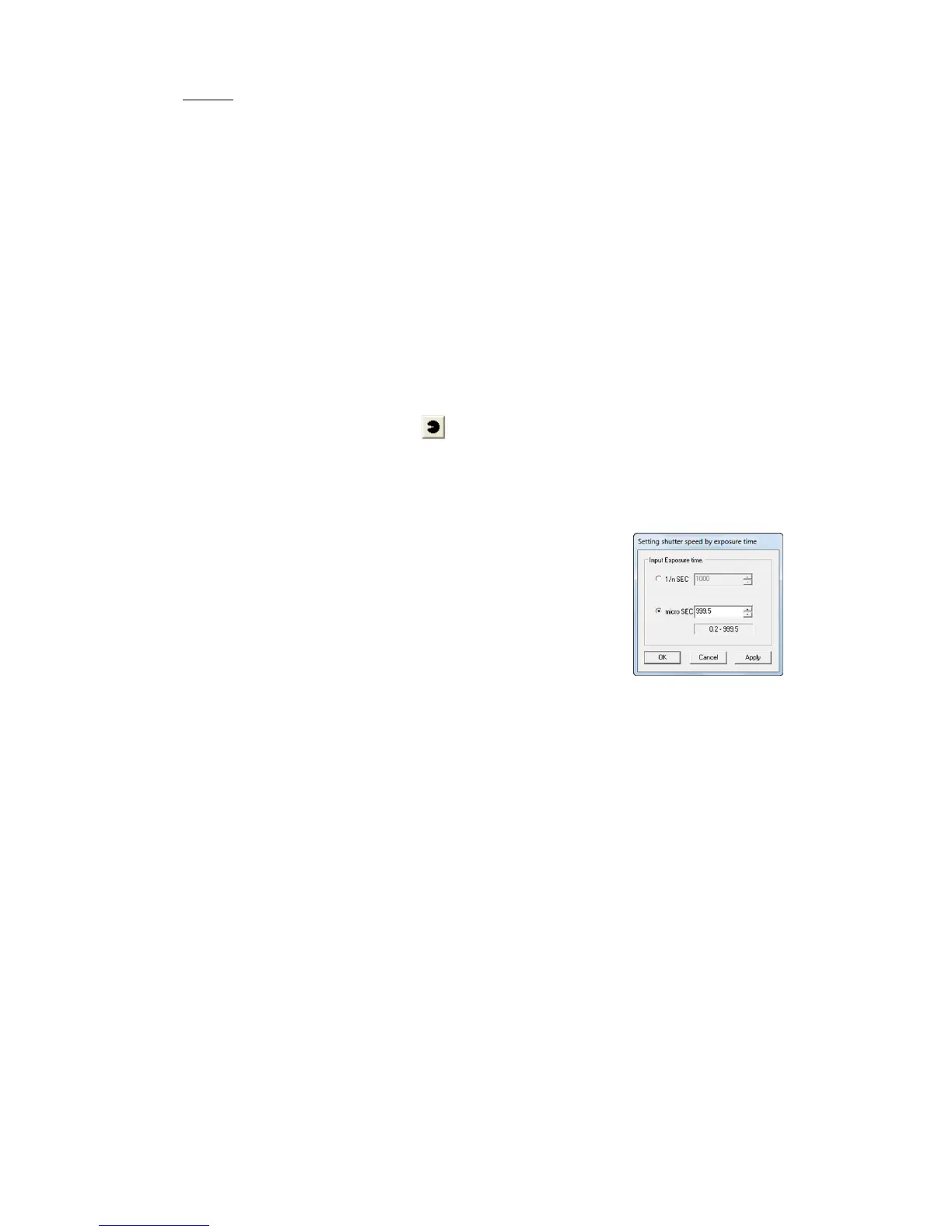
Specify the shutter speed in the “Custom Shutter
Settings” dialogue or specify the exposure time in μsec.
The numbers under the dialogue refer to the range for
the exposure time that can be specified. In the example
to the right with the HX-3, the exposure time can be set
in a range of 0.2μsec~999.5μsec.



 To Next Page