(00292)H 4 - 3
■ Method of Verifying Camera Information(MEMRECAM HX, GX, fx)
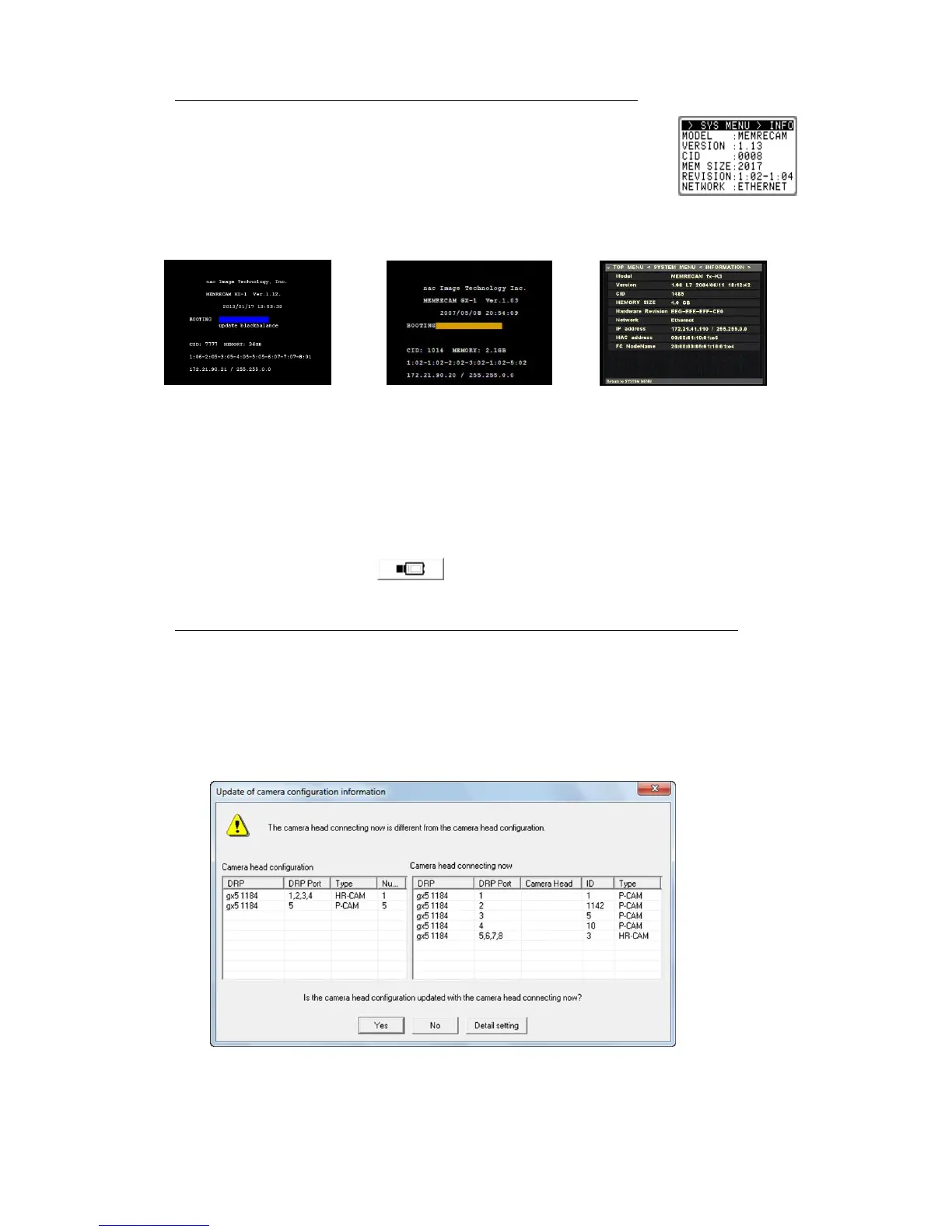
Verification of the HX, GX camera (DRP) "Model and CID" can be made
with "INFO" on the "SYS MENU" shown on the startup screen or
J-PAD3 (remote control) menu.
Verification of the fx series "IP Address/Model/CID" can
be made with "INFORMATION" on the "SYSTEM
MENU" shown on the camera menu.
HX series "Startup Screen" GX series "Startup Screen" fx series INFORMATION”
* The camera (DRP) IP Address is set at factory shipment.
* The camera (DRP) IP Address can be changed to the desired IP address using the
camera (DRP).
* Refer to page 10-3 for the method of changing the HX, GX, Q camera IP address
settings.
* To verify Q camera IP address and CID, connect PC directly with a camera with
LAN cable, and go to “File” “Open Camera” or simply click “Attached the
Camera” ( ) on HXLink. Refer to page 4-4 for details of camera
connection.
■ Method of Verifying Camera Information (MEMRECAM GX-5/GX-5F camera heads)
The camera head ID and model are shown in "Camera Configuration Settings". Before
registering the camera head, connect the HXLink to the GX-5/GX-5F DRP with the camera
head connected to the GX-5/GX-5F and the "Update the Camera Configuration Information"
dialogue appears. The camera head ID is shown in the ID column and the camera head model
is shown in the type column for the "Currently Connected Camera Heads". Refer to page 4-8
for details on camera configuration settings.



 To Next Page