2 - 2 (00292)H
2.1 PC Settings
Have the user with Windows Administrators authorization log in.
Connect the powered up HUB or camera to the LAN port used for camera control.
This manual describes the setting method for Windows7.
■ PC IP Address Settings
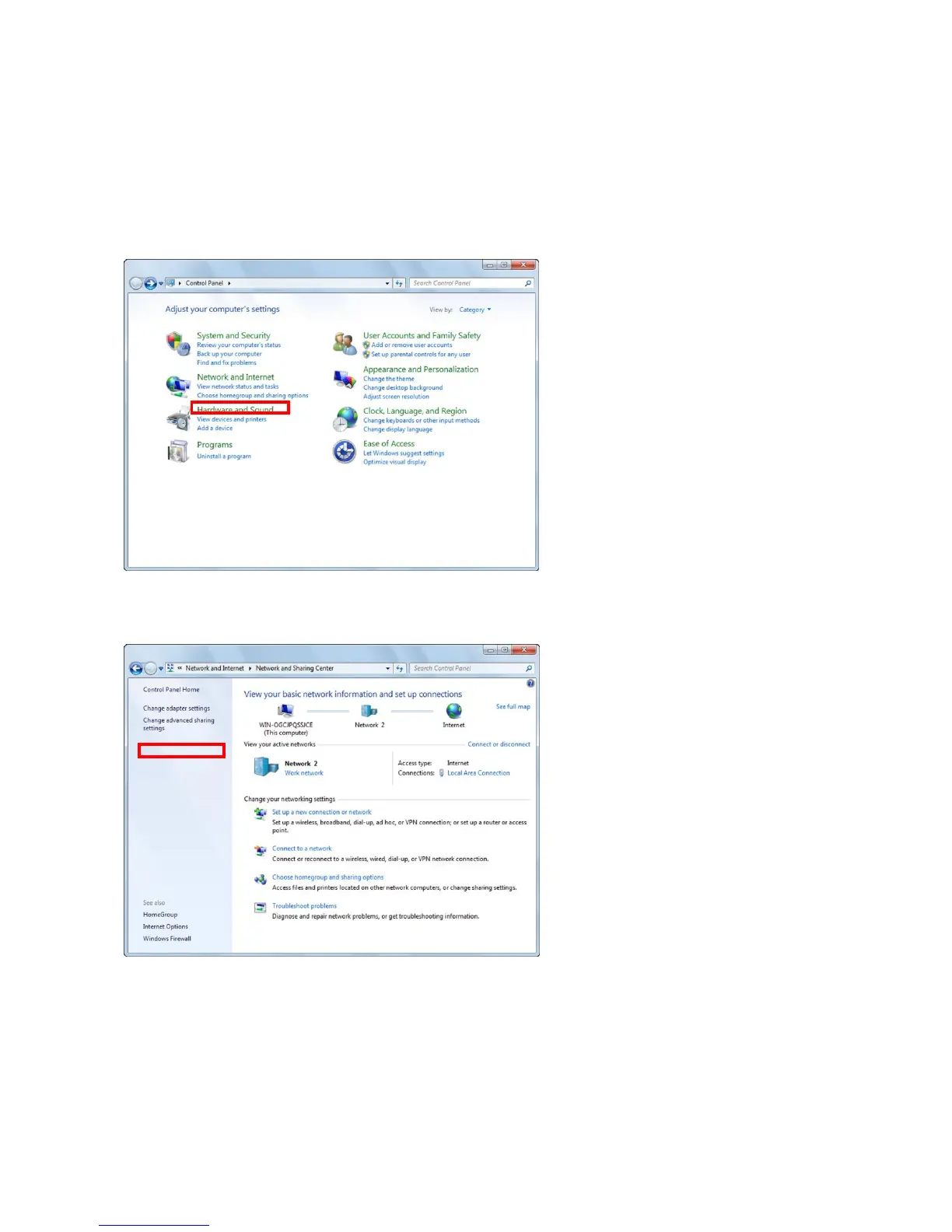
Open the control panel from the Windows start button.
Click to open "View network status and tasks".
Click to open "Change Adapter Settings".



 To Next Page