E - 2 (00292)H
FC-AL driver installation of Windows8
It describes how to install FC-AL host bus adapter driver (hereinafter, 'driver') with the installer for
Windows Vista (SANsurfer_IW_1_0_34_B9.exe) to the Windows8.
■Please install it after inserted into the PC the FC-AL host bus adapter.
Installation Instructions
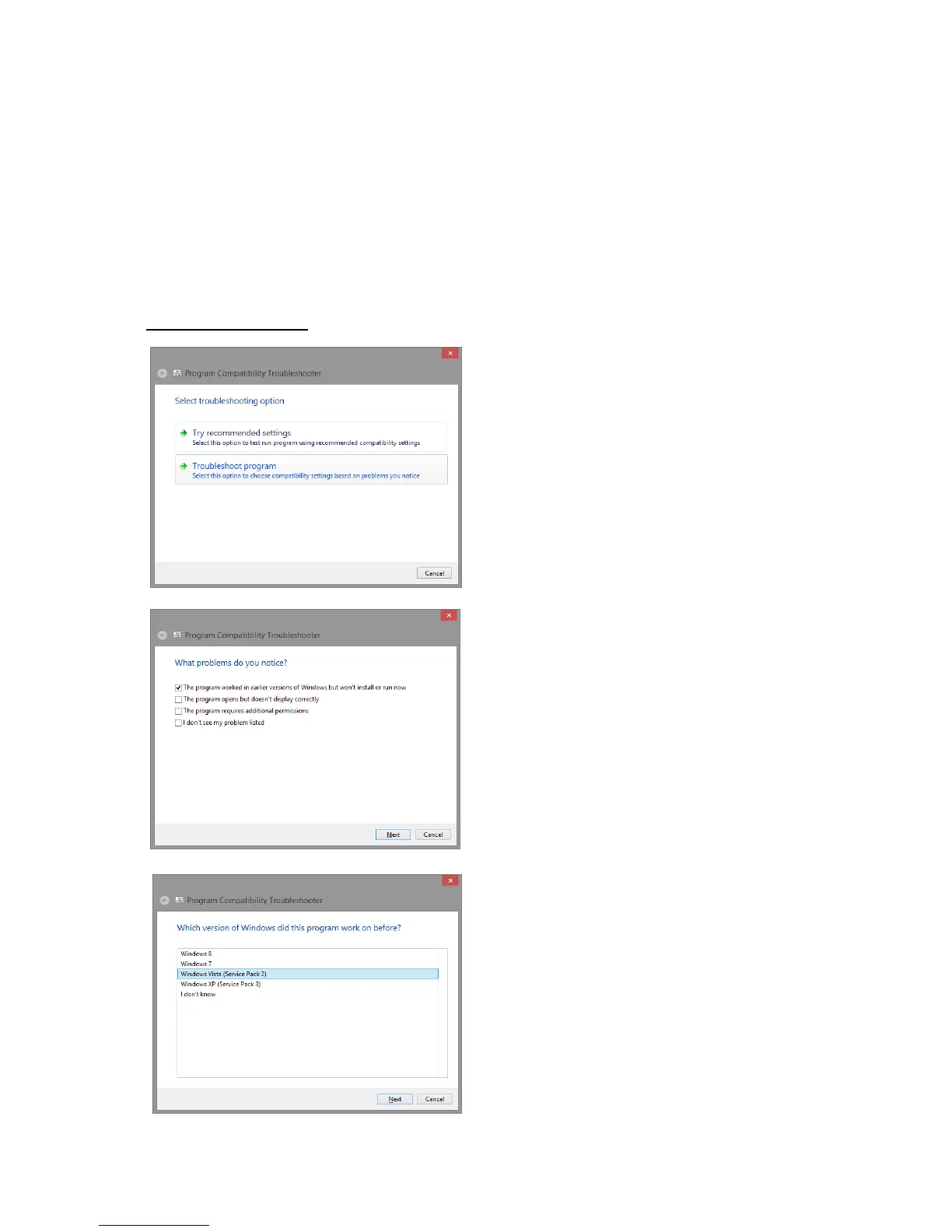
1) Click "Troubleshoot compatibility" on the Right
click menu the installer
2) Click "Troubleshoot program" on the "Program
Compatibility Troubleshooter" screen.
3) Click "Next" to "The program worked in earlier
versions of Windows but won't install or run now"
checked.
4) Click "Next" to "Windows Vista (Service Pack2) "
selected.



 To Next Page