4 - 58 (00292)H
■ Memory Segments
Camera recording memory can be partitioned for use. The recording time for the partitioned
memory segments shortens according to the number of partitions but different scenes can be
recorded in the partitioned memory.
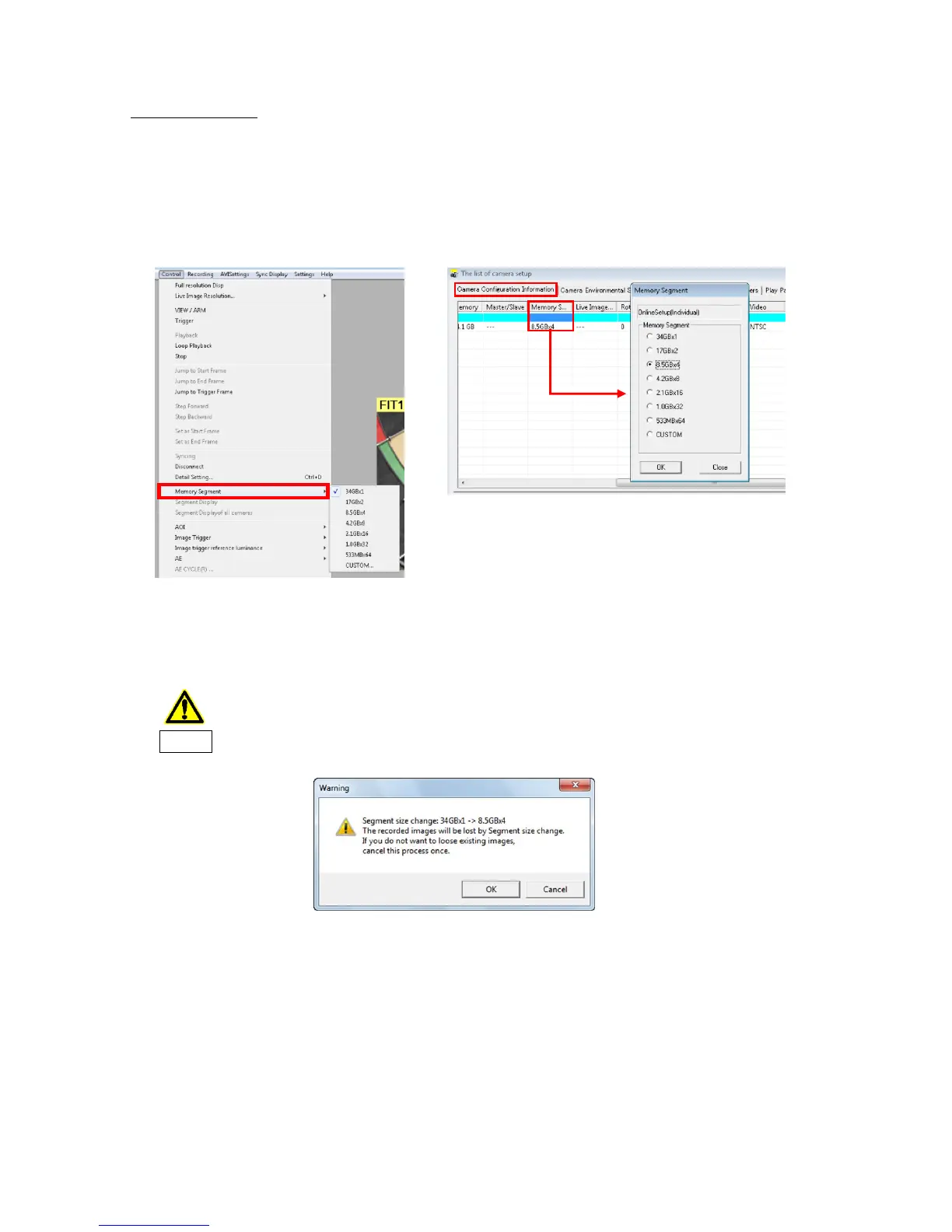
To partition memory segments, select the number of partitions with "Segment Partitions" in the
"Control" menu. If multiple cameras are connected, double click on the "Segment Partitions" cell
under the "Camera Configuration Information" tab in "List of Camera Settings" window to
change the number of segments.
Partitioning memory segments will result in the loss of image data saved in the
camera memory. If essential data remains, be sure to download the image data
before partitioning the memory segments.
Warning
*GX, Q and fx camera can be set segment division number and capacity from fixed value.
HX camera can be set to optional value in “Segment Division” window.



 To Next Page