(00292)H 13 - 19
■ “Display Settings” Tab
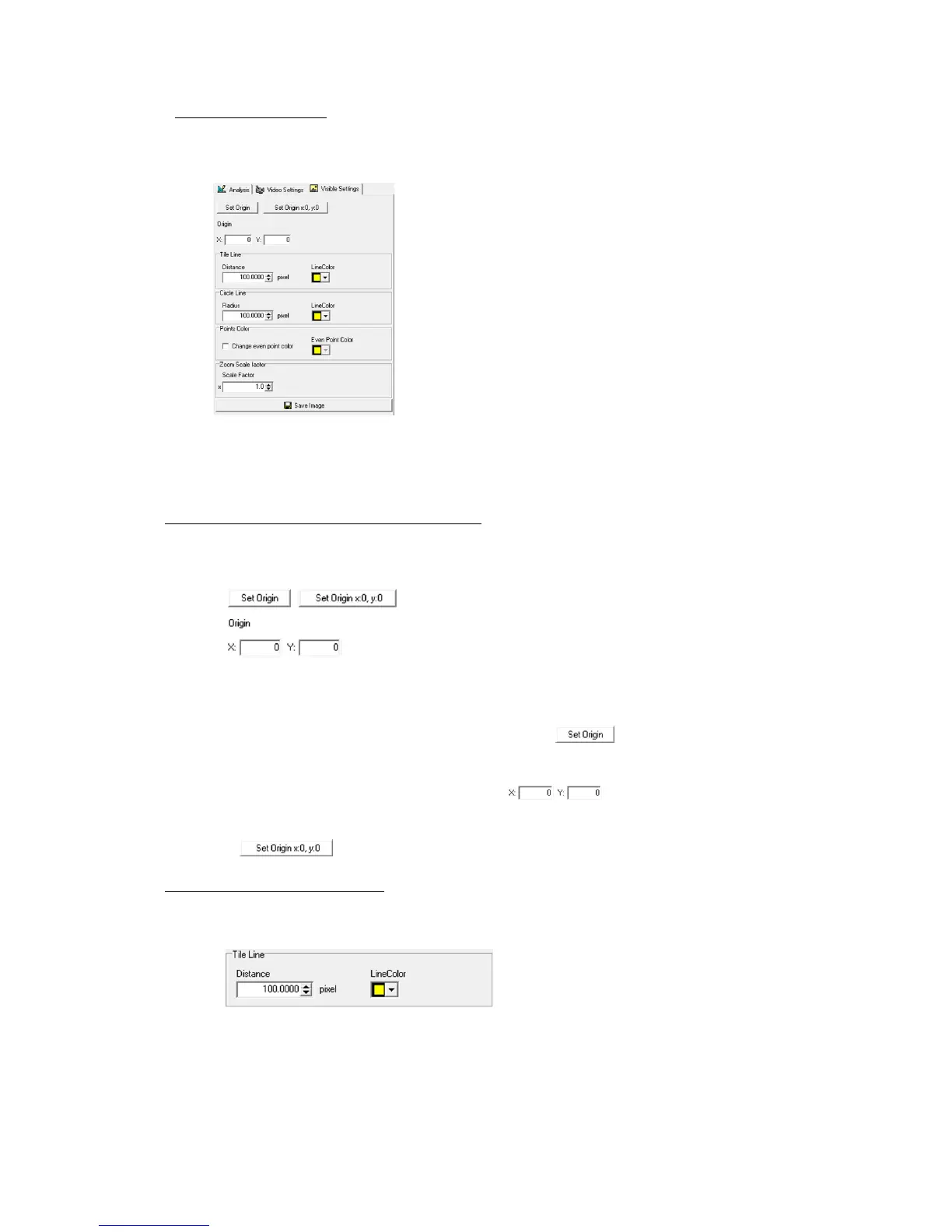
The settings for the grid and concentric circles superimposed on the image are set in the “Display
Settings” tab.
“Display Settings” tab
The LAA toolbar is used to switch ON/OFF the grid and concentric circles display.
Refer to page 13-23 for details.
Settings for the Origin Point for the Grid Display
The settings for the origin point for the grid display are set in the grid origin point settings part
under the “Display Settings” tab.
Grid Origin Point Settings Part under the “Display Settings” Tab.
The default for the grid origin point (x, y) = (0, 0) is the upper left corner of the image.
To set the grid origin point on the image display, click and click a point on the
image display to be the grid origin point.
The current grid origin point is displayed as .With numerical input, press
“Enter” to confirm the grid origin point.
Click to return the grid origin point to the default.
Settings to Display the Grid Lines
Set the grid interval and grid line color in the grid line display part under the “Display Settings”
tab.
Grid Line Display Part under the “Display Settings” Tab



 To Next Page