(00292)H 4 - 11
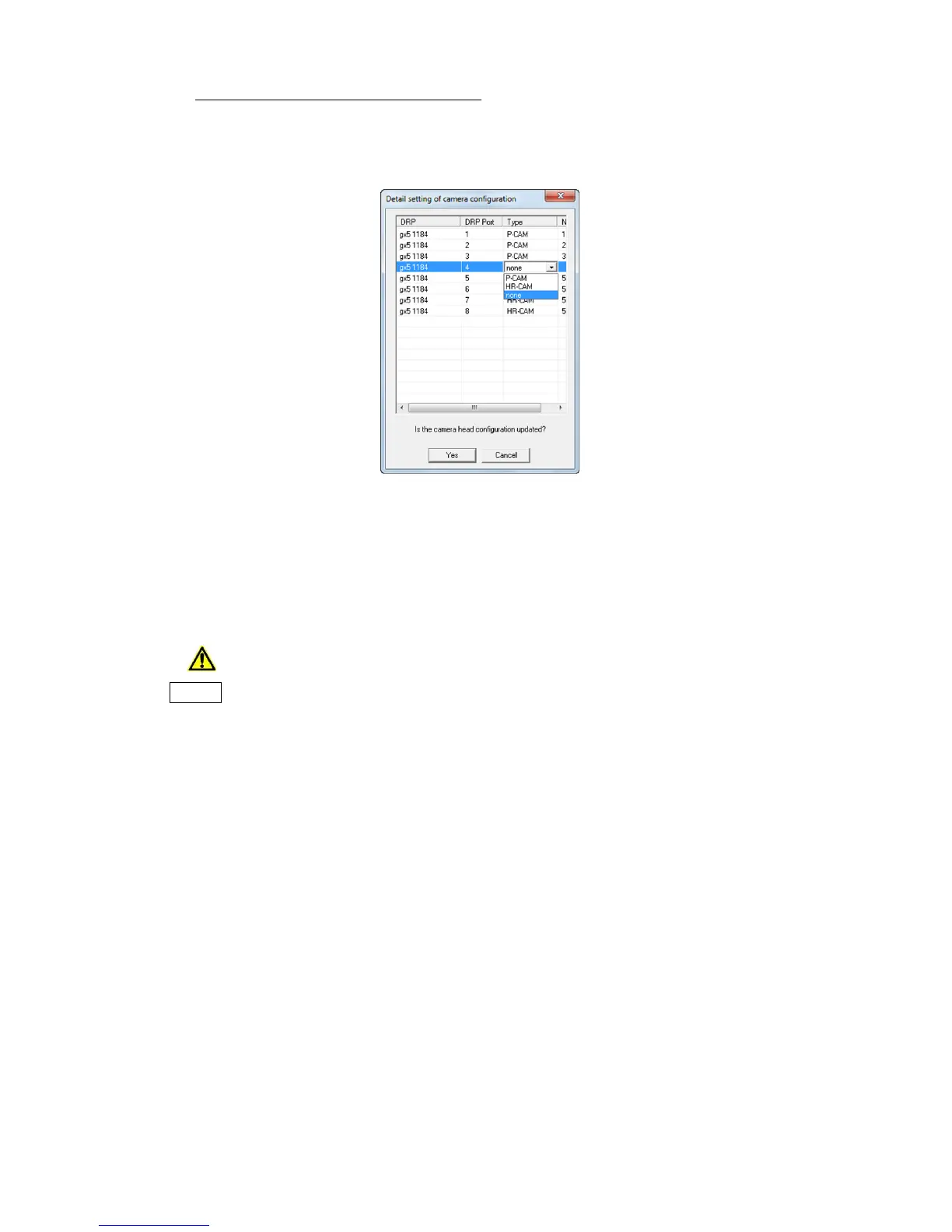
● Detailed Settings for Camera Configuration
The camera configuration settings can be performed regardless of the camera head connected to
the GX-5/GX-5F.
Click on "Detail Settings for Camera Configuration" in the "Update Camera Configuration
Information" dialogue.
The ports for all of the GX-5/GX-5F DRP are listed in the "Detailed Setting of Camera
Configuration" dialogue. Select the camera head type connected to the DRP in the "Type" column.
Select "none" for ports where camera heads are not in use.
The "Type" column cannot be changed on the GX-5/GX-5F DRP where the camera configuration
mode is not compatible with "AUTO" or "detailed settings for camera configuration".
After the settings are finished, click "Yes".
Click "Yes" and the changes made in the "detailed settings for camera configuration"
dialogue are set to the GX-5/GX-5F DRP.
Close the "Detailed Settings for camera configuration" dialogue and the "Update Camera
Configuration Information" dialogue and communication with the cameras connected to
the HXLink will be temporarily disconnected.



 To Next Page