(00292)H 13 - 13
Sequentially click on the parts on the screen to determine the area, and the area of the part
enclosed by the clicked points is shown in the measurement results display window .
If newly measuring the area, click to reset the measurement results.
When area measurement is done, click the start measurement again button .
Measurement of Angle
Measurement of angles is performed on the area measurement part under the “Measure” tab.
Angle Measurement Part under the “Measure” Tab
There are two methods for measuring three point and four point angles.
If measuring angles with three points, click . In this case, proceed to “1) Measure
Angles with 3 Points” on this page.
If measuring angles with four points, click . In this case, proceed to “2) Measure Angles
with 4 Points” on this page.
Units for angles can be selected in “Degrees” or “Radian” in the angle measurement part.
If newly measuring the angle, click to reset the measurement results.
When angle measurement is done, click or to start measurement again.
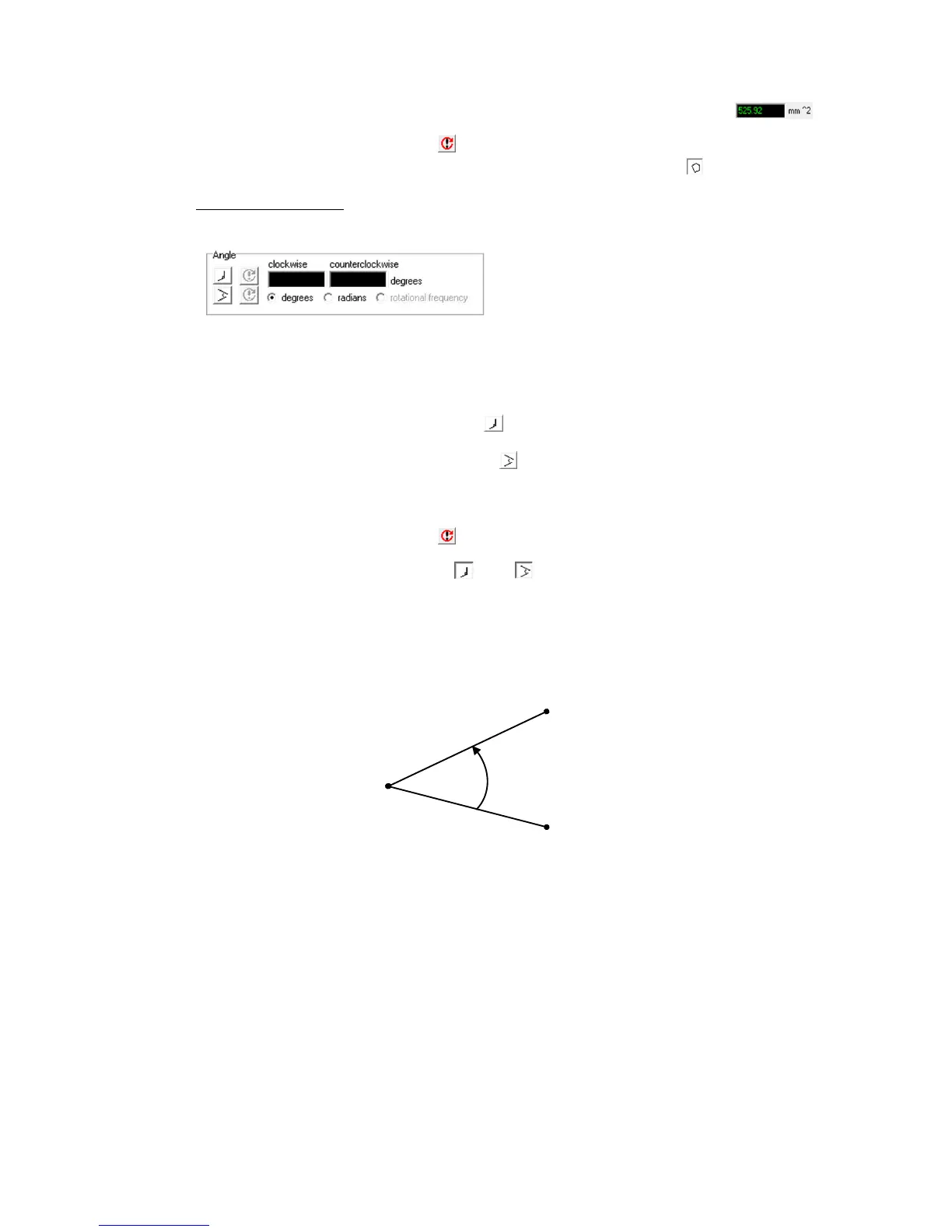
1) Measure Angles with 3 Points
As shown in the following figure, sequentially click on the 1
st
, 2
nd
and 3
rd
points to measure
angles with 3 points. Measuring uses the line connecting the first and second points as a
reference, and the angle counterclockwise or clockwise from there is determined.
Measure Angles with 3 Points (Angle in the Figure is Counterclockwise)



 To Next Page