11 - 12 (00292)H
11.6 AVI Conversion of a Series of BMP Files
A series of BMP files can be converted into a single AVI file.
・Specifications for BMP Files that can be Converted into AVI Files
The image size (width, height) is 24bit RBG color format in multiples of 4.
・Procedures for AVI Conversion of A Series of BMP Files
Designation of the HXLink “Conversion Settings File Destination Folder” and the batch
conversion software “Source Conversion Settings File Folder” is the same as that for normal
batch conversion.
Next is a description of the procedures in an example using the auto conversion function.
1) Startup the batch conversion software and select “Start” in the auto conversion menu to start
auto conversion.
2) Before creating a batch conversion settings file, select the “Source Conversion Settings” tab in
“Options” in the HXLink settings menu, and specify the AVI conversion settings.
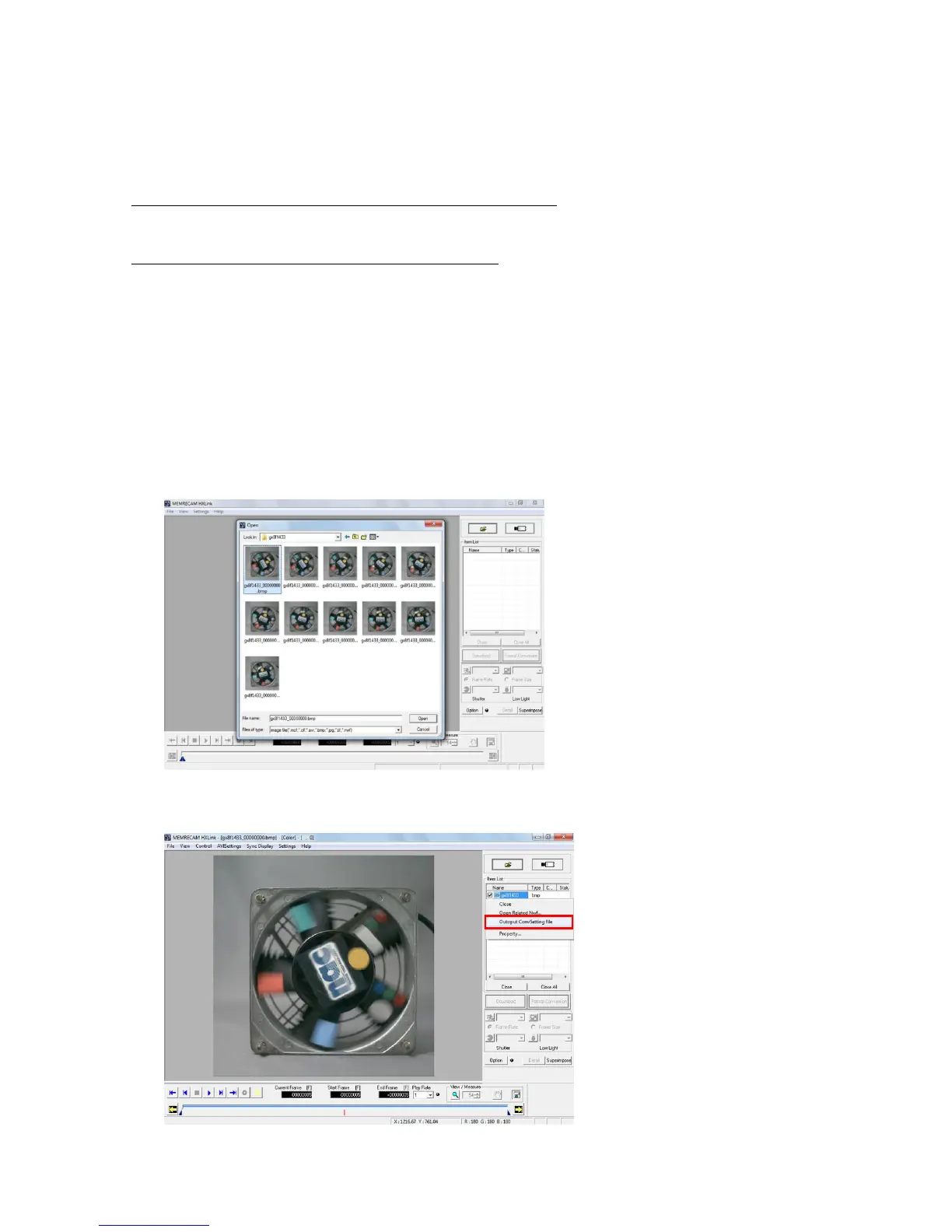
3) In HXLink, select and open a single BMP file from the series of BMP files for conversion.
4) In the item list, select a series of BMP files for conversion, right click the mouse and click on
the conversion settings file output from the menu.



 To Next Page