(00292)H 11 - 11
To end auto conversion of the batch conversion software, click “Stop” in the “Auto
Conversion” menu.
Click “Stop” in the “Auto Conversion” menu or the batch conversion software automatically
repeats conversion until the conversion is done.
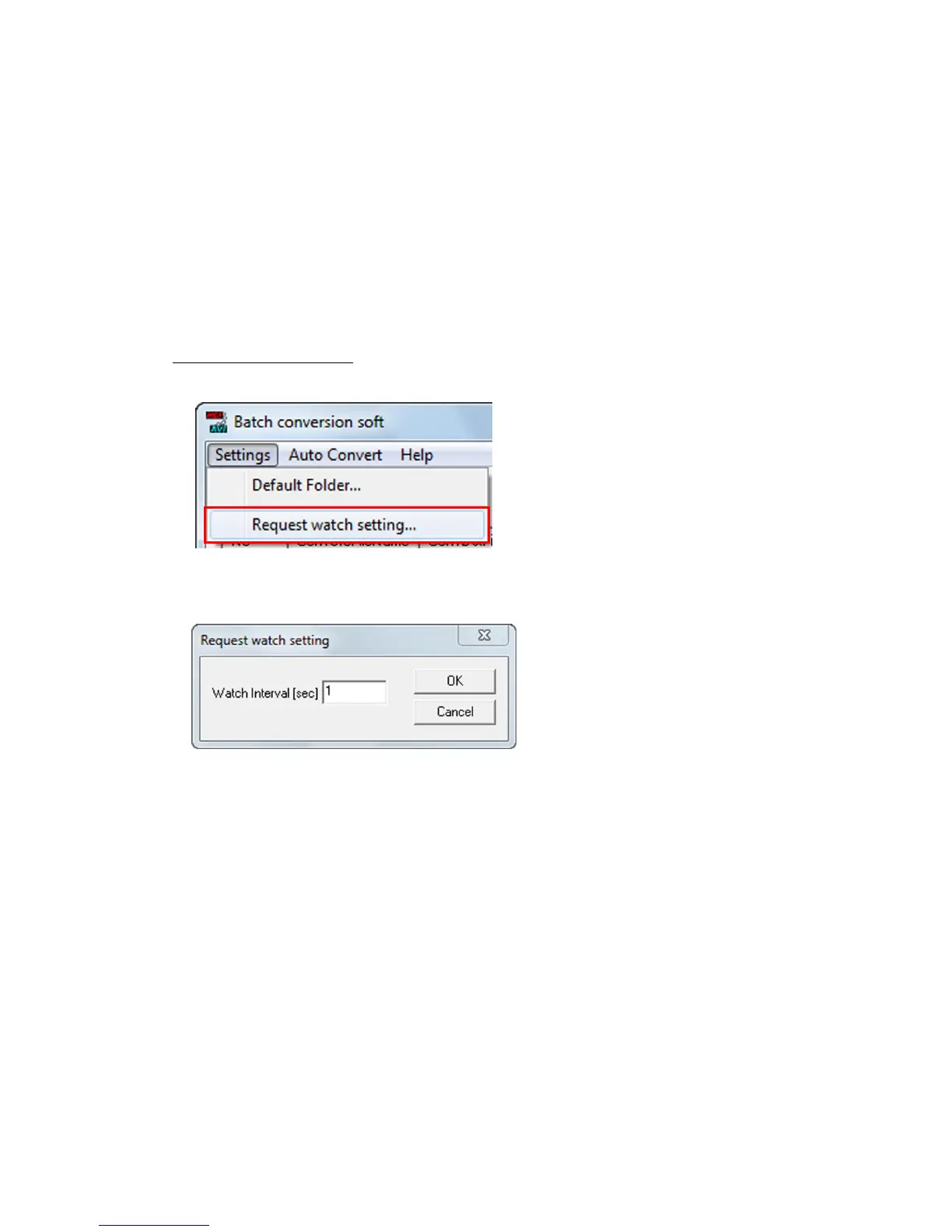
The batch conversion software can specify the interval at which the batch conversion settings file is
loaded from the “Source Conversion Settings File Folder”.
If the batch conversion software is done with conversions and the “Monitor Interval (sec)” has passed,
the batch conversion file is automatically loaded from the “Source Conversion Settings File Folder”
for auto conversion.
・Setting the Monitor Interval
1) Click “Set Monitor (Polling) Time” in the “Settings” menu.
2) In the “Set Conversion File Monitor Time Interval (sec)” dialogue shown, specify the interval
in “Monitor Interval (sec)”.



 To Next Page