3 - 8 (00292)H
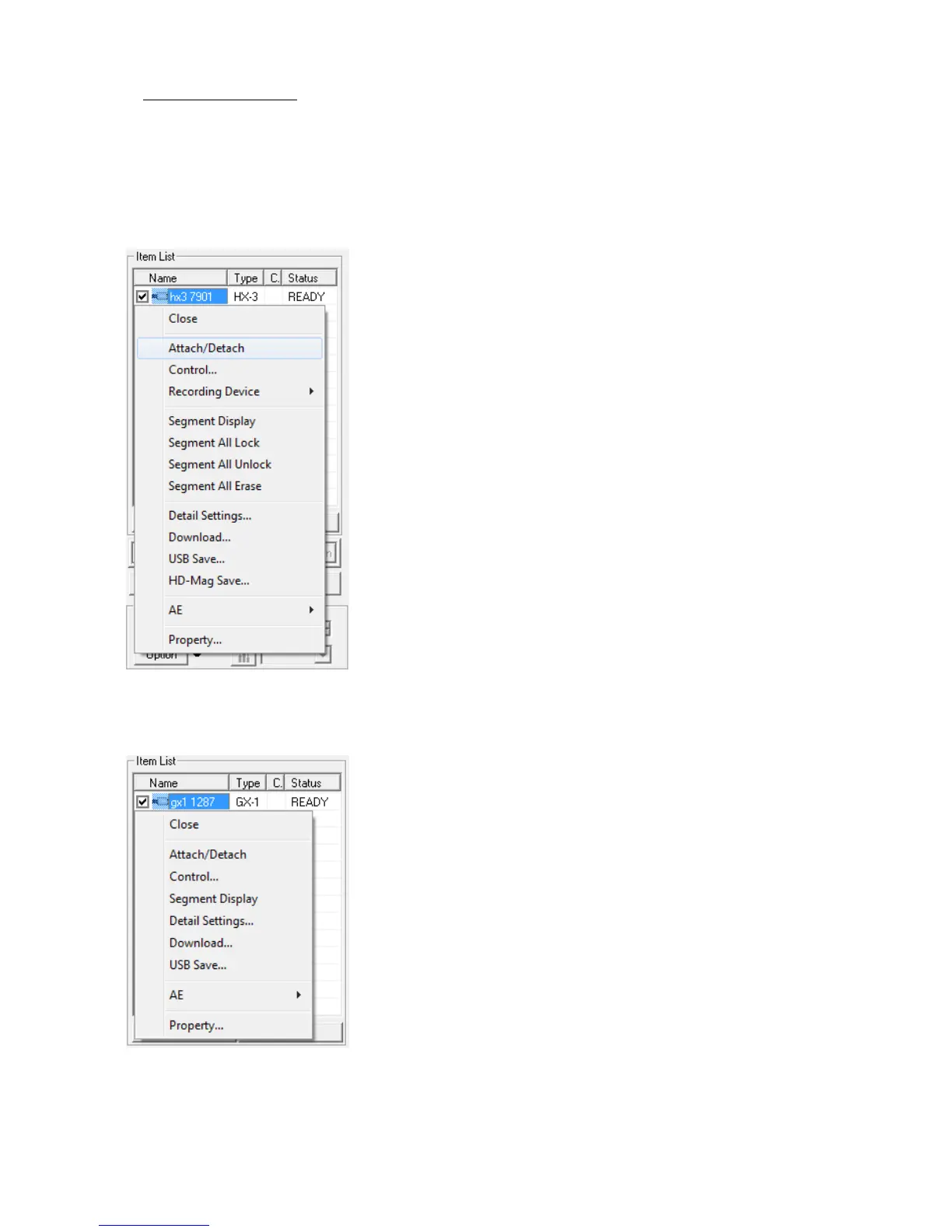
■ Right Click Item Menu
Select and right click an item on the item list to display the menu.
The menu displayed changes according to the type of item selected.
Camera Item Menu
Close Disconnects all connected cameras and
deletes all camera items from the item list.
Attach/Detach
Connects/disconnects all connected cameras.
Control Displays camera control window.
Refer to page 4-13 for details
Segment Display
Display segments in the item list.
If camera recording memory is not
partitioned, this feature is disabled.
Segment All Lock
Protect all of the segments
Segment All Unlock
Unprotect all of the segments
Segment All Erase
Erase all of the segments
Detailed Settings
Shows the "Camera Details" dialogue.
Refer to page 4-28 for details.
Download Downloads image data from the camera and
creates camera image files
(MCFF/AVI/TIFF/BMP/JPEG).
USB Save Saves image data on the USB media
connected to the camera and creates camera
image files (MCFF/AVI).
HD-Mag Save Saves the image data on the HD-Mag
(option) attached to the camera.
AE Selects the settings for automatic exposure
control (AEC).
Refer to page 4-45 for details
Split Display Multiple camera shots are displayed in the
video of GX-5.
Refer to page 4-72 for details.
Properties Displays the camera properties.
Refer to page 9-2 for details.
I.I. Properties Displays the RX-6 I.I. camera properties.
I.I. properties are shown only when a RX-6 I.I.
camera is connected.



 To Next Page