(00292)H 4 - 75
■ EF Lens Control (Using the HX Camera and EF Mounting Adapter)
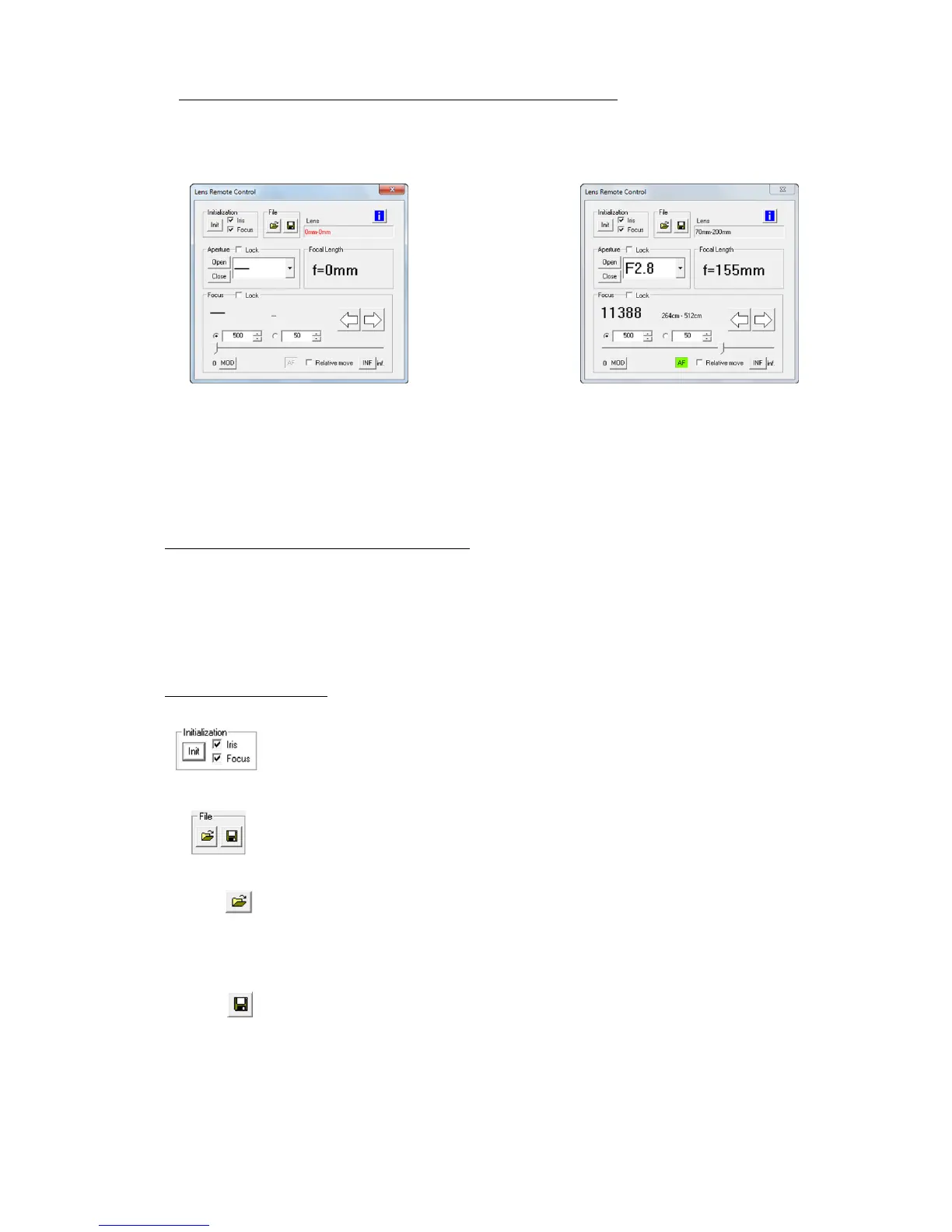
If the optional EF mounting adapter is installed on the HX camera, the aperture and focus of the EF
mounted lens can be controlled from HXLink.
Refer to the HX camera user’s manual for the method of mounting the EF mounting adapter-lens.
Connection with only the EF mounting adapter EF mounting adapter+EF mounted lens
When controlling the focus with HXLink, make sure the lens focus switch is set to AF (Auto Focus).
If the focus switch is set to MF (Manual Focus), the focus cannot be operated from HXLink.
When operating the lens from HXLink, first initialize the aperture and focus.
After starting up the camera, if not initialized once, the aperture-focus cannot be controlled.
Adjusting the focus with manual lens operation
Focal adjustment can be done manually with the lens, but with manual operation, the proper lens focal
position cannot be retrieved from HXLink.
If adjusting the focus with HXLink after manually adjusting the focus, perform relative displacement
or control the focal position after initializing the focus.
Once the focus is initialized, the lens focus position cannot be returned to the state prior to
initialization.
Description of Each Item
Click “Init” to specify either Aperture-focus or both to perform
initialization for lens control.
With initialization, the focus can be changed from close range to infinity
but cannot be returned to the original position. The aperture is (Open).
Save/open settings (aperture, focus, lens control window position).
File selection settings are reflected in the lens.
If there are multiple settings for the selected file, the settings are only
reflected for the camera lens where those settings are saved.
Saves the file with the current lens control window settings.
If saving existing file selections and there are existing file settings for the
currently controlled camera, the file with the current settings is
overwritten, otherwise the current camera settings are added to the file.



 To Next Page