4 - 66 (00292)H
■ Low Light
There may be cases when a clear monitor image cannot be obtained in the VIEW mode with
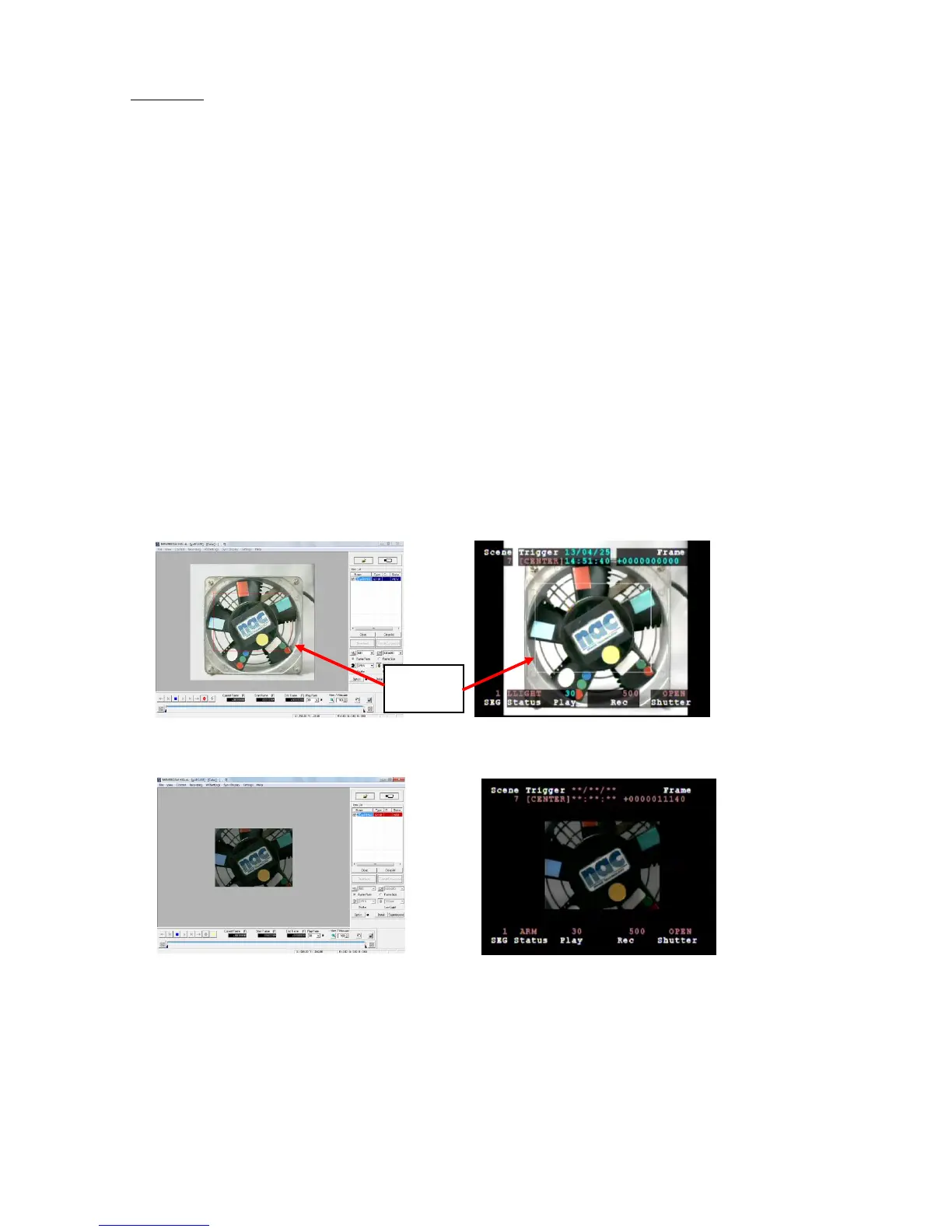
temporary low levels of lighting during recording. During VIEW with the low light mode ON,
images brighter than the frame rate and shutter settings are displayed on the monitor, which can be
used to confirm the angle of view and focus. Start recording in the ARM mode and the low light
mode display disappears, and the image with the set brightness is shown on the monitor.
With low light mode display, in addition to the angle of view for the recorded frame size, the
image for the maximum angle of view of the camera is displayed, and the border is shown around
the recorded angle of view. Since the area around the recorded image is also displayed, it is handy
for matching the angle of view when the frame size is small.
(Confirm the aperture for the amount of light corresponding to the frame rate parameters actually
set in the step for image recording. Also, adjust the position to fit the subject recorded inside the
frame for the angle of view.)
Low Light can be set with the "Low Light” button in the “Item Toolbar” (Basic Mode) or the
“Camera Parameters Toolbar” (Expert Mode).
Low light can also be set with the “Camera Details” dialogue of the “Control” window under the
“Recording Parameters” tab of the “List of Camera Settings” window.
Brightness settings for the low light mode use a low light frame rate of 100/250/500/1000 pps in
the right pull-down menu of “Low Light”, or can be selected from CUSTOM.
Settings using the low light button only apply to image display in the VIEW mode, and do not
affect image display in the ARM, REC modes or actual recording. Verification of the images
during VIEW can be performed with the “Low Light” settings but the actual recording is
implemented with the set recording parameters.
VIEW (Low Light Mode) Live Display VIEW (Low Light Mode) Video Display
ARM Live Display ARM Video Display



 To Next Page