(00292)H 7 - 21
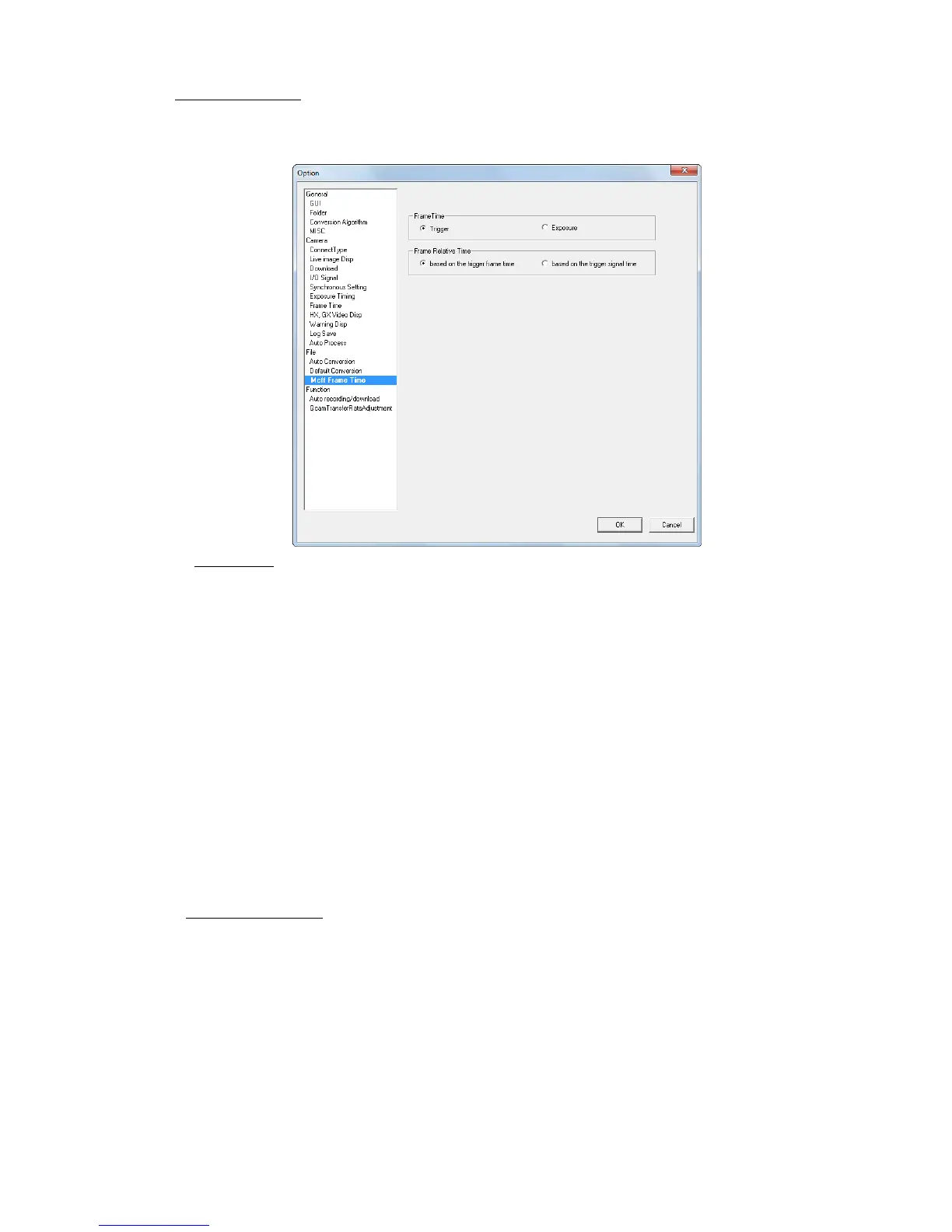
■MCFF Frame Time
Switches the absolute time display for the MCFF frame. This setting reflects the item relating to
the MCFF property time to the frame displayed for superimposed information.
Settings for already open MCFF can be applied.
Frame Time
Trigger This method calculates the frame time for the recording speed with
the trigger frame time as the trigger signal input time and with other
frame times as the reference.
With this method, the frame time is not the same as the exposure
time so if using the trigger frame as the relative time, it has the
advantage of being easy to understand since the time between each
frame is uniform.
With this setting, the frame time is not shown with external sync
recording.
Exposure This method is the frame time that is the mid-point between the
time when the sensor starts exposure and the time when exposure is
stopped.
This method is useful for frame image times but if conducting auto
exposure, the time between each frame is not uniform.
With GX cameras, if using the time stamp function, since the image
and the time information for that image are stored in the memory,
the frame time is shown for EST even with external sync recording.
Frame Relative Time “Frame Relative Time” is enabled when “Frame Time” is “Exposure”.
based on the trigger frame time
Standard when the trigger frame time calculates the relative frame
time.
The trigger frame time is subtracted from the frame time and the
time becomes the relative frame time.
based on the trigger signal time
The trigger signal input time becomes the standard when
calculating the relative frame time.
The time subtracting the trigger signal input time from the frame
time becomes the relative frame time.



 To Next Page