4 - 102 (00292)H
■ Recording Status Display
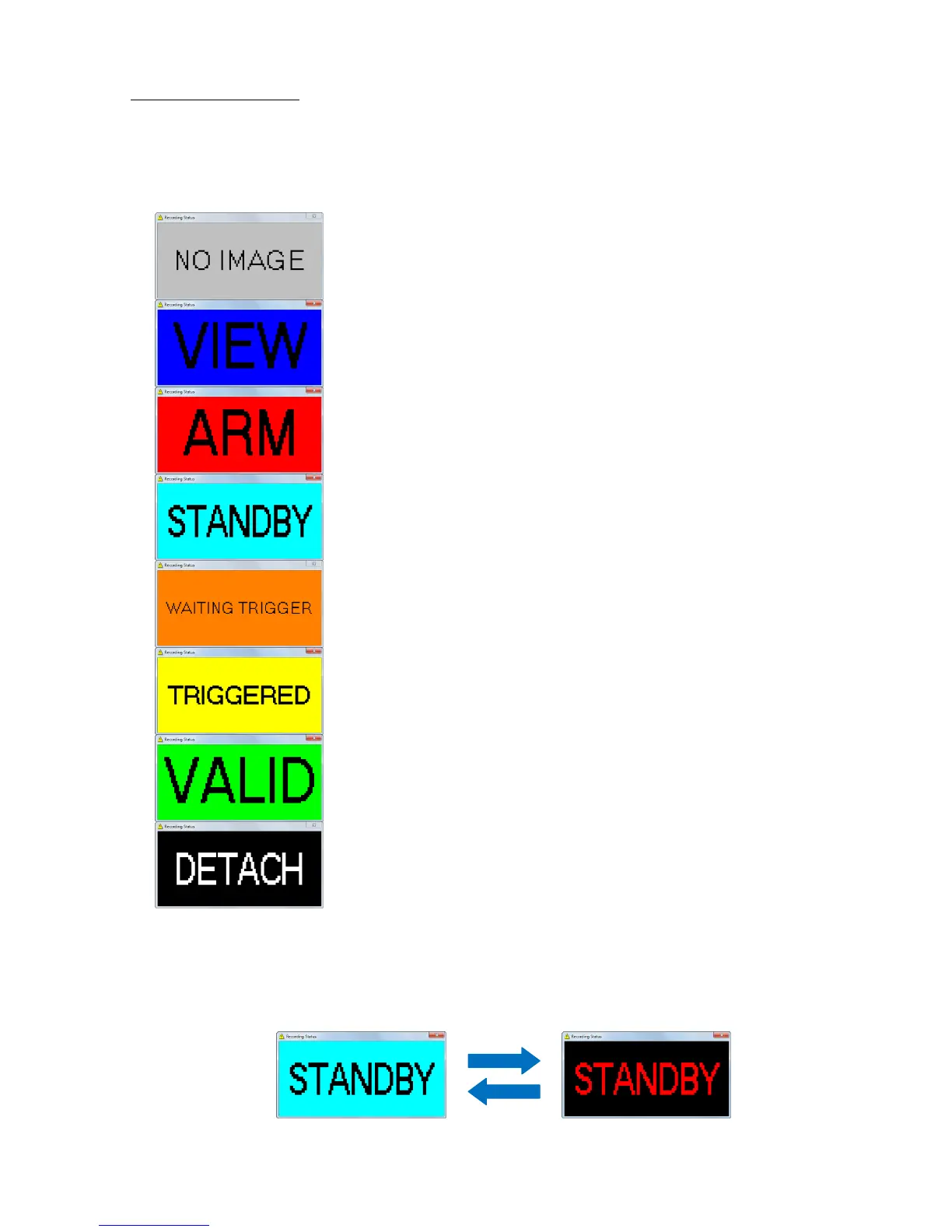
Recording status display window shows the status of the camera when recording.
To display “Recording Status” window, check “Recording Status” in the “View” menu.
The size of “Recording Status” window is changeable, so you can enlarge the window size and
confirm camera status in controlling PC monitor such as shown in the following displays.
NO IMAGE: All cameras are READY status not recording
VIEW: One or more cameras are VIEW status.
ARM: One or more cameras are ARM status.
STANDBY: All cameras are ARM status and waiting for
recording trigger.
WAITING One or more cameras are REC(detect trigger)
TRIGGER: status.
TRIGGERED: All cameras are REC status.
VALID: One or more cameras are recorded and
READY Status.
DETATCH: Cameras are disconnected by operation
If one or more cameras are disconnected, the alarm sounds and “Recording Status” window starts
to blink.
If camera is disconnected when waiting for recording trigger, window starts to blink as follow.



 To Next Page