(00292)H 3 - 11
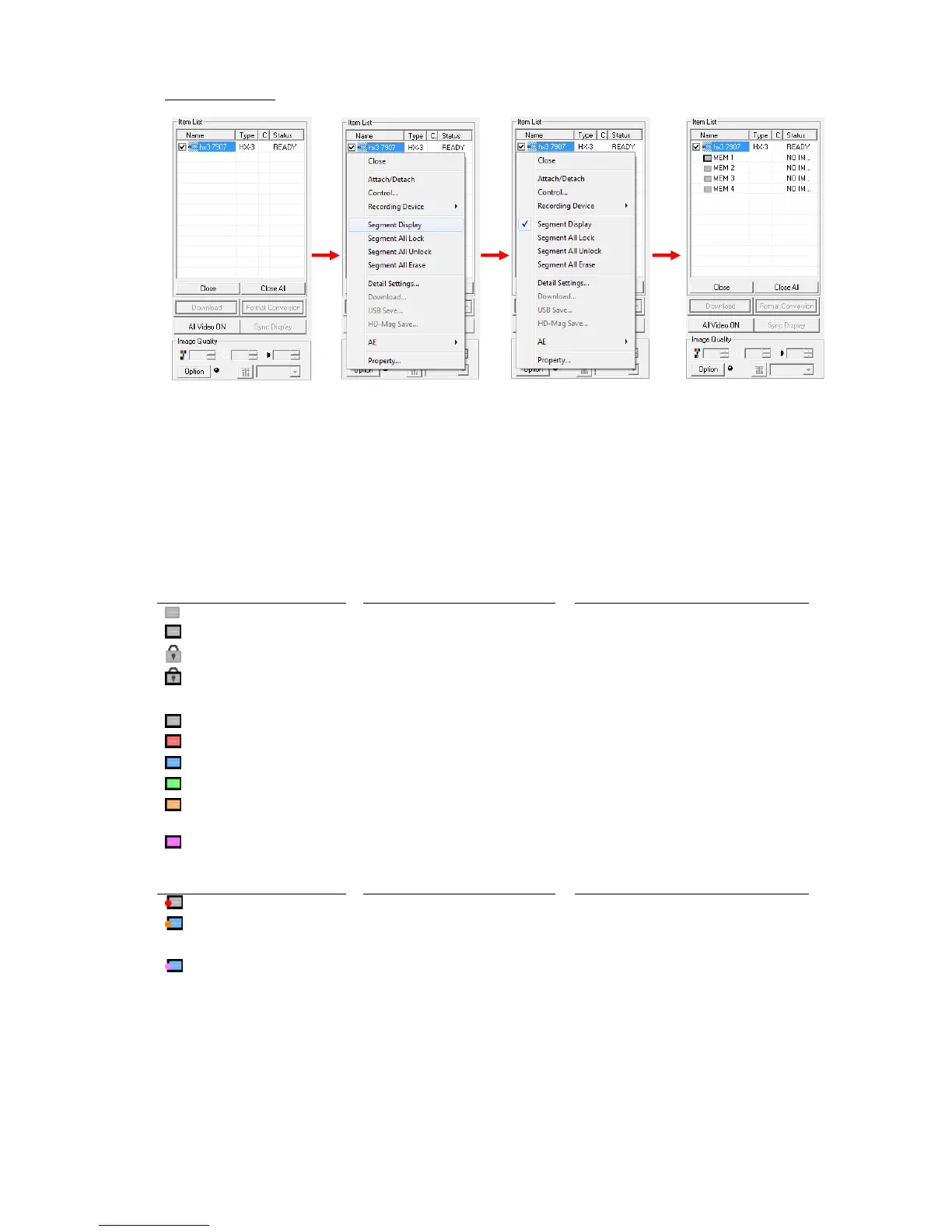
Segment Display
Any of the following can be used for the "Segment Display".
・ Click "Segment Display" in the "Control" menu.
・ Click "Segment Display All Cameras" in the "Control" menu.
・ Select a camera from the "Item List" and click "Segment Display" on the right click menu.
If you do one of the above, while segment is displayed in the item list, segment is hidden.



 To Next Page