4 - 36 (00292)H
■ Black Balance
Black Balance is a function that corrects the HX, GX and Q camera sensor pixel dependent noise.
With the GX and Q camera, applying black balance immediately before or after recording is
recommended when conducting high precision photography.
Black Balance removes sensor noise with the frame rate and frame size settings so if the frame
rate or frame size is altered when the black balance is ON, a warning encouraging black balance
correction is displayed on the video monitor or the warning window. When using the black
balance function, calculate the black balance using the same frame rate and frame size settings as
those for recording.
The Black Balance warning can be set ON/OFF with the GX WARNING DISP settings
(Option/Settings at camera connection) .
To calculate the black balance, first set the “Frame Rate” and “Frame Size” to that used for
recording. Next, place the cap on the camera lens for cameras other than the HX so light does not
reach the sensor.
Perform any of the following.
・ Conduct "Update Black Balance" in the camera configuration information in the “Camera
Details” dialogue
・ Conduct "Update Black Balance" in the “Camera Configuration Information” tab in the “List
of Camera Settings”.
・ Conduct "Update Black Balance" in the wide display of the item toolbar.
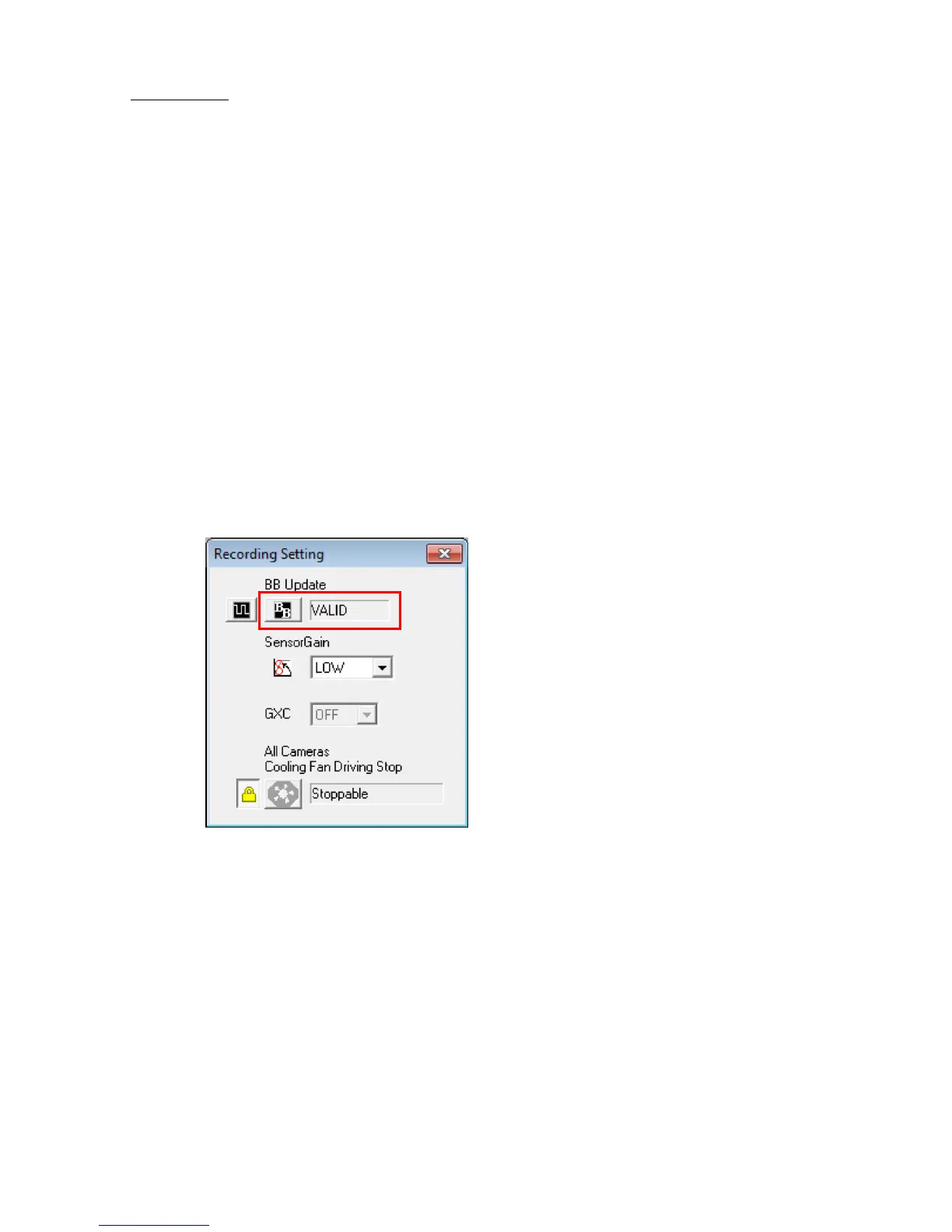
・ Conduct "Update Black Balance" in the “Recording Settings” window.
At this point, the camera status will show one of the following, and the correction data will be
created.
The definitions of the status are shown below.
NONE Black Balance is not ready.
BUSY Black Balance is busy.
VALID Black Balance has been completed.
To enable/disable the black balance, select ON/OFF for the black balance in the recording
parameters found in the "Camera Details" dialogue.
ON Uses black balance corrected data.
OFF Does not use black balance corrected data, corrects internal camera
data.
With multiple camera heads DRP on the GX-5/GX-5F cameras, even if black balance calculations
are conducted in a batch, in reality, they are conducted sequentially for each camera head.



 To Next Page