(00292)H 13 - 11
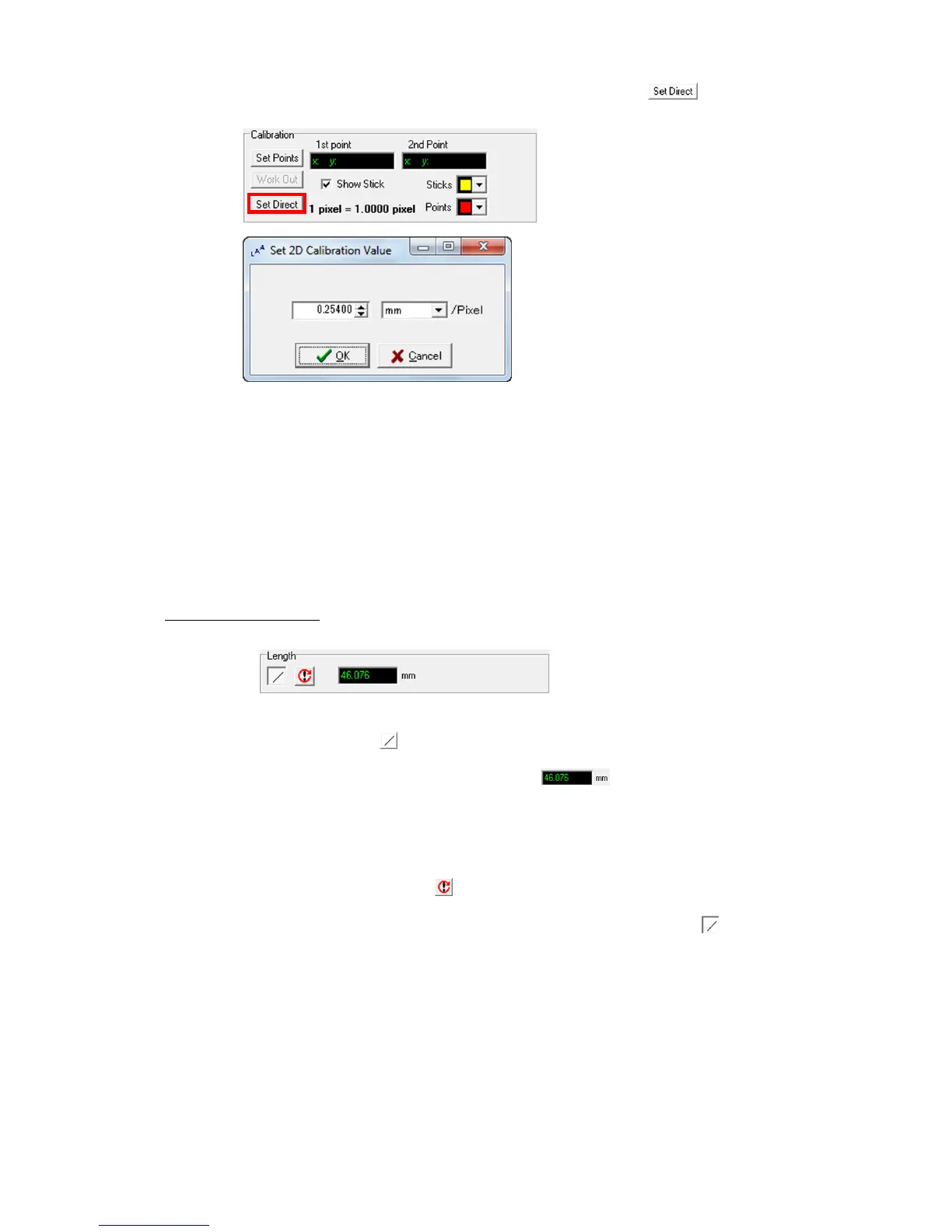
If the actual length per pixel is known, click “Specify Numbers to display the
“Enter Numbers” dialogue and directly input the numbers to set the unit length per pixel.
“Enter Numbers” Dialogue
The values set for calibration (1pixel=XXX mm) are recorded last, and if performing analysis
with other data, if starting LAA measurement, or if new calibration is not performed, this data is
used as the calibration values.
The current calibration values are shown as1pixel=XXX mm on the calibration part.
Calibration is not performed when first using LAA measurement, so if performing measurement
without calibrating, the results for length, area and speed are shown in pixel units.
Measurement of Length
Measurement of length is performed on the length measurement part under the “Measure” tab.
Length Measurement Part under the “Measure” Tab
Click “Start Measurement” to start measuring.
Click two points on the image displayed to measure and the distance between the two points is
shown in the measurement results display window . Click more than two points
and the sum of the total of the lines for the points clicked sequentially are measured.
If measuring videos, after specifying the first point, use the control image playback button to
switch the display to another frame and specify the second point so the amount of movement of
the moving object can also be measured.
If newly measuring the length, click to reset the measurement results.
When length measurement is done, click the start measurement again button .



 To Next Page