13 - 10 (00292)H
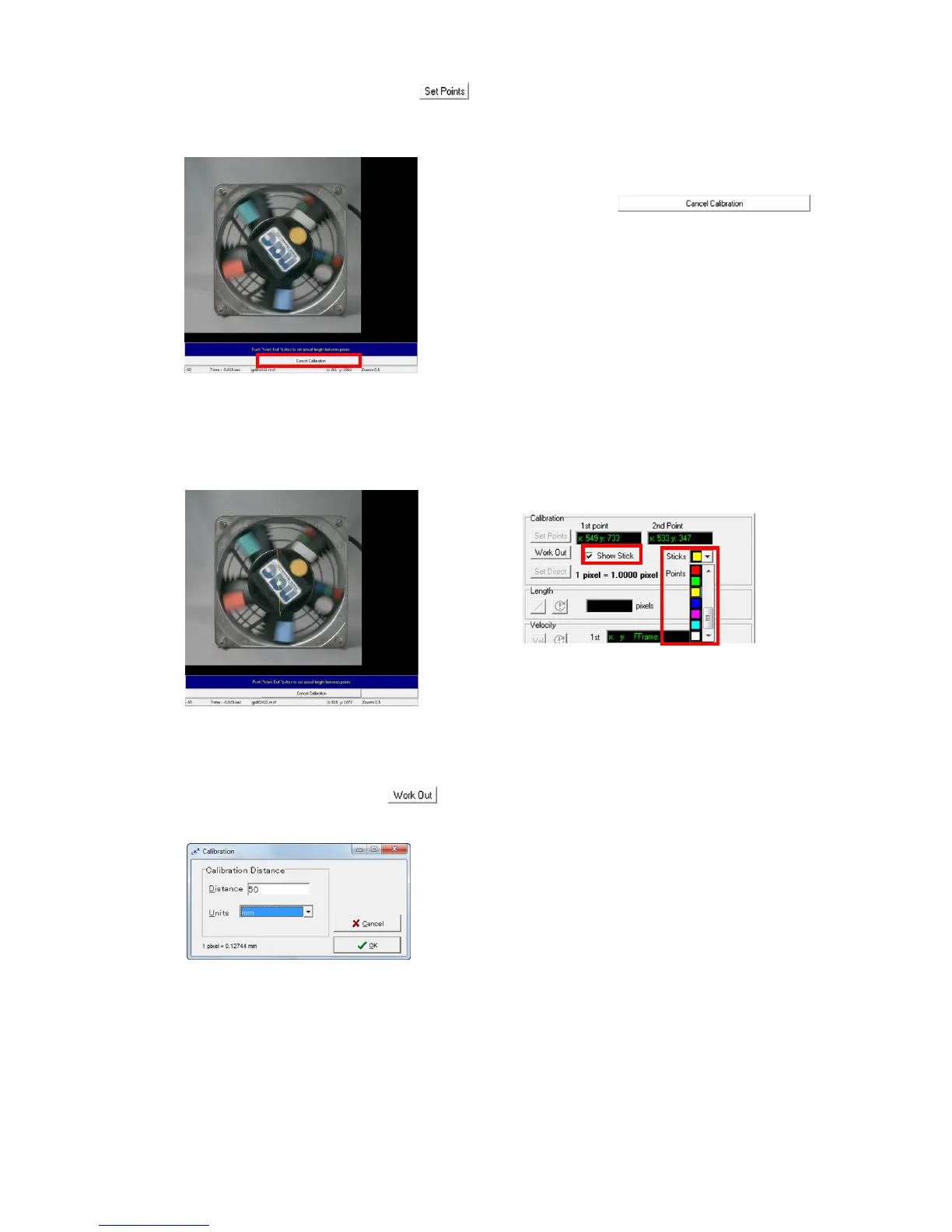
Click “Specify Reference Points” and then move the cursor to the image display.
Sequentially click two points at known intervals on the image to display the coordinate
values of the points clicked.
After clicking the second point, the “Cancel
Calibration” button
appears under the image displayed. Click to
suspend calibration.
Turn the stick display ON (check the box) to display a line between the two points. The color
of the line can be set with “Line Color” and the color of the point can be set with “Point
Color”.
Next, click “Set Calibration” and the “Calibration” dialogue appears, so set the
distance and units and then click “OK”.
“Calibration” dialogue



 To Next Page