3 - 12 (00292)H
Segment Reservations (HX camera)
A segment reservation function has been added to HX cameras to properly perform continuous
recording or download multiple HXLink segments by switching HX camera segments in conjunction
with the DOWNLOAD REC function.
With a camera in VIEW, a recording reservation is set to the current segment to start recording
precisely when ARM operation begins. Recording for the reserved segment can be precisely started at
ARM operation since save locally download is not
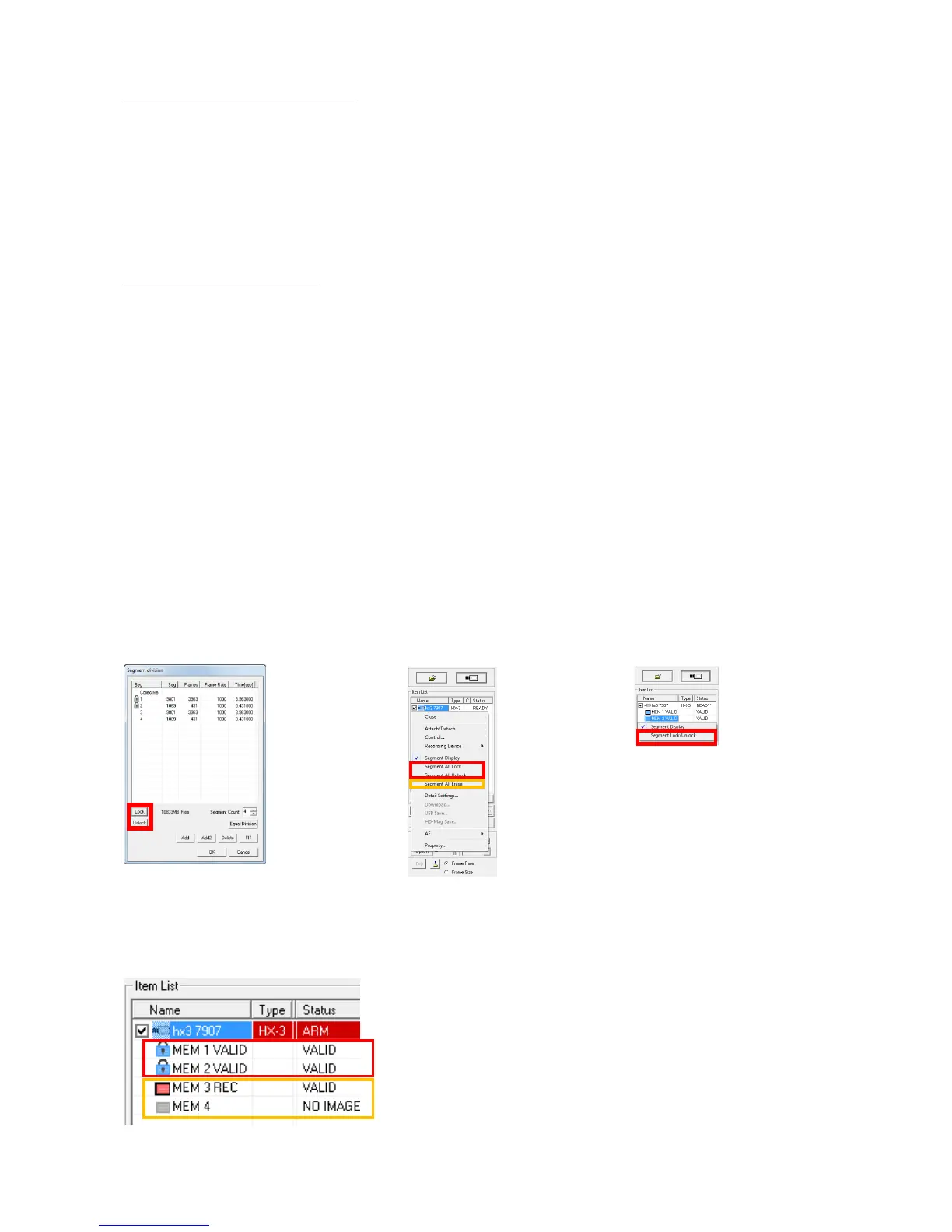
Protect Segment (HX camera)
Segment protection settings during segment partitioning are in the segment partition window.
If batch selecting, select the segment to set segment protection for each segment.
To "protect" the segment, do any of following.
・ Click the "Segment Display" from the "Control" menu.
・ Click the "Segment Display of all cameras" from the "Control" menu.
・ Right click the camera item in the "Item List" and select "Segment Display" from the menu
To "unprotect" the segment, do any of following.
・ Select the camera in the "Item List" and select from "Recording Trigger Mode, Number of
Blocks" from the "Control" menu.
・ Select from "Recording Trigger Modes" in "Detailed Settings".
・ Select from "Recording Trigger Modes" under the "Recording Parameters" tab in the "List of
Camera Settings" window.
Segment Partition Window Camera Item Menu Segment Menu
Segment protection settings during segment partitioning are in the segment partition window.
If batch selecting, select the segment to set segment protection for each segment.
The status of segment protection can be verified in the segment display of the item list.



 To Next Page