(00292)H 9 - 13
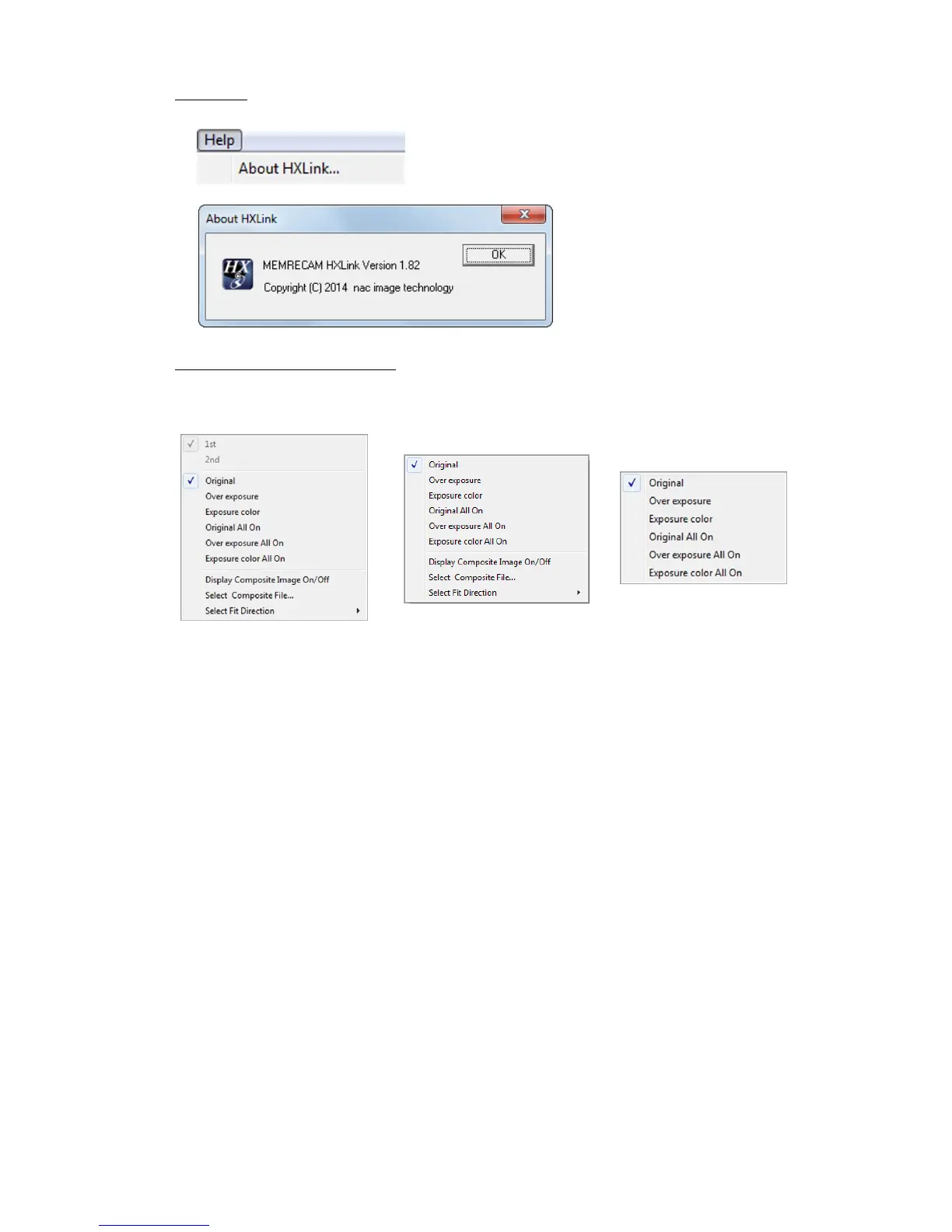
■Help Menu
・HXLink Version Information Shows the version information for the HXLink application.
■ Image Monitor Right Click Menu
The items on the image monitor right click menu vary according to the item selected.
The image monitor right click menu is not shown during sync display.
Right Click Menu GX, Q, fx camera Control Menu
(camera item selected) (file item selected)
(HX)
○ Camera Items
・Show Frame Straddling Select 1st/2
nd
frame.
・Show Exposure Original/over exposure/exposure color/all original/all
over exposure/all exposure color
Refer to page 3-27 for details.
・Composite Display Composite display ON/OFF /select composite display
file/orientation (Portrait, Landscape)
Refer to page 4-70 for details.
・Split Display (GX-5 camera only)
Example: OFF/Split (1 ,2 ,3 ,4 ) /Split ( ALL )
Refer to page 4-72 for details.
○File Items
・Show Exposure Original/over exposure/exposure color/all original/all
over exposure/all exposure color
Refer to page 3-27 for details.



 To Next Page