10-2 (00292)H
10.1 HXUtility Details, Startup Process
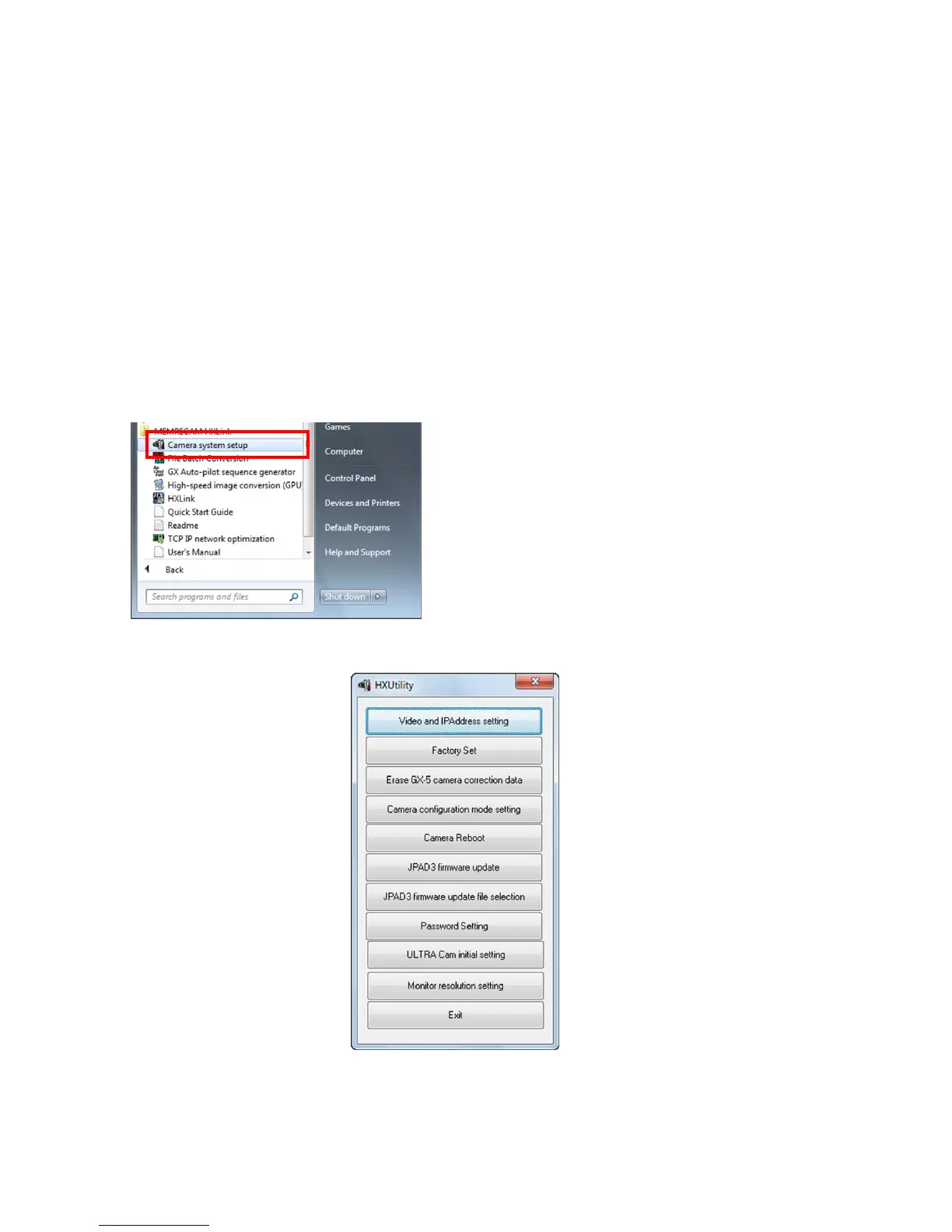
The HXUtility is a tool to perform the following on HX, GX and Q cameras.
・ Change camera IP address
・ Camera factory settings
・ Erase GX-5 camera correction data
・ Change GX-5 camera configuration mode
・ Reboot camera
・ Switch camera video display method (NTSC / PAL)
・ Update version of remote control (J-PAD3) firmware
・ ULTRA Cam initial settings (ULTRA Cam only tool)
・ Monitor resolution settings (HX camera only tool)
Also, passwords can be set to prevent settings due to erroneous operation of the HXUtility.
To startup the HXUtility, click ""Camera System
Settings" under "Start Menu"
-> " MEMRECAM HXLink".
HXUtility 起動時



 To Next Page