10-14 (00292)H
10.8 Set Password
Set a password on the HXUtility to prevent changes to the camera settings due to erroneous operation.
Passwords cannot be set during initialization.
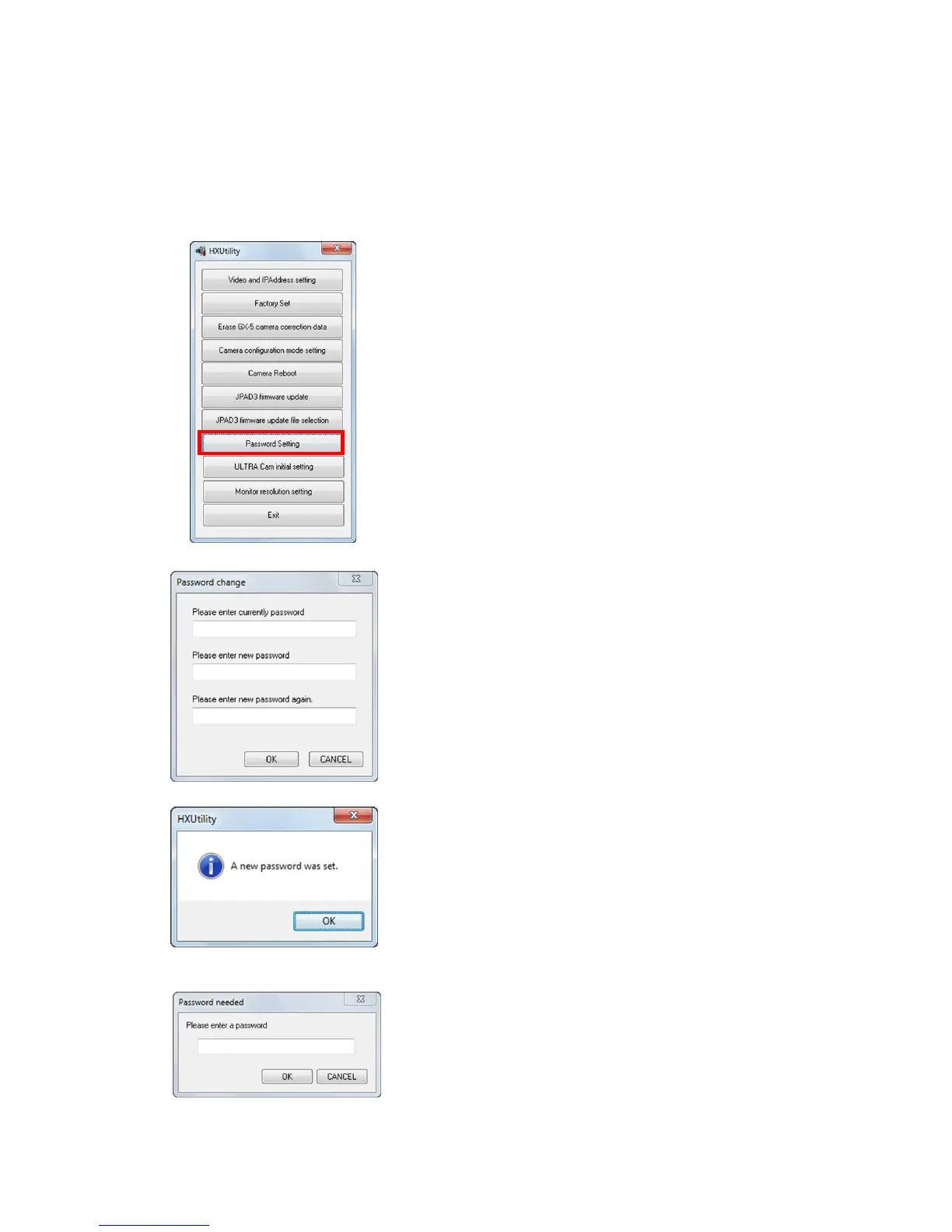
Set/change the password with the following procedures.
Startup the HXUtility and click "Set Password".
The "Set Password" dialogue is displayed.
If a password is already set, input the current password in
"Enter Current Password".
Enter the new password in "Enter New Password" and
"Enter New Password Again". If not using a password,
leave blank.
Then, click "OK".
A message appears indicating the setting was completed.
Click "OK".
If a password was specified with the procedure given
above, the password will be required to use the HXUtility
function in the future.
The password is also required to change "User Settings"
with "Register User Settings" under the "Input/Output
Signals" in the "Camera Connection Settings" dialogue.



 To Next Page