4 - 60 (00292)H
■ Recording Trigger Mode
The following types are available in the recording trigger mode.
(1) NORMAL recording
(2) Event recording (EVENT)
(3) Burst recording (BURST)
(4) Multi trigger recording (MULTI/MULTIS)
(5) Multi manual recording (MULTI1/MULTI2/MULTI3)
(6) Linear recording (LINEAR)
(7) DUAL recording
A combination of these seven types of recording trigger modes cannot be use. Select only one
recording trigger mode.
Refer to the HX and GX camera user’s manuals for recording trigger modes.
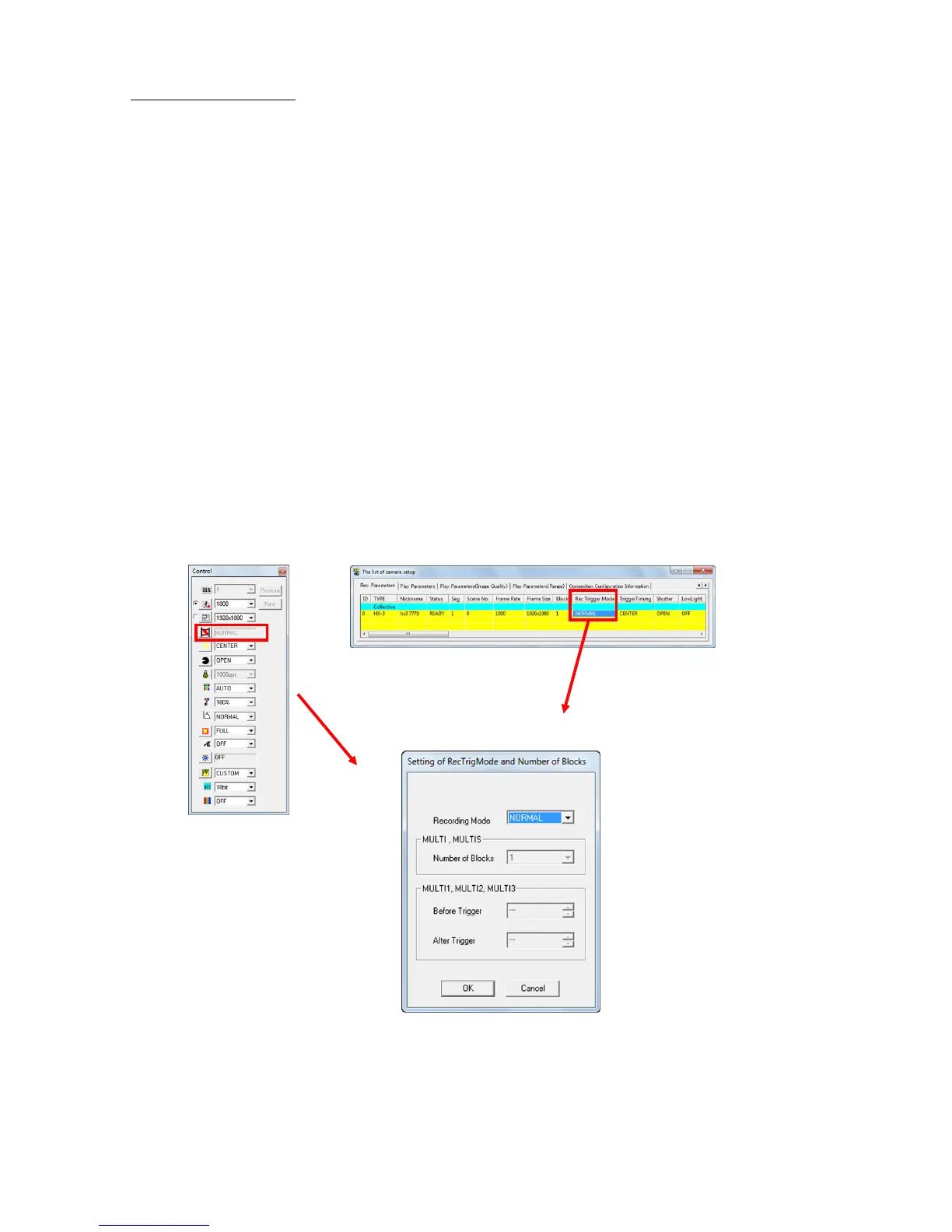
Use any of the following to specify the recording trigger mode.
・ Select the camera in the “Item List” and select from “Recording Trigger Mode, Number of
Blocks” from the “Control” menu.
・ Select from “Recording Trigger Modes” in “Detailed Settings”.
・ Select from “Recording Trigger Modes” under the “Recording Parameters” tab in the “List of
Camera Settings” window.



 To Next Page