4 - 10 (00292)H
● Deleting a Camera Head
1) With the GX-5/GX-5F DRP power off, remove the camera head from the DRP.
2) Turn on the GX-5/GX-5F DRP power and wait for it to restart.
Once the DRP starts up, the CM LED turns blue.
The LED of the port where the camera head was removed flashes yellow (flashes
slowly).
The LED for the port connected to the camera head matching the camera head
configuration turns green, and the LED for the port where the camera head is not
connected turns yellow.
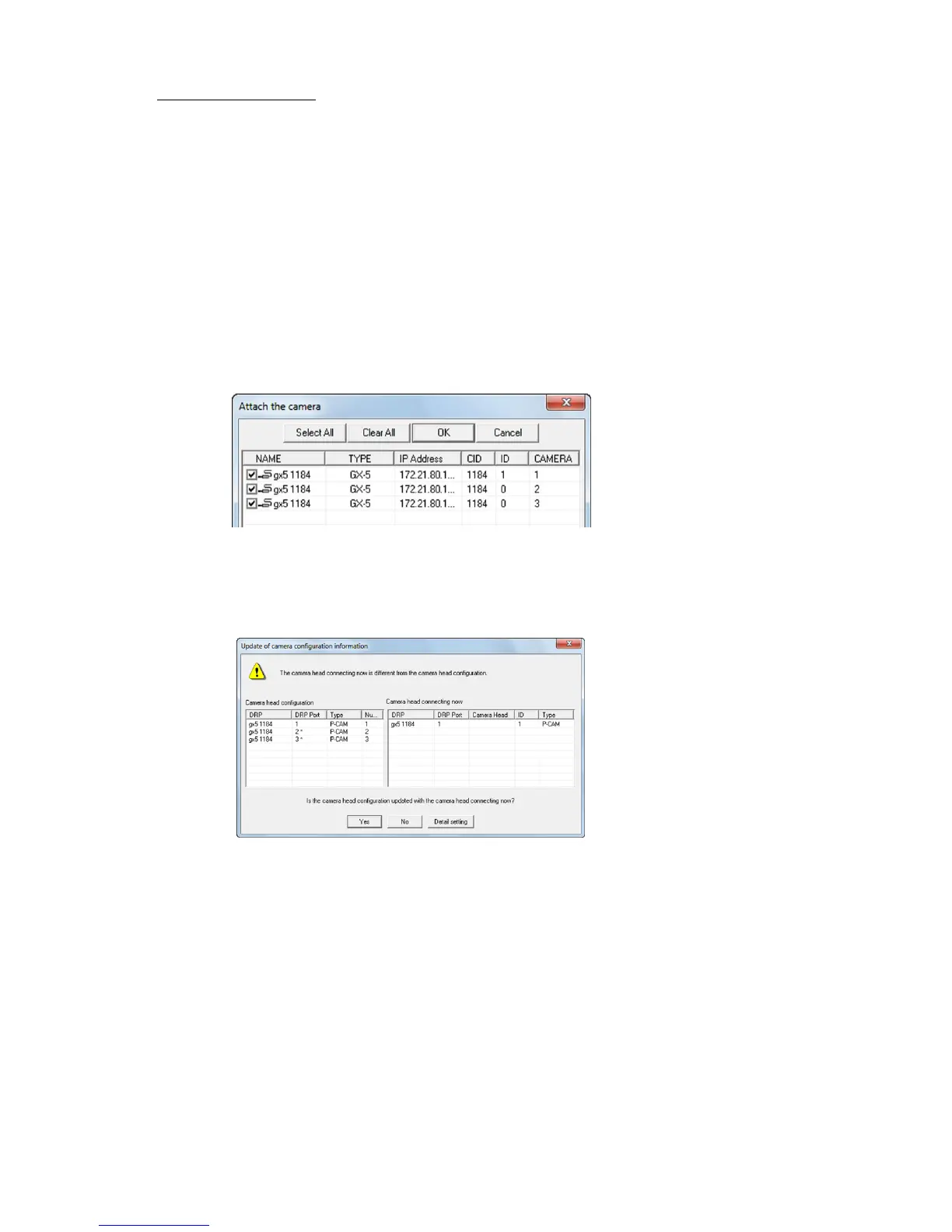
3) Startup the HXLink and click on "Connect Camera".
The camera head for the current camera head configuration is shown on the list for the
"Connect Camera" dialogue. The DRP port number is shown in the CAMERA column
of the list.
4) Select the DRP for the camera head deleted from the list in the following "Connect
Camera" dialogue and click "OK".
5) Click "Camera Configuration Settings" on the Control menu to display the following
dialogue.
6) Click "Yes" to set the camera head configuration.
Communication between the HXLink and the GX-5/GX-5F DRP is temporarily
disconnected, and automatically reconnected when matched with the camera head
currently connected.
* When changing a port connected to a camera head, the procedure is the same as that for
adding or deleting.



 To Next Page