13 - 16 (00292)H
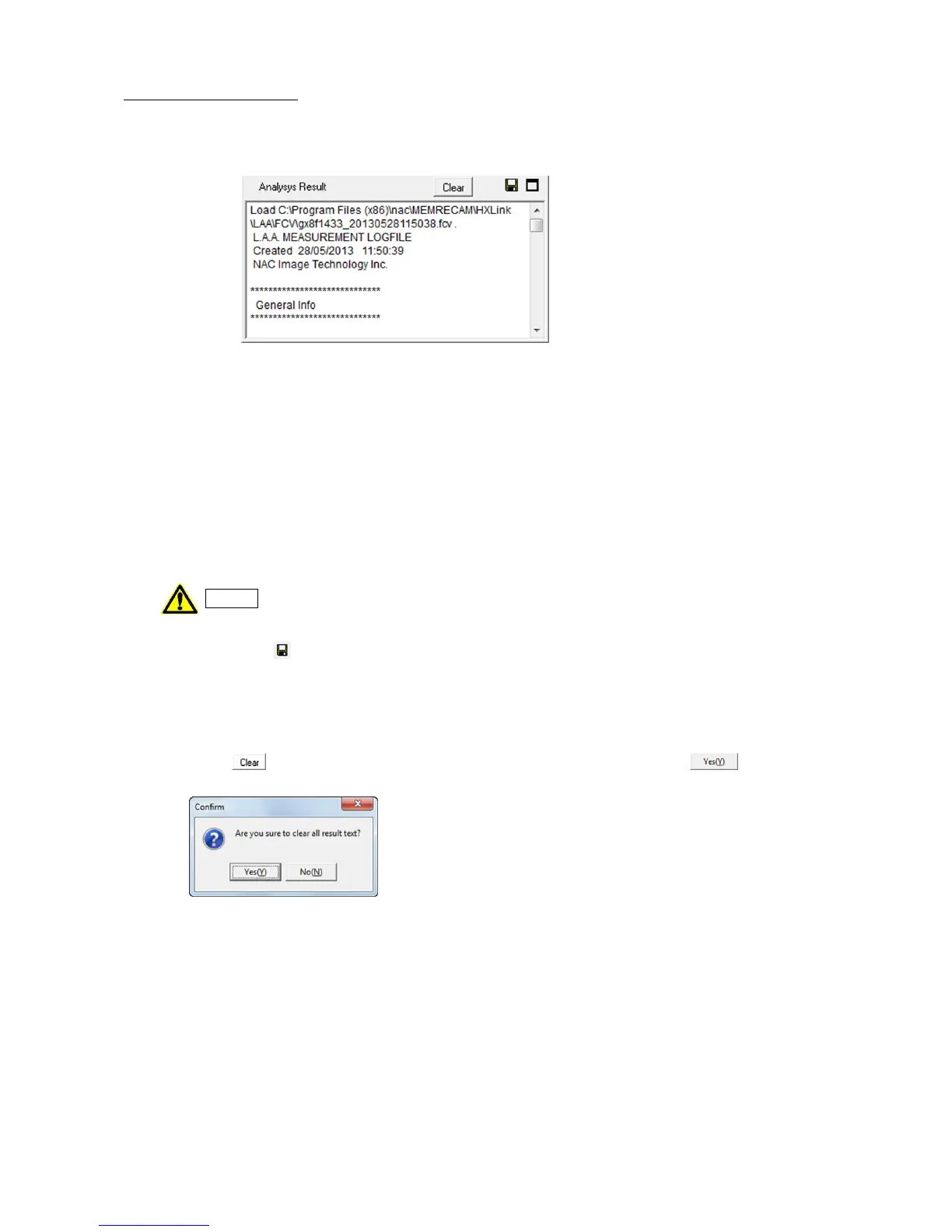
Analysis Results Window
In the analysis results window at the very bottom of the analysis tab, a history of the analysis
results is displayed.
Analysis Results Window
1) Basic Analysis Information
Basic analysis information (General Info) includes the basic information for measurements.
This includes the following three types of information.
・FileName Image file name
・FrameRate Image frame rate
・1 pixel = each pixel length Calibration values
2) Editing of Analysis Results
The contents of the analysis results window can be freely edited so notes needed when
referencing in the future can be input or added.
Analysis results can be deleted. Do not delete important data.
3) Saving Analysis Data
Click Save to save the contents of the analysis results window to a file. Specify the
destination file name in the save file dialogue and the contents of the current analysis results
window are saved in the specified file.
4) Deleting Analysis Data
The analysis results in the analysis results window can be deleted.
Click to display the confirmation window and then select “Yes” .
Basic analysis information (General Info) cannot be deleted.



 To Next Page