2 - 8 (00292)H
■Install GigE Vision Filter Driver
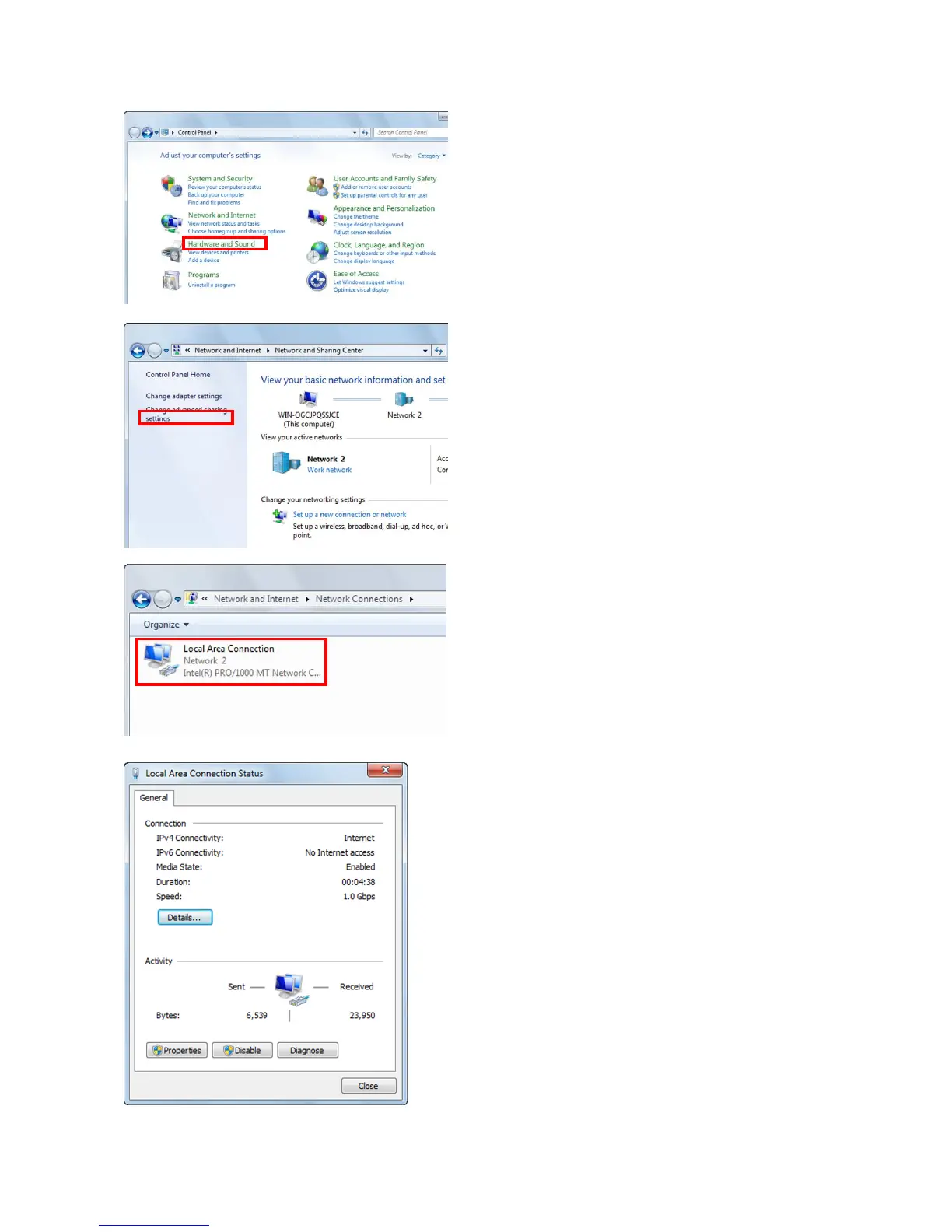
Open the control panel from the Windows start
button.
Click to open "View network status and tasks".
Click to open "Change Adapter Settings".
Double click to open the LAN port connection
for camera control.
Click "Properties" in the "Local Area Connection
Status" window to open the "Properties" window
for the local area connection.



 To Next Page