5 - 30 (00292)H
・ Frame Rate Conversion
・ During format conversion, the frame is culled and is converted to the image file for the
specified frame rate.
Culling is performed with the T=0 frame as the standard frame, and is subject to frame rate
conversion.
When converting the frame rate for 1000pps camera images (frames -100~100) to 500pps, MCFF
frames -100, -98, -96, ..., -4, -2, 0, +2, +4, ..., +96, +98, +100 are converted.
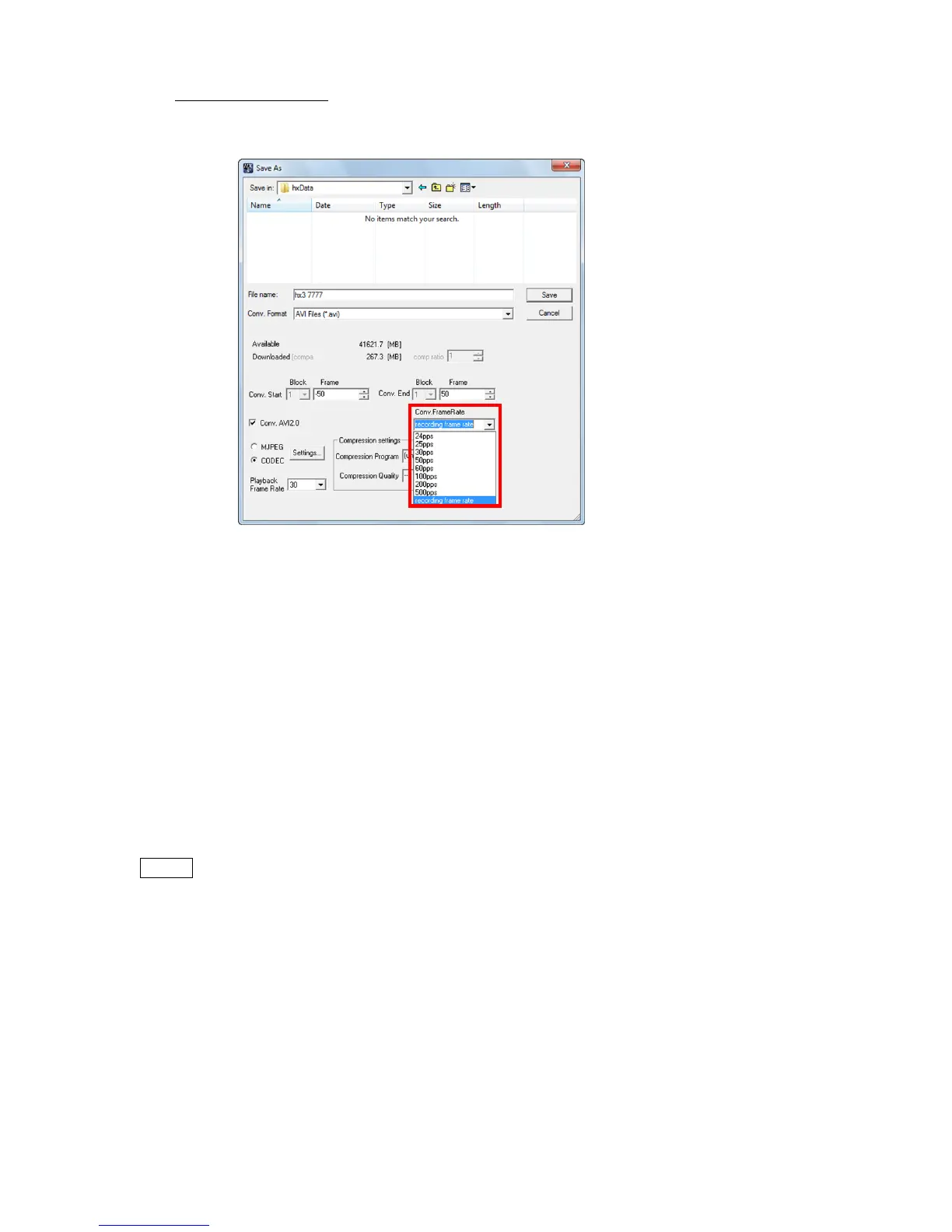
The specified frame rate for frame rate conversion can be set using the following two methods.
・Specify with the "Default Conversion" tab in "Options".
・Specify the frame rate with the abovementioned "Individual Conversion" GUI.
The frame rate can be selected from the pull-down menu for "Conversion Frame Rate" or by setting
a value in "Conversion Frame Rate".
When converting the frame rate, the frame counter display of the relative time or the absolute time
shown by the superimposed information may vary.
The superimposed time is the time read from the file for video recorded, prior to conversion while
the frame counter display is the time calculated from the converted frame rate.
When converting formats to MCFF, the frame rate is not converted.



 To Next Page