7 - 20 (00292)H
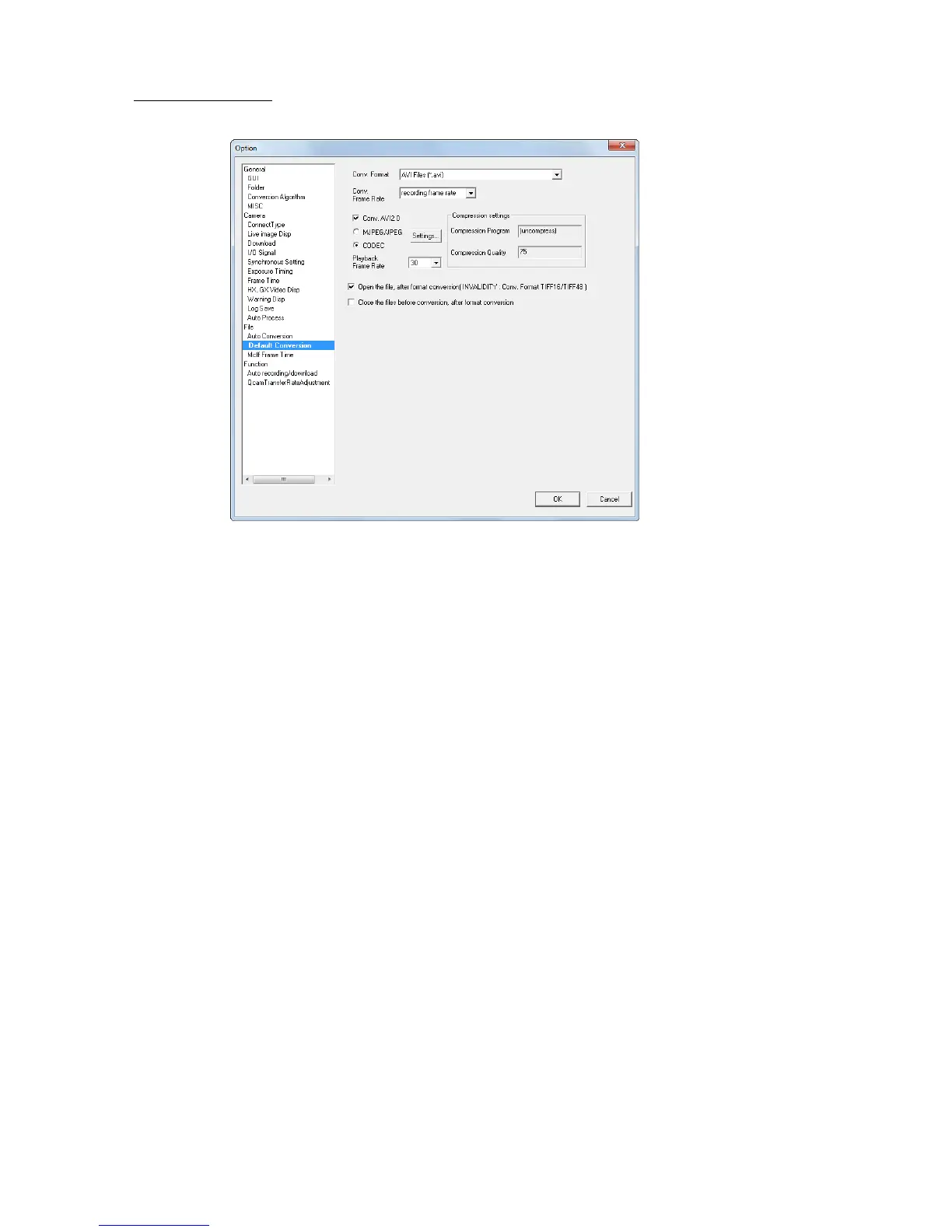
■Default Conversion
Sets the default conversion format. Settings for camera image files (MCFF) previously opened can be
applied.
Conversion Format
Specify the type of file after conversion (AVI, TIFF, JPEG, BMP, MCFF).
Conversion Frame Rate
The conversion frame rate saved is the specified frame rate that culls frames
during format conversion. Refer to page 5-30 for details.
Conversion with AVI2.0
Check to save an AVI file using the “AVI 2.0” format.
Remove the check to save the AVI file using the “AVI 1.0” format.
Since the AVI 1.0 format has a file size limitation of 2GB, if converting
images for long recording times, select AVI 2.0.
Compression Settings
Select “MJPEG” to convert to a motion JPEG.
Select “CODEC” to convert from the method selected in the registered
compression program (CODEC) to Windows.
We are not liable for any CODEC other than nac M-JPEG codec. Please
contact the CODEC manufacturer for questions regarding CODEC.
Frame Rate Enabled when the file type after conversion is AVI.
Select the frame rate set to AVI.
This is not related to the image quality of the AVI file created with format
conversion.
The frame rate is the frame rate for AVI files used with the Microsoft
Windows Media Player or the Adobe Premier video editing software.
Open File after Format Conversion
Check to save the format converted data in the file and the file
automatically opens and is registered to the item list.
Settings are disabled with TIFF16/TIFF48 conversion.
Close Converted File after Format Conversion
Check to close the converted camera image file (MCFF, CIF) after format
conversion and that item is removed from the item list.



 To Next Page