4 - 76 (00292)H
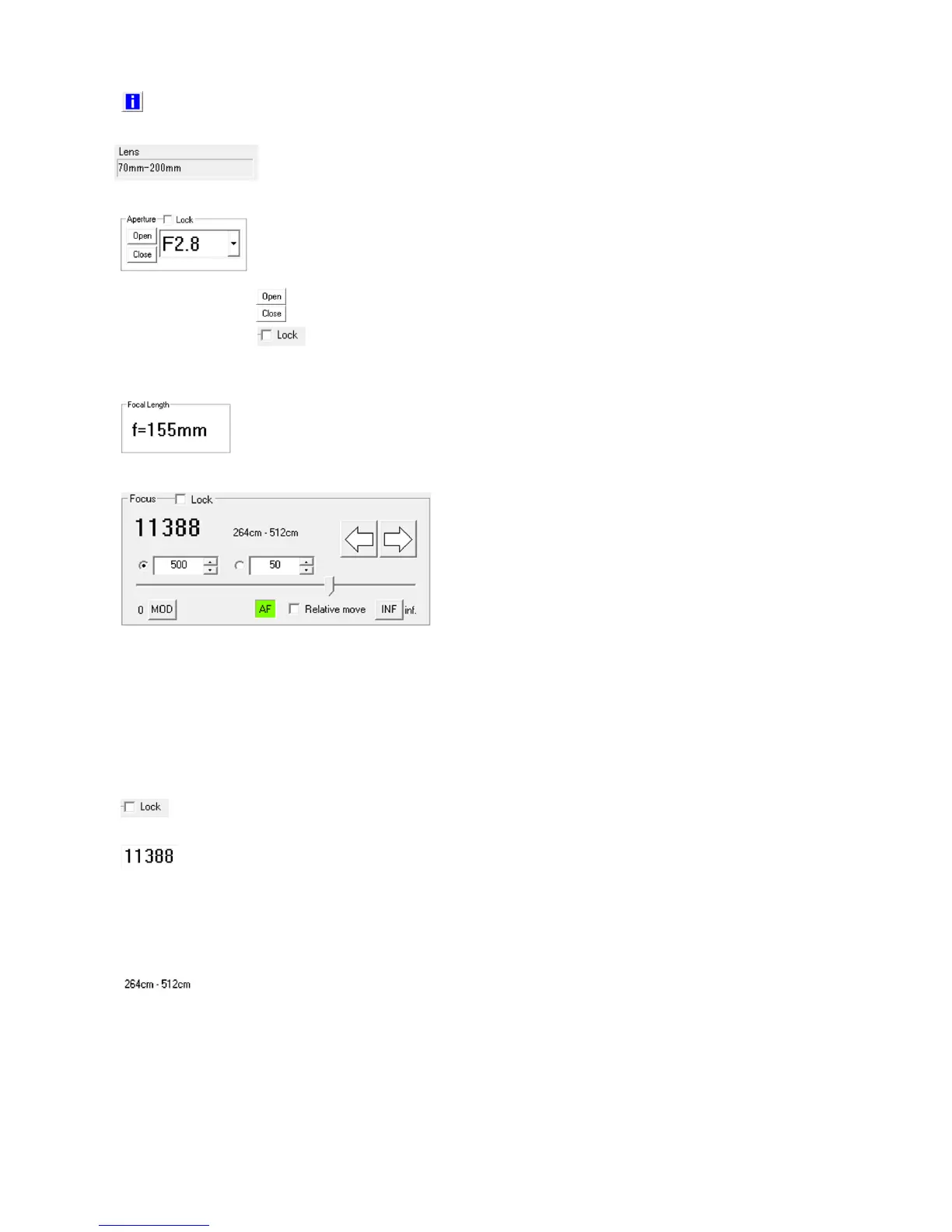
Lens information
Displays the lens and the lens controller information.
Lens information (focal distance)
Black when the lens is attached, and red when removed.
Lens aperture control
Select the aperture from the pull down menu.
The EF mounted lens aperture cannot be changed manually.
Open Maximum light aperture.
Close Minimum light aperture.
Lock/Unlock Prohibits aperture operation to prevent
erroneous operation.
Lens focal length (zoom).
Zoom adjustment is only available with manual operation of the
lens, and cannot be controlled from HXLink.
Performs lens focal control and shows
the focal position.
If the focal position “Control Position”
is specified with the slider, the focal
position is moved “Relative Movement”
in the MOD/INF direction from the
current position.
(MOD: close range, INF: infinity)
If performing micro adjustment with HXLink after manually operating the focal adjustment of the lens,
select “Relative Movement” and use the change focus button to perform focal adjustment.
To adjust the focus with “Control Position”, the focus must be initialized to retrieve the correct focal
position for the lens from HXLink and once the focal position of the lens changes, it can’t be reverted
to the state prior to initialization.
Lock / Unlock
If ON, prohibits focal operation to prevent erroneous operation.
Show focal position Enabled with “Control Position”.
Shows the correct lens focal position after focal
initialization.
Disabled with “Control Position” in “Control
Position”.
Show film distance Enabled with “Control Position”, “Relative
Movement”.
Shows the filming distance for the lens focus settings.
“---“ shown if a lens is attached that doesn’t correspond to
the filming distance.
After manually operating the focus, the correct film
distance is displayed.



 To Next Page