(00292)H 2 - 3
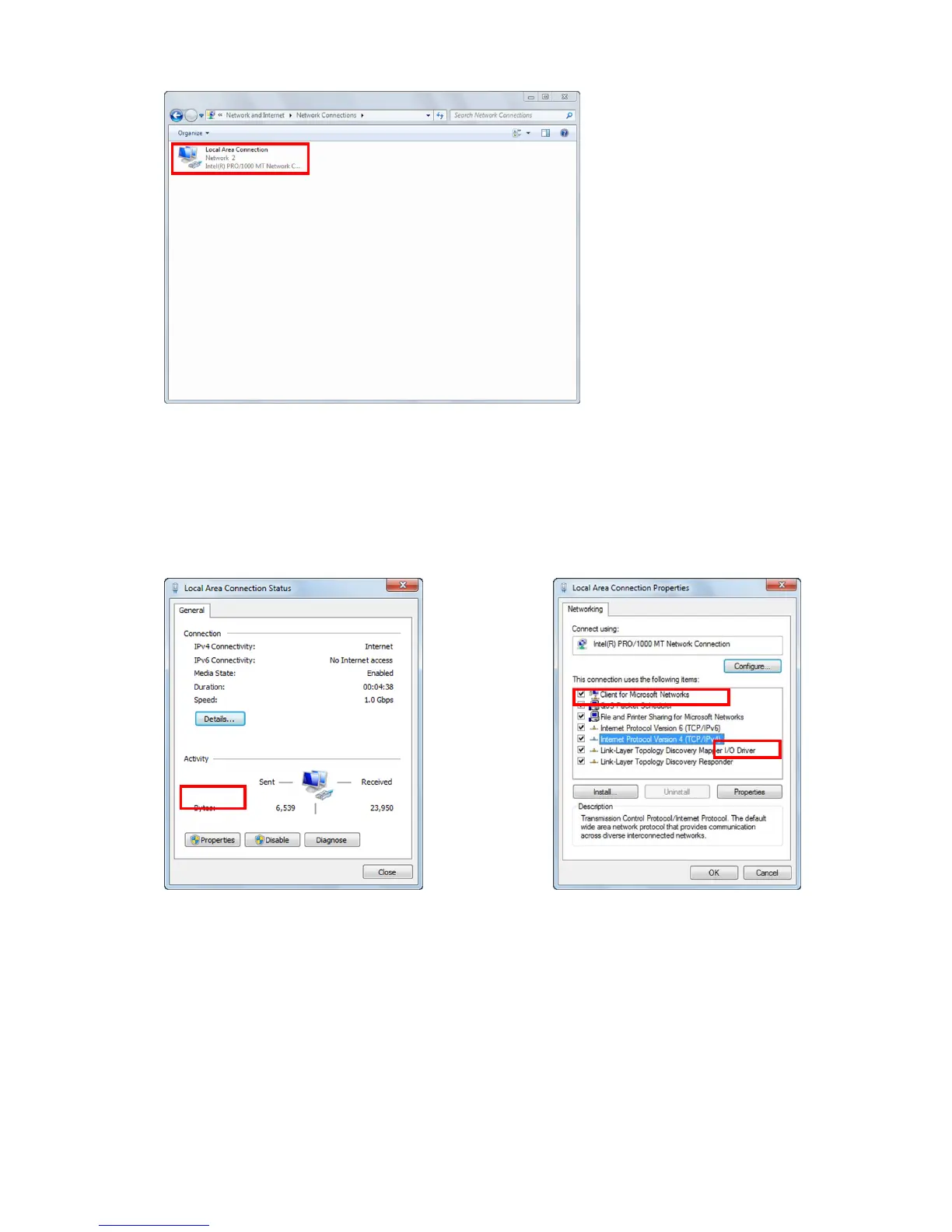
Double click to open the LAN port connection used for HX camera control.
Normally, select "Local Area Connection". This manual describes an example where "Local Area
Connection" is selected.
If extending the LAN adapter for camera control, select the name of the connection for "Local Area
Connection 2".
Click "Properties" in the "Local Area Connection Status" window to open the "Properties" window for
the local area connection.
Select "Internet Protocol Version 4 (TCP/IPv4)" in the items under the "This Connection Uses the
Following Items" in "Local Area Connection Properties", and then click on "Properties" immediately
under that to open the window for "Internet Protocol Version 4 (TCP/IPv4) Properties".



 To Next Page