4 - 38 (00292)H
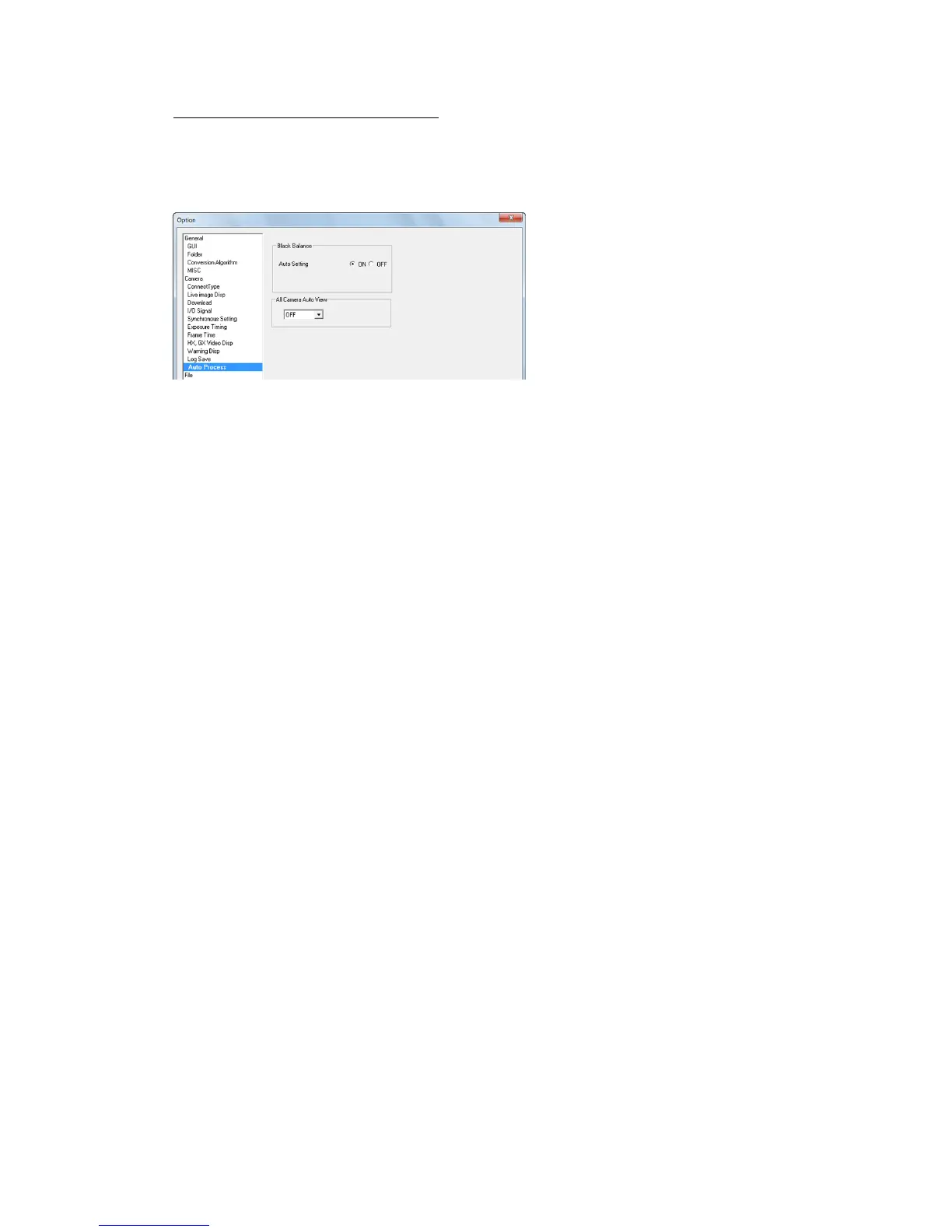
Auto Black Balance (HX cameras only)
HX cameras can automatically perform black balance.
The settings for automatic black balance updates can be set ON/OFF in “Auto Processing” in
options.
Black balance is automatically updated at the timing given below.
・ When the camera is started up
・ When switched to VIEW
・ When switched to ARM
・ When REC ends
・ When switched to low light
・ When all angle of views are displayed with the custom frame rate settings
Auto black balance updates are not performing in the following cases.
・ When changing the recording parameters during VIEW
After changing the settings during VIEW, if immediate confirmation is made that there is no
noise, manually update the black balance.


 To Next Page