(00292)H 4 - 89
・ Saving
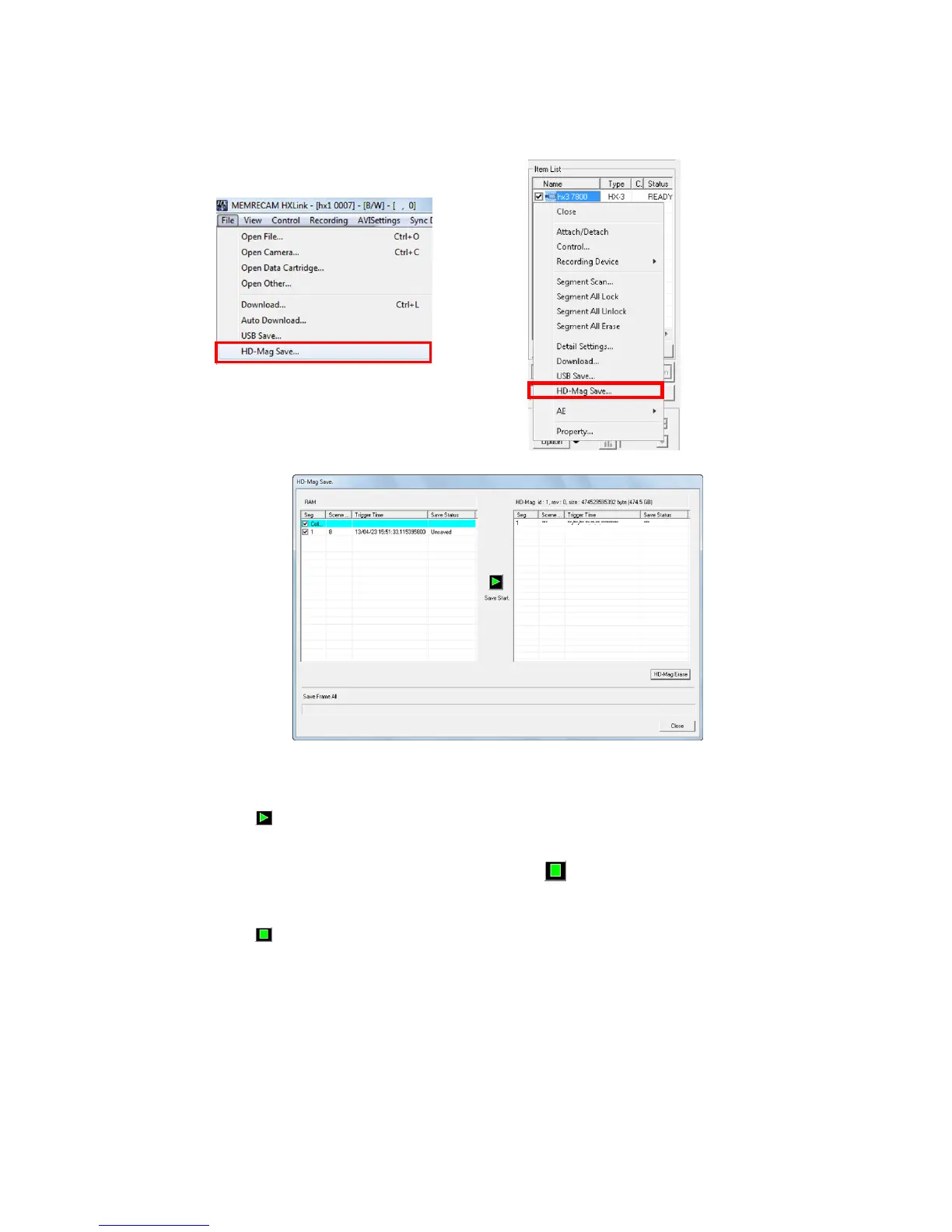
Select HD-mag save from the file menu or the camera item right click menu.
Save Start
Saves the data to the HD-mag checked. The progress of the save for each
segment is shown in % under “Save Status”. The overall progress is
shown on the progress bar.
During the save, the button switches to an interrupt save button.
Interrupt Save
Interrupts the save in process. Click to display the message.



 To Next Page