4 - 96 (00292)H
Double click on a cell to either start a save or end a save when specifying
the save range.
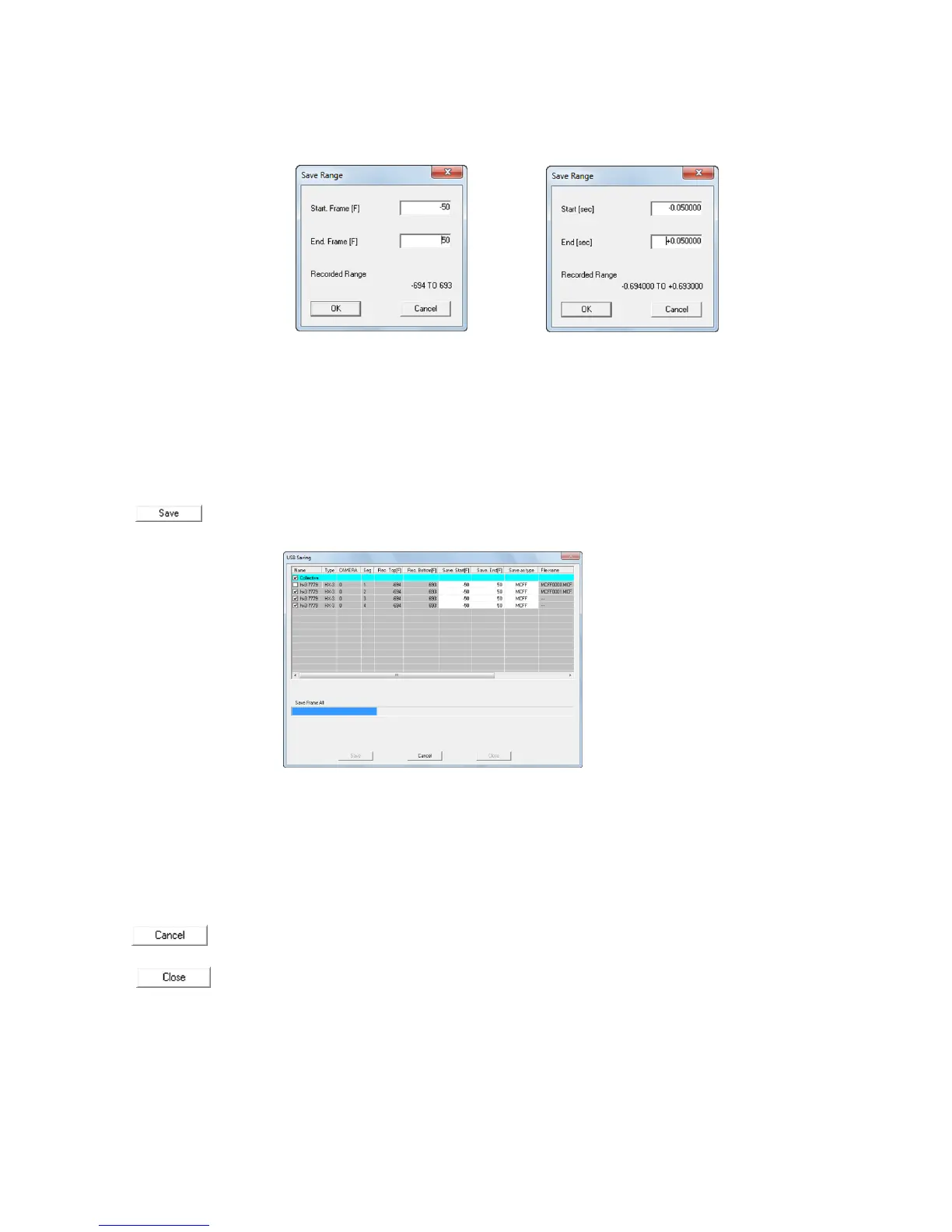
Double click to display the "Save Range" dialogue.
Set a range for downloading to a start time/frame and end time/frame, and press
OK.
With HX cameras, in addition to MCFF, AVI (not compressed)/AVI (MJPEG) can be specified as
the file type. The product quality settings are used when saving AVI (MJPEG).
The playback rate is used when saving AVI (not compressed)/AVI (MJPEG).
Each button in the "Save to USB" dialogue functions as follows.
Saves the checked data on the USB media.
"Save to USB " Dialogue (List) Start Save
Once the save has started, the save progress for each camera is displayed, and the
overall progress is shown on the progress bar.
For MCFF, the file name is automatically assigned a sequence of MCFF0000.MCF
~ MCFF9999.MCF. For AVI, the sequence is
MCAV0000.AVI ~ MCAV9999.AVI.
, ,
Immediately cancels the save.
Closes the “Download” dialogue.



 To Next Page