5 - 32 (00292)H
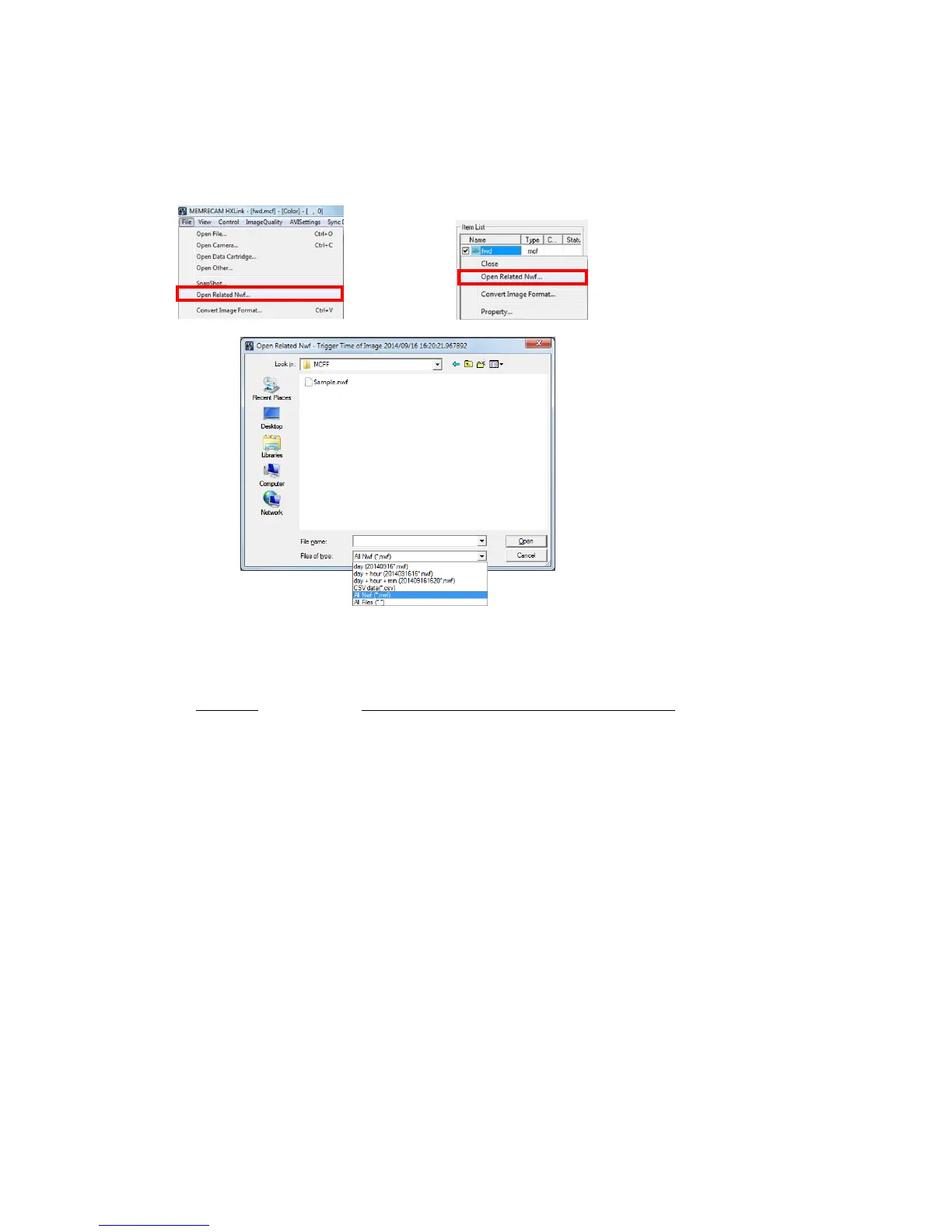
(4) Open an Image File and a Waveform Data File not in the Same Folder Simultaneously (Manual)
If saving MCFF waveform data saved on a USB to a PC, if the image file and the waveform
data file are not in the same folder, or if the file name and prefix are not the same, to
simultaneously display the image and the waveform, right click the file menu or item list to
display the “Open Related Waveform Files” dialogue and specify the waveform data file.
The waveform data file can be opened in year/month/day of the trigger time, time in
year/month/day or time in year/month/day/minutes with the “File Type” in the “Open Related
Waveform Files” dialogue.
File Type Waveform Data File Shown in the Dialogue List
day The nac waveform data file name is the same file as the
year/month/day of the image file trigger time
day + hour The nac waveform data file name is the same file as the
year/month/day/time of the image file trigger time
day + hour + min The nac waveform data file name is the same file as the
year/month/day/minute of the image file trigger time
CSV data The CSV waveform data files
(The file is exported from the Data Logger.)
All Nwf All of the nac waveform data files
All Files All of the waveform data files



 To Next Page