(00292)H 7 - 5
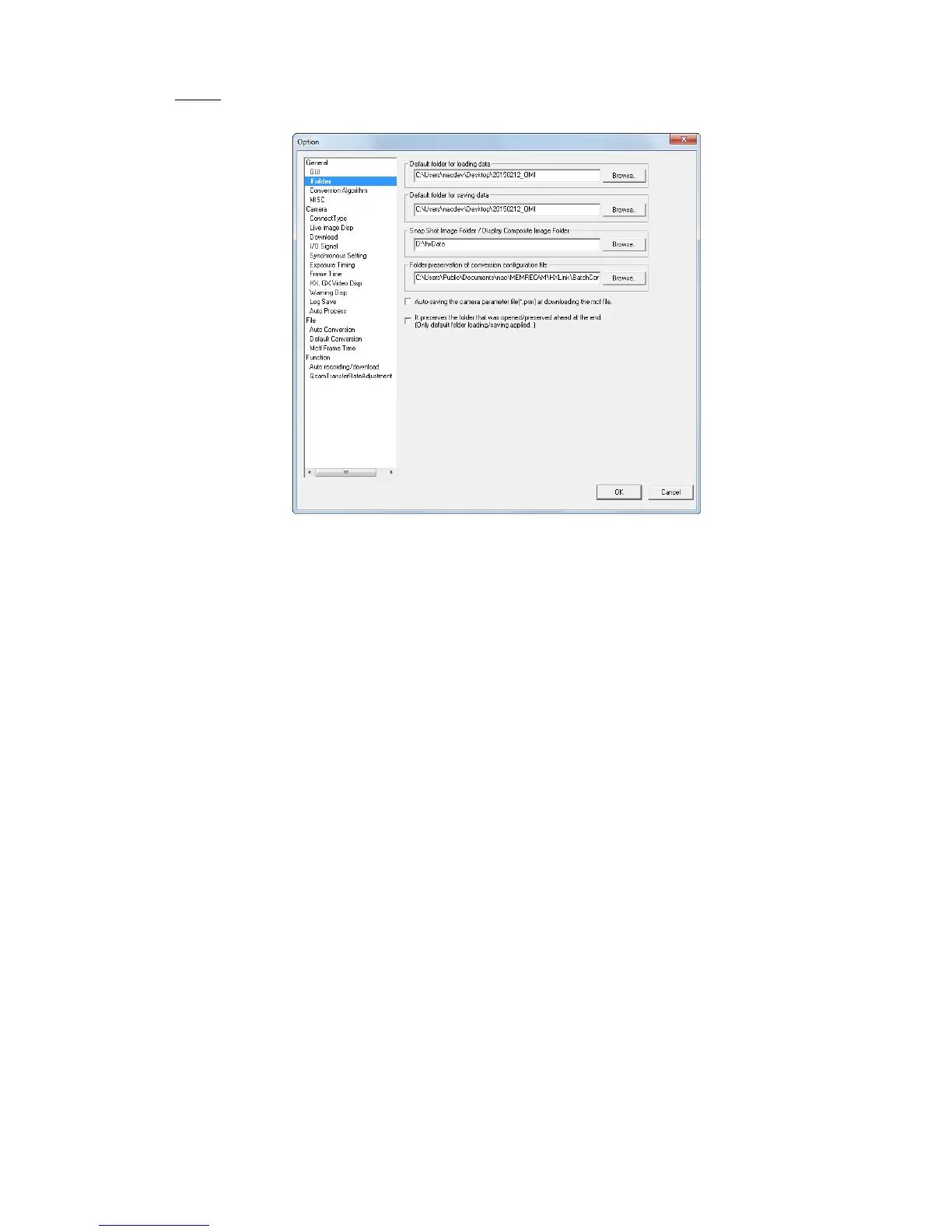
■ Folder
Specifies the input and save folders.
・Input Folder Sets the reference folder when opening image files.
・Save Folder Sets the reference folder when saving downloaded/format converted files.
・Snapshot/Composite Display Folders
Sets the reference folder when saving snapshot files or when specifying
composite display files.
・Save Destination Folder for Conversion Setting Files
Sets the folder to save conversion setting files used for “Batch File
Conversion (BatchConv)”.
・Save MCFF downloaded and camera settings files (prm) in the same folder as MCFF
If checked, saves the downloaded camera image file (MCFF) together
with the saved camera settings file (prm files).
The camera settings for the prm file can be reflected in the camera loaded
during camera connections.
Refer to Appendix C for details of prm files.
The following contents are written in the prm files.
---
WB=3100K White balance
GAIN=NORMAL Gain
GAMMA=NORMAL Gamma
ENHANCE=HIGH Enhance
---
Refer to Appendix C for details.
・Save the Source/Destination Folder. (applies only to input folders/save folders)
Check to automatically change the “Input Folder” and “Save Folder” to
open/save files.



 To Next Page