7 - 24 (00292)H
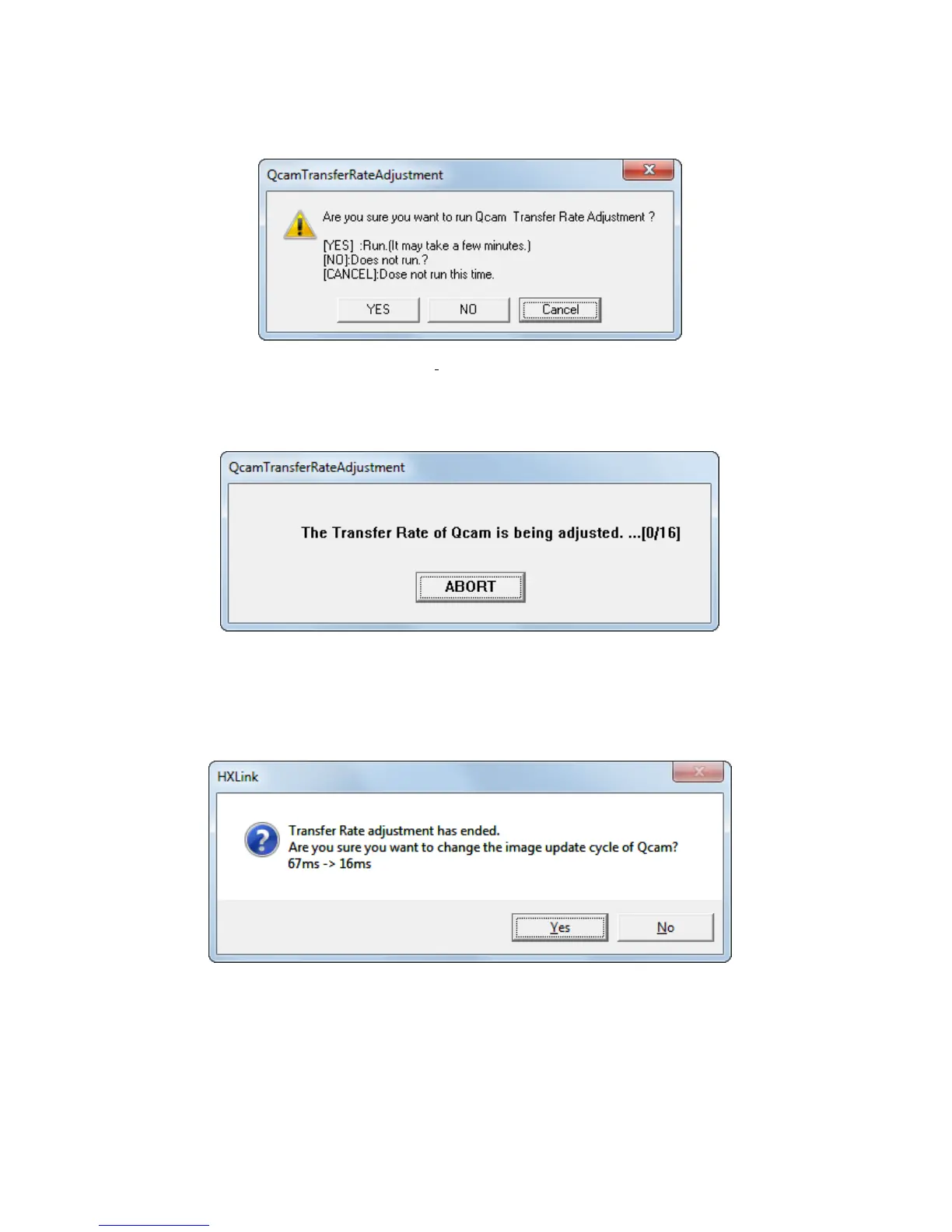
Once shutting down with “Run transfer Rate adjustment when connecting Qcam” checked (✔),
the following window is displayed when connecting Q cameras next time.
Press “Yes” to start transfer rate adjustment.
Press “No” not to execute this adjustment.
Press “Cancel”, not to execute this adjustment now but above check window will be displayed
again at the next Q camera connection.
Above window is displayed to show transfer rate is being adjusted.
Wait for completion of adjustment.
Click “ABORT” to suspend the adjustment.
After completion of this adjustment successfully, the following window is displayed.
If clicking “Yes”, update cycle of live images is changed and “Run transfer Rate adjustment when
connecting Qcam” gets unchecked.
If clicking “No”, update cycle of live images is not changed and the above check window is
displayed again at the next Q camera connection.



 To Next Page