12 - 6 (00292)H
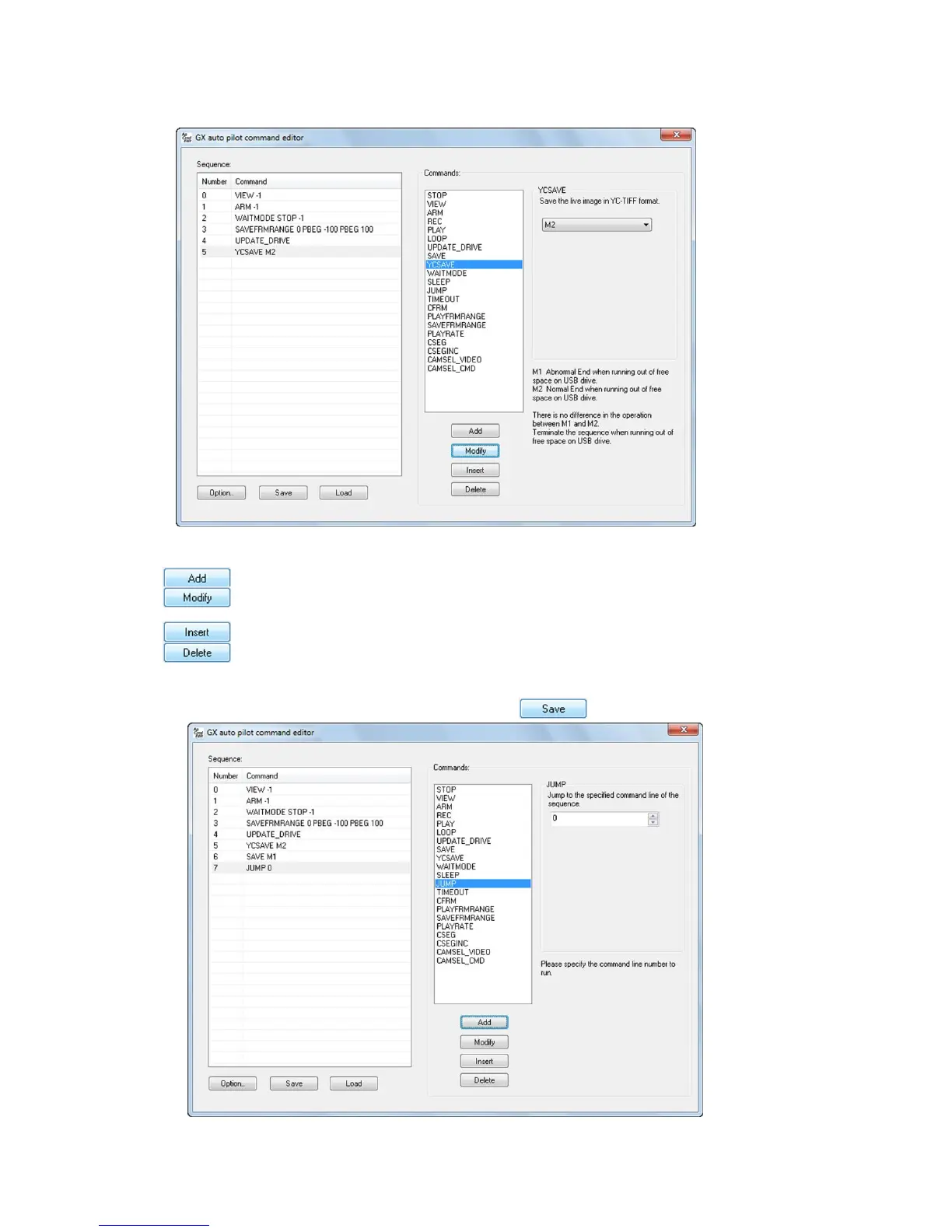
(5 ) Then, the command and parameters are added to the “Sequence List”.
■ Sequence Editing Buttons
Adds the selected command and parameter to the end of the sequence.
Changes the contents of the selected sequence to the selected command and
parameter.
Inserts the selected command and parameter before the selected sequence.
Deletes the selected sequence.
(6) Once the auto pilot sequence has been entered, use to save the file.
When first saving, the following message appears.



 To Next Page