3 - 28 (00292)H
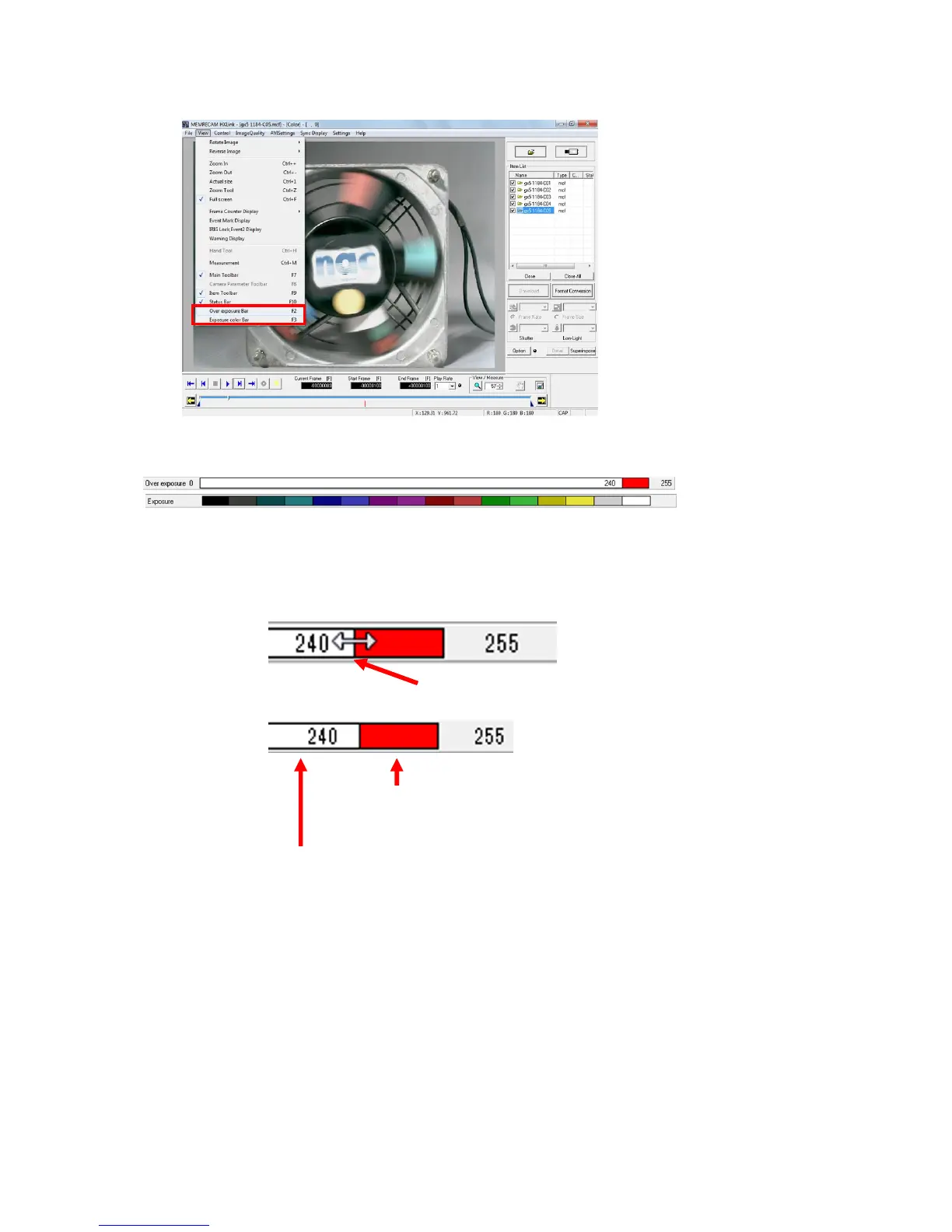
Select display/hide in the "View" menu of the overexposure bar and exposure color bar.
Original Turn the "Overexposure" and "Exposure Color" OFF to display the camera
image.
Overexposure Pixels with luminance exceeding the specified threshold value are shown in red.
The threshold value for luminance can be changed with the overexposure bar.
Exposure color Displays a synthesized color similar to the luminance of the image.
The artificial color and the luminance can be viewed in the Exposure Color Bar.
The luminance range and corresponding colors cannot be changed.
All Original / All Overexposure / All Exposure Color
Original / Overexposure / Exposure color can be set for all items on the Item
List.
Use the mouse to click on the red portion of the overexposure bar
and the threshold value will increase by 1.
Use the mouse to click on the white portion of the overexposure bar and
the threshold value will decrease by 1.



 To Next Page