Elite IPK Document Revision 1
Programming Manual 1 - 5
___________________________________________________________________________________
___________________________________________________________________________________
2.4 Writing System Data
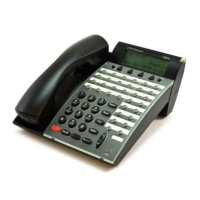
After turning on power, the system data can be programmed using a Multiline
Terminal connected to port 01 or port 02 (the Multiline Terminal must be idle).
System programming can be performed while other Multiline Terminals in the
system are in use. Some data is written into memory immediately after the
programming process, but other data is not written until the stations or trunks
are idle. When the data is not written until a station or trunk is idle, the station
LCD displays DATA ENTRY, even after programming is complete, to indicate
that system data entry is still in progress. When the in-use stations become
idle, the data is written and the station LCD displays only the time.
The data programmed for the following Memory Blocks is not written while the
Multiline Terminals or PBR are in use:
H
When Multiline Terminals are in use:
J
Memory Block 2-01 (Trunk to Tenant Assignment)
J
Memory Block 2-05 (Line Key Selection)
J
Memory Block 2-07 (System Speed Dial Display Assignment)
J
Memory Block 4-09 (Telephone to Tenant Assignment)
H
When the PBR is in use:
J
Memory Block 1-8-01 (SLT or Automated Attendant/DISA to CPU
PBR Selection)
J
Memory Block 1-8-02 (PBR Receive Level Assignment for
Automated Attendant/DISA)

 To Next Page
 Loading...