R&S
®
ZVA / R&S
®
ZVB / R&S
®
ZVT GUI Reference
Trace Menu
Operating Manual 1145.1084.12 – 30 164
The analyzer processes only numeric values without units in the mathematical formulas. No
consistency check for units is performed.
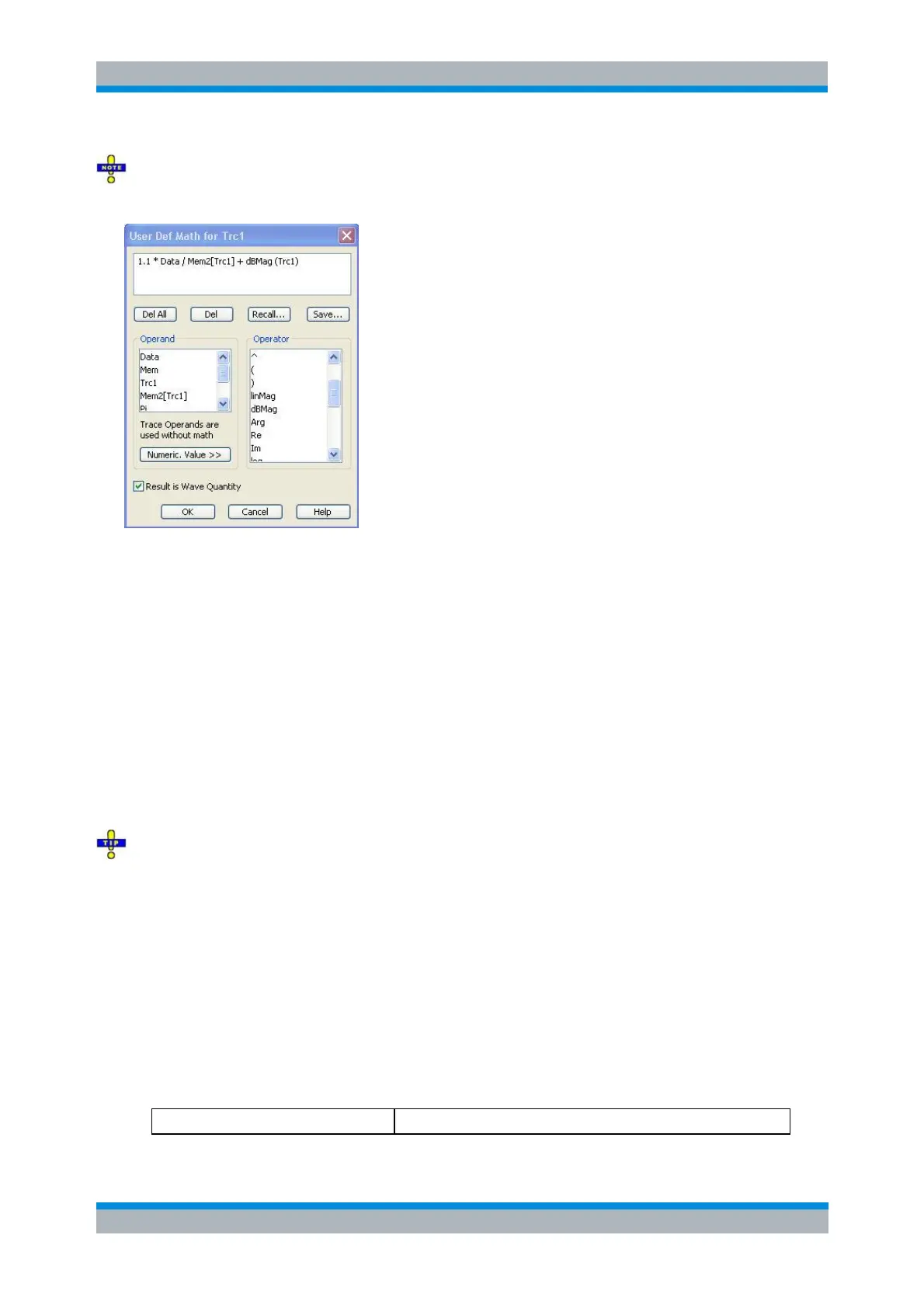
In its upper part the dialog contains a window to view and edit the mathematical expression and four
buttons:
Del. All clears the window, so it is possible to start editing a new expression.
Del. deletes the last character before the current cursor position (backspace function). Deleting a
character of an operand causes the operand to become invalid.
Recall... calls up an Open File dialog to load a mathematical expression from a trace math string
file. Trace math string files are ASCII files with the default extension *.mth and contain the
mathematical expression as it is written in the User Def Math... dialog. It is possible to change or
create math string files using a text editor.
Save... calls up a Save As... dialog to store the current expression to a trace math string file.
Trace math string files are ASCII files with the default extension *.mth and contain the
mathematical expression as it is written in the User Def Math... dialog. It is possible to change or
create math string files using a text editor.
To import a math file (*.mth) you can also use the Windows Explorer and simply double-click the file
or drag and drop the file into the NWA application. You must enable the mathematical mode separately.
The operands and operators in the expression can be selected from two lists and the Numeric Value
panel:
Operand contains all data traces and memory traces of the active setup plus the constants pi
(approx. 3.14159), e (approx. 2.71828) and the imaginary unit j. The trace operands denote
unmodified data and memory traces. Mathematical relations for the traces are not taken into
account, even if the mathematical mode is active (Math = User Def). The same applies to
smoothing and Shift Response Value.
Operator
Contains operators for arithmetic operations and mathematical functions. The following table lists
how the operators act on a complex quantity z = x + jy.
Basic arithmetic operations



 To Next Page