R&S
®
ZVA / R&S
®
ZVB / R&S
®
ZVT GUI Reference
Trace Menu
Operating Manual 1145.1084.12 – 30 193
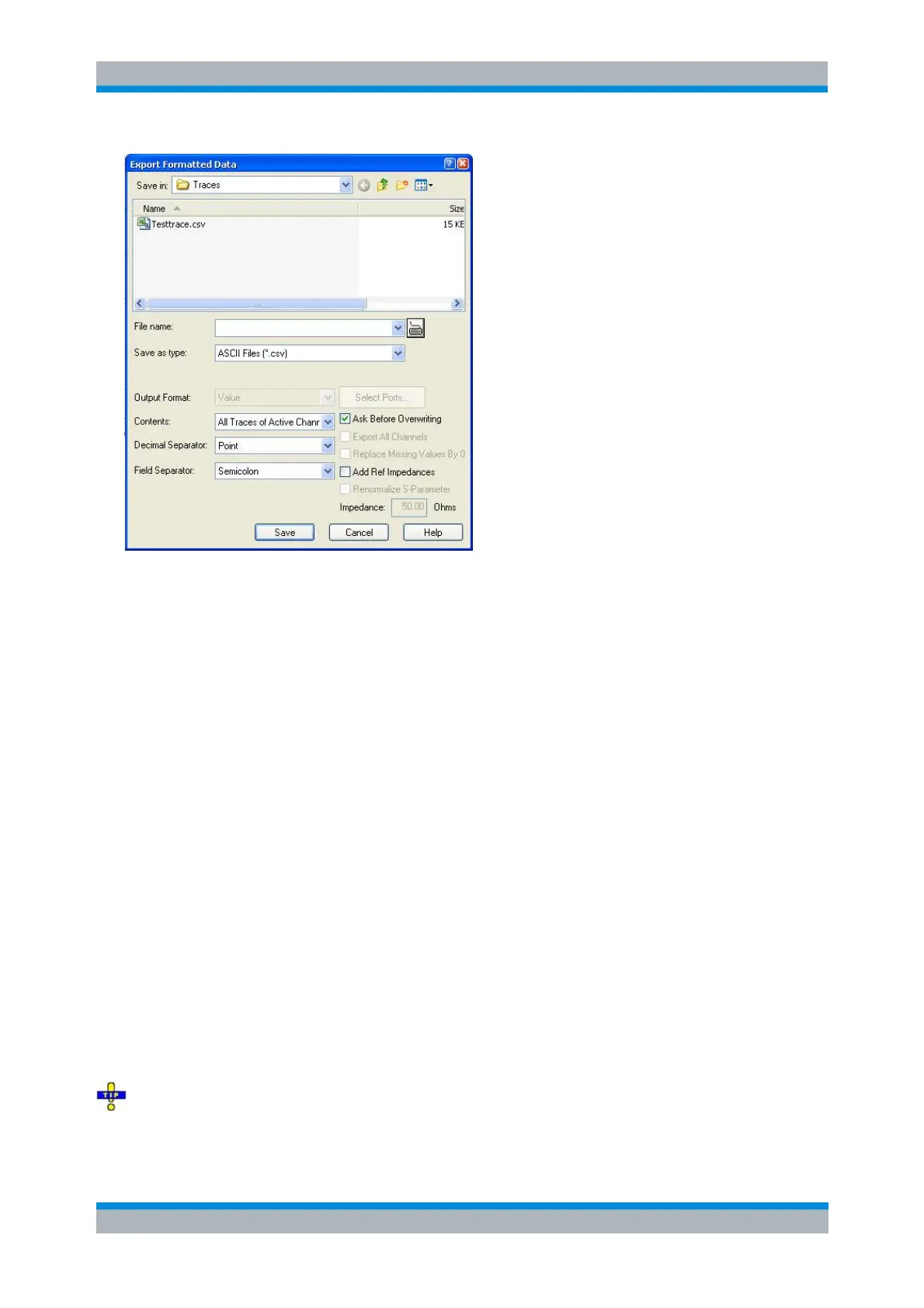
Export Formatted Data corresponds to a standard Save As... dialog with an additional panel to specify
various export options. The Dec. Separator export option is not available for Matlab (*.dat) file export.
Some of the following output options also depend on the trace format.
Output Format selects the format for the exported trace data. In the Re/Im format, each complex
measurement value is represented by its real and imaginary part. It is also possible to store the
linear magnitude and phase (lin Mag-Phase) or dB magnitude and phase (dB Mag-Phase) of each
value.
This option is available for complex trace formats only (Polar, Smith, Inverted Smith). For traces in
Cartesian diagrams, the displayed (real) values are exported.
Contents selects only the Active Trace or All Traces of (the) Active Channel (including all data
and memory traces) for data export to an ASCII (*.csv) file.
Dec. Separator selects either the Point or the Comma (if needed to process the exported data
with an external application) as a separator for decimal numbers exported to an ASCII (*.csv) file.
Field Separator , the separator that the analyzer uses to separate different numbers in each line of
an ASCII (*.csv) file.
Ask before Overwriting activates a message box to be displayed before an older trace file with the
same file name and directory is overwritten.
Export All Channels causes the analyzer to export the trace data for all channels in the current
setup to separate ASCII files. The selected ASCII file name is automatically extended by the
channel identifier, e.g.: <File name>Ch1.csv, <File Name>Ch2.csv...
Add Ref. Impedances includes the reference impedance of the analyzer ports in the file header of
the ASCII (*.csv) or Matlab file. The value is displayed in the Impedance field.
Exported formatted data is never renormalized.
Selecting an appropriate file format
Use the ASCII (*.csv) format if you want to do one of the following:



 To Next Page