R&S
®
ZVA / R&S
®
ZVB / R&S
®
ZVT GUI Reference
Channel Menu
Operating Manual 1145.1084.12 – 30 250
[SENSe<Ch>:]AVERage:CLEar
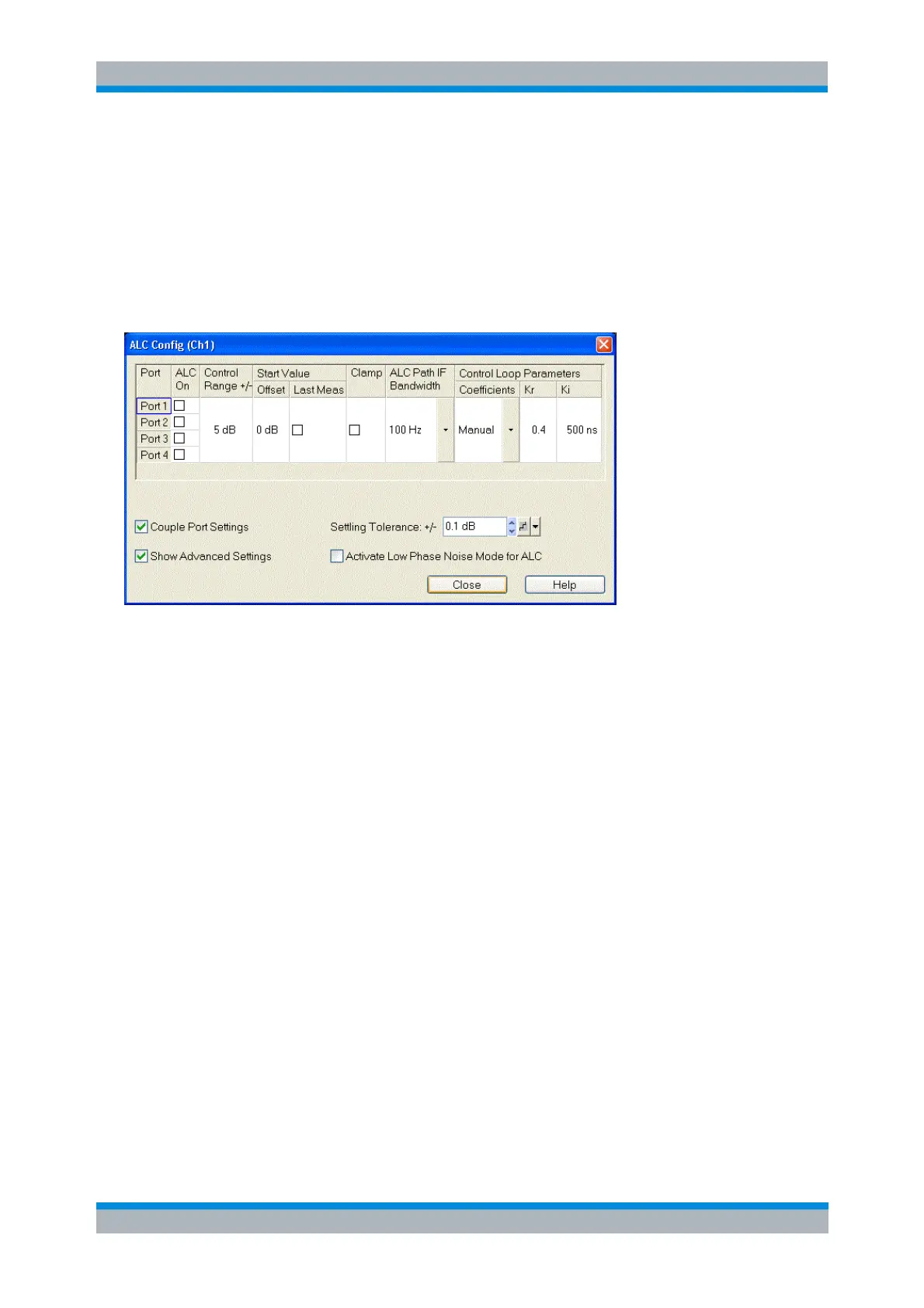
ALC Config
Enables and configures the Automatic Level Control (ALC) for the current channel. ALC keeps the level of
the a waves (source level) at a constant value, irrespective of the DUT's input impedance. The
measurement speed is slightly reduced.
With Show Advanced Settings disabled only the following settings are visible:
Couple Port Settings enforces identical ALC settings for the individual ports (except ALC On). If
disabled, different settings can be made for the individual ports.
ALC On enables ALC for the respective port.
The Control Range is the maximum change of the source signal level due to the ALC; a value of 5
dB means that the source signal level may vary in a 10 dB wide symmetric range around the start
value. With a wider control range, the ALC can compensate for larger attenuation/gain factors.
A possible limitation of the port power levels (System Configuration – Power – Port Power Limits)
is ignored while the ALC loop is active. Therefore a narrower Control Range (smaller value) may
be required to protect sensitive DUTs from excess input levels. A narrow control range is often
sufficient if the source power is relatively well known, e.g. from a previous power calibration. A
warning in the lower left corner of the ALC Config dialog points out the potential hazard.
Start Value Offset increases/decreases the source signal level before the ALC loop is started. An
appropriate value can speed up the ALC.
With Show Advanced Settings enabled the following additional settings are shown:
If Start Value Last Meas is active, the ALC correction value (level offset) of the previous
measurement (i.e. the last sweep point measured) is used. This setting is effective only for
sweeps comprising a single partial measurement; it is ignored at the first sweep point or after a
channel change.
Clamp suspends the ALC mechanism while the analyzer acquires measurement data.
The automatic level adjustment during the measurement is controlled via Clamp and Control
Range.
ALC Path IF Bandwidth selects the bandwidth in the ALC control loop. With the automatic
selection, the analyzer selects an appropriate bandwidth, depending on the source frequency and
level. The bandwidth has an impact on the Control Loop Parameters.



 To Next Page