R&S
®
ZVA / R&S
®
ZVB / R&S
®
ZVT GUI Reference
Channel Menu
Operating Manual 1145.1084.12 – 30 341
The following guidelines will help you find the appropriate calibration method:
For many applications, the "relative" mixer delay of different mixers is a sufficient information.
Relative measurements do not require any calibration; no calibration mixer with known absolute
delay is needed.
In cases where the delay of the calibration mixer is much smaller than the delay of the measured
mixer (and small compared to an additional delay caused by the test setup), its absolute delay
may be assumed to be zero. With this approximation, a calibration is still possible, but no previous
vector mixer measurement for the calibration mixer is required.
To determine accurate absolute delays, in particular for mixers with small delay values, a
calibration using a calibration mixer with known (constant or frequency/power-dependent) delay is
needed.
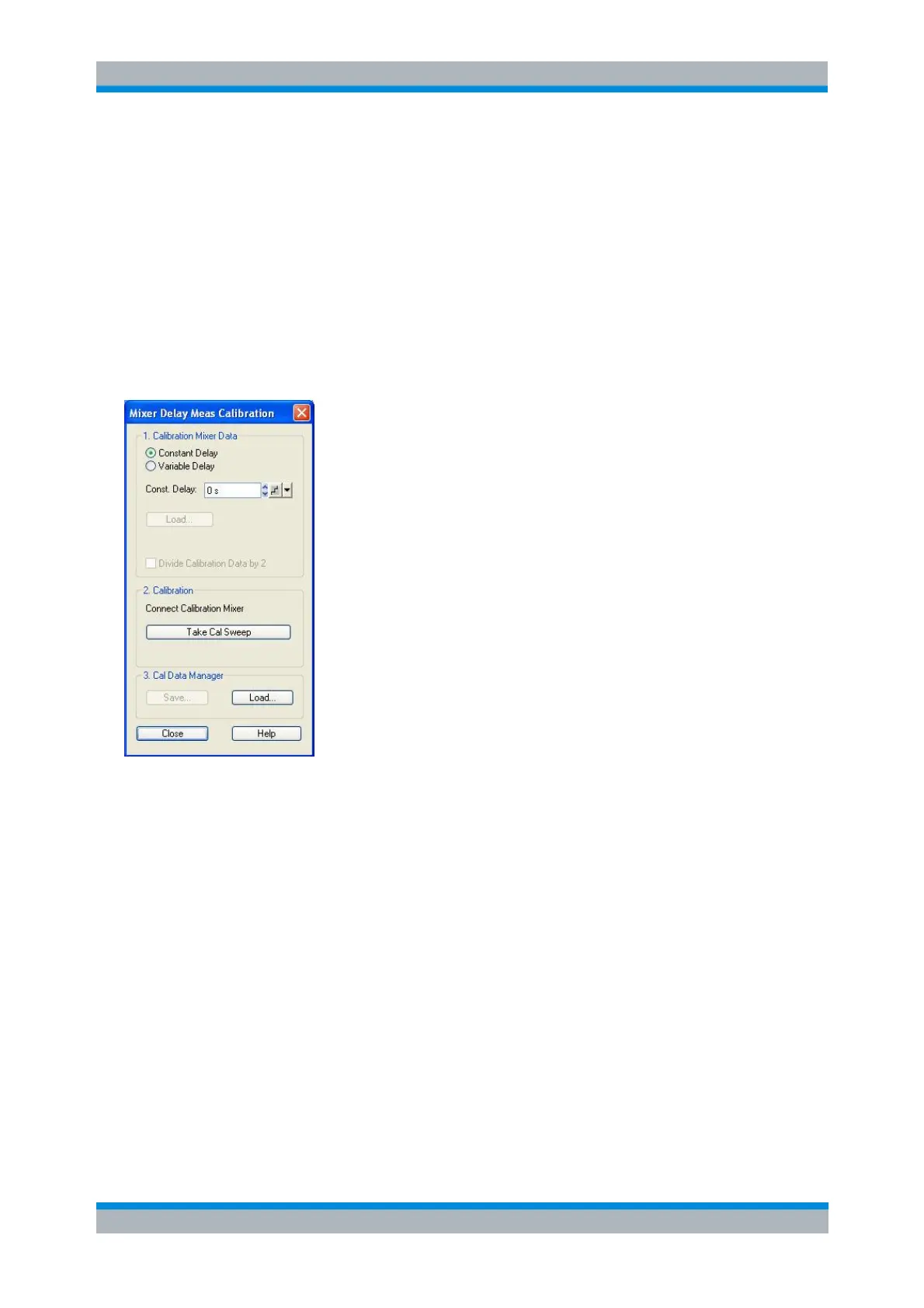
The controls in the Calibration Mixer Data panel load absolute delay values for a calibration mixer.
Mixer delays must be stored in ASCII files with the extension *.csv; two examples are stored in the
default directory C:\Program Files\Rohde&Schwarz\Network
Analyzer\Calibration\MixerDelay. The files start with a preamble, followed by a list of
stimulus values and absolute group delays. The file format is compatible with the export format for
trace data, therefore it is possible to generate mixer delay files in a measurement with trace
format Delay.
If an approximation with constant (or zero) delay of the calibration mixer is sufficient, select
Constant Delay and enter the value into the Const. Delay input field.
Divide Calibration Data by 2 causes the analyzer to divide the delay values in the loaded mixer
delay file by two. This is appropriate e.g. if the mixer delays were obtained in a reflection
measurement: The division corrects for the double propagation time in forward and reverse
direction.
Take Cal Sweep starts the calibration sweep and calculates the correction data. If the current
sweep points do not coincide with the stimulus values in the mixer data file, the delays are
interpolated or extrapolated.
Save calls up a Save As... dialog to store the calculated correction data to a calibration file for
later re-use. To be distinguished from mixer data files (*.csv), calibration files have the extension
*.mcal.



 To Next Page