R&S
®
ZVA / R&S
®
ZVB / R&S
®
ZVT GUI Reference
Channel Menu
Operating Manual 1145.1084.12 – 30 340
upper tone.
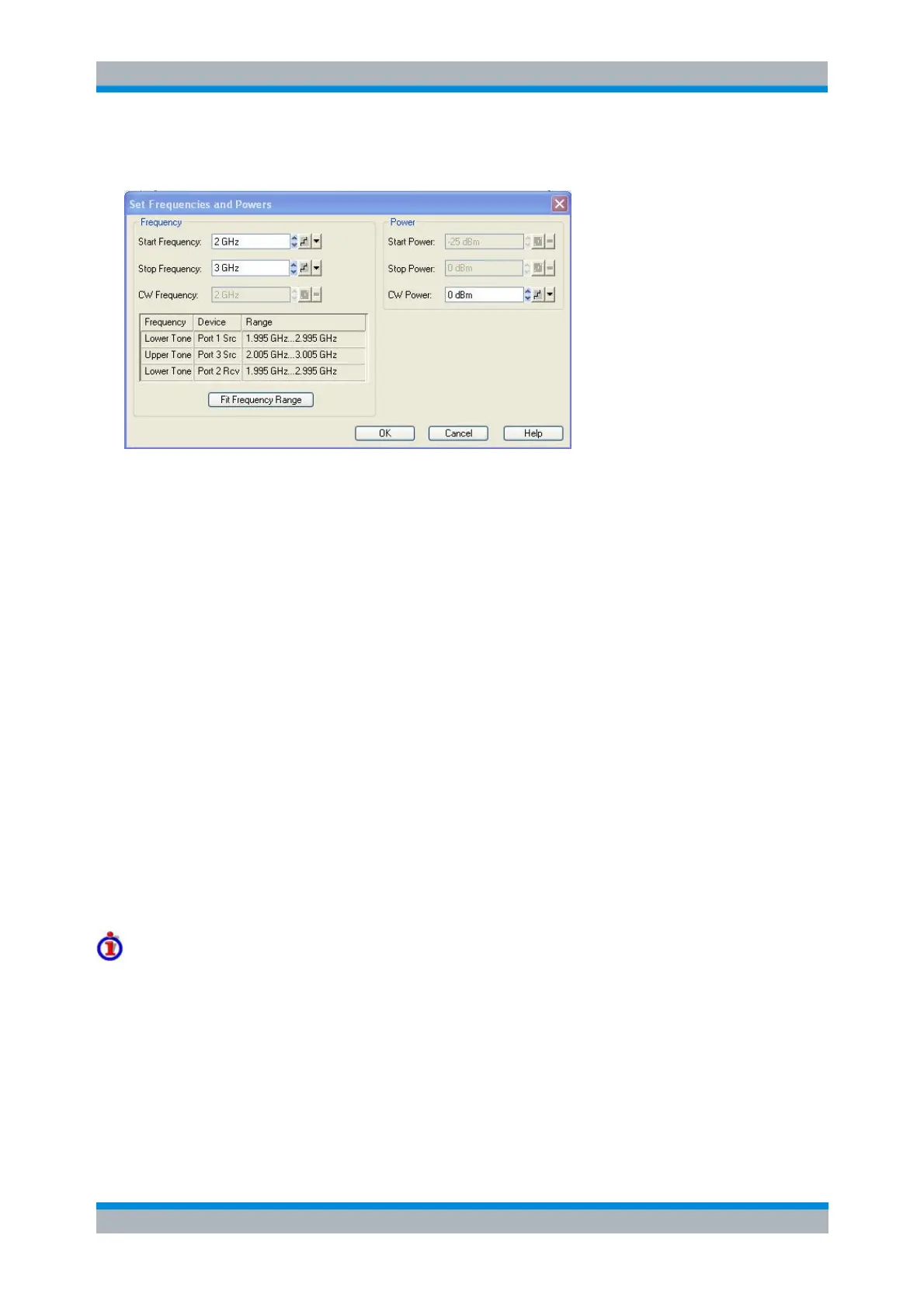
The sweep range settings depend on the active sweep type (frequency or power sweep). The Frequency
and Power settings are identical with the Channel – Stimulus settings.
The frequency of the lower tone is equal to the stimulus frequency minus half the Aperture defined in the
Define Mixer Delay Measurement without LO Access dialog. The frequency of the upper tone is equal to
the stimulus frequency plus half the Aperture defined in the Define Mixer Delay Measurement without LO
Access dialog. The power of both tones is equal, however, the port power levels can be varied using the
Channel – Mode – Port Configuration table.
The Frequency Range table shows the frequency ranges for the lower and upper tone, depending on the
current stimulus frequency range.
[SENSe<Ch>:]FREQuency:STARt
[SENSe<Ch>:]FREQuency:STOP
[SENSe<Ch>:]FREQuency:CW|FIXed
SOURce<Ch>:POWer<Pt>:STARt
SOURce<Ch>:POWer<Pt>:STOP
SOURce<Ch>:POWer<Pt>[:LEVel][:IMMediate][:AMPLitude]
Mixer Delay Meas Calibration
This dialog controls the calibration for the mixer delay measurement. The calibration is based on a
comparison of the measured mixer delay with the known delay of a calibration mixer. The necessary
calibration sweep is automatically performed across the entire sweep range of the active mixer delay
measurement (Set Frequencies).
Mixer Power Cal procedure and example
Connecting cables and other components in the test setup have an impact on the phase difference
between the upper and the lower tone in the RF and IF signals and thus affect the measured mixer delay.
Hence, an uncalibrated mixer delay measurement cannot provide the accurate "absolute" delay of a
mixer.
A mixer delay calibration uses a mixer with known absolute delay as a calibration standard. Absolute
mixer data can be acquired in a vector mixer measurement or in a simulation. The analyzer measures the
calibration mixer and compares the measured group delay with the actual group delay in order to
determine a set of correction data. The correction data is applied to subsequent measurements, if
Correction On is selected in the Define Mixer Delay Measurement without LO Access dialog.



 To Next Page