R&S
®
ZVA / R&S
®
ZVB / R&S
®
ZVT GUI Reference
Channel Menu
Operating Manual 1145.1084.12 – 30 339
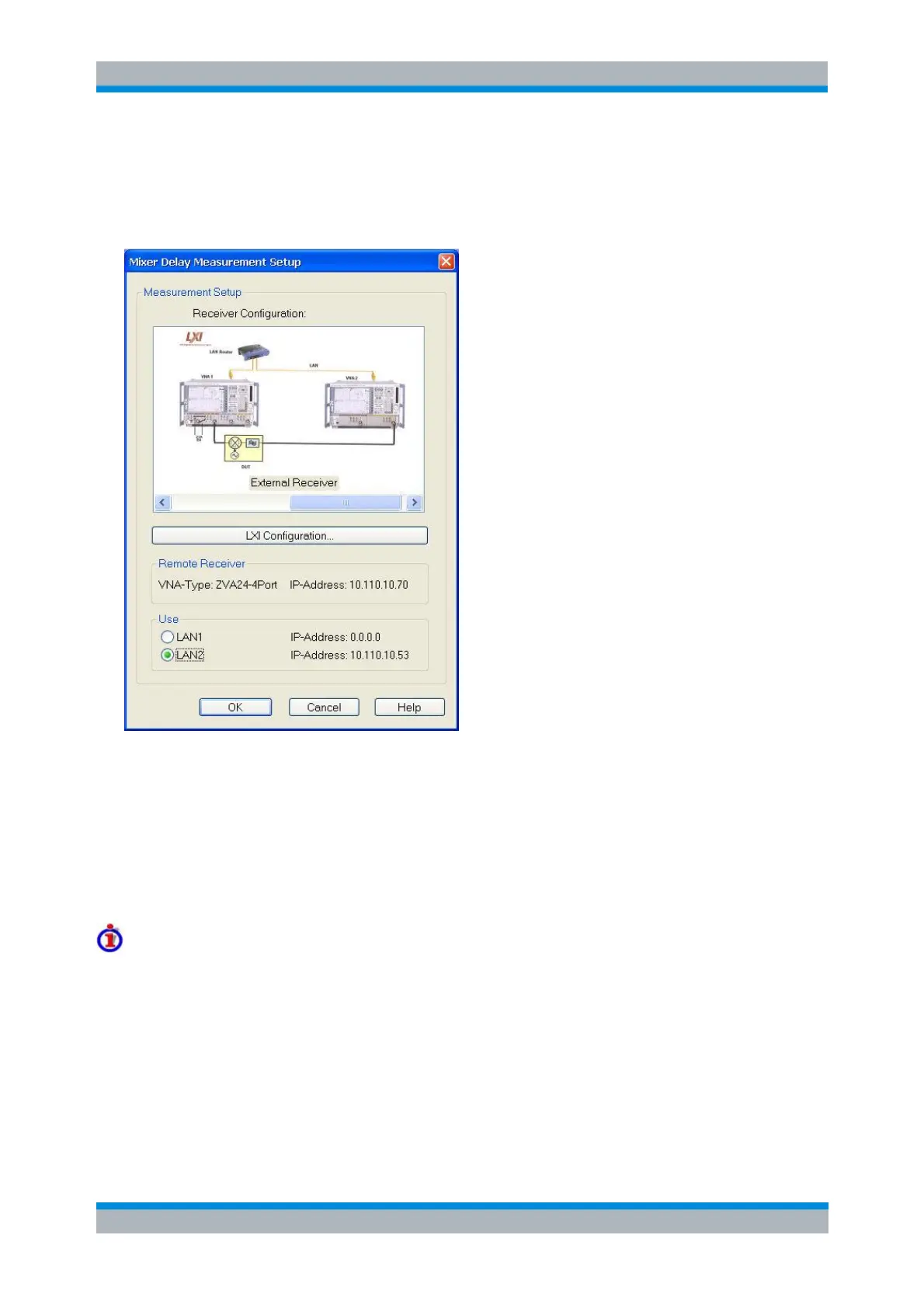
Mixer Delay Measurement Setup
The Mixer Delay Measurement Setup dialog provides the settings for a test setup with an additional R&S
ZVA network analyzer (VNA2), to be used as an external receiver.
Receiver Configuration shows the two alternative test setups with internal and external receiver. A
mixer delay measurement with internal receiver (see Test Setups with Internal Receivers above)
does not require any of the settings in the dialog.
LXI Configuration opens a dialog to configure an additional network analyzer R&S ZVA as a
remote receiver. The receiver instrument must be equipped with option R&S ZVA-K9, too.
Use LAN1 / LAN2 selects one of the two LAN connectors at the rear panel of the source network
analyzer (VNA1) for the connection. Both connectors are equivalent; select the one that you
actually connect to the LAN/VNA2.
See Test Setups with External Receiver
[SENSe<Ch>:]FREQuency:MDELay:RECeiver
[SENSe<Ch>:]FREQuency:MDELay:RECeiver:USE
SYSTem:COMMunicate:RDEVice:RECeiver:DEFine
SYSTem:COMMunicate:RDEVice:RECeiver:DELete
Set Frequencies and Powers
The Set Frequencies and Powers dialog defines the (frequency or power) sweep ranges for the lower and



 To Next Page