R&S
®
ZVA / R&S
®
ZVB / R&S
®
ZVT GUI Reference
Channel Menu
Operating Manual 1145.1084.12 – 30 381
CALCulate<Chn>:TRANsform:IMPedance:RNORmal TWAVes | PWAVes
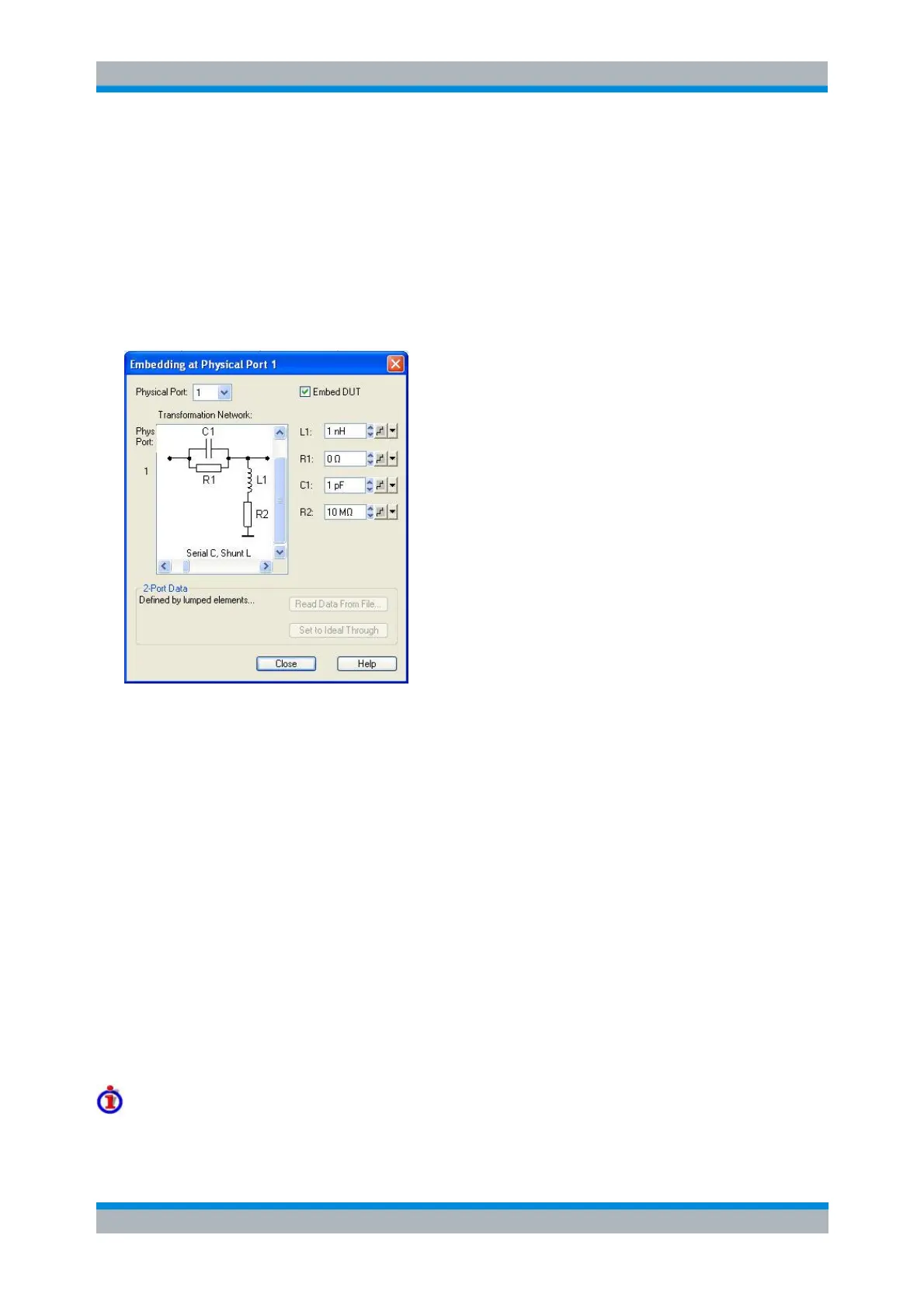
Embedding/Deembedding at Physical Port
Selects a 2-port transformation network for single port (de-)embedding, defines its parameters, assigns it
to a physical port and enables (de-)embedding. Single port (de-)embedding can be used for balanced
(logical) as well as for single ended (physical) ports. The two dialogs for deembedding and embedding are
identical except for their inverse effect.
The dialogs contain the following control elements:
Physical Port is the physical analyzer port for the added or removed circuit. The transformation
networks are defined such that the physical analyzer test port is connected to the left of the circuit;
the DUT port is on the right side.
(De-)embed DUT enables or disables the (de-)embedding function.
Transformation Network contains all available 2-port networks (see below). Networks are either
defined by lumped elements or by means of imported S-parameter data. The active network
appears in inverse colors. The element parameters (C, R, L) for the selected network are
displayed on the right side.
Read Data From File... is enabled as long as the 2-Port Data network is active. This network is
defined by its S-parameters stored in a two-port Touchstone file (*.s2p). No additional parameters
are required.
In case the port number conventions of the loaded two-port Touchstone file differ from NWA
conventions (see description of Physical Port above), it is possible to Interchange Port Numbers
of s2p File.
Set to Ideal Through is enabled as long as the 2-Port Data network is active. An imported S-
parameter set is replaced by the S-parameters of an ideal through connection, which eliminates
the transformation network.
Circuit models for 2-port networks
The lumped element 2-port transformation networks for (de-)embedding consist of the following two basic



 To Next Page