R&S
®
ZVA / R&S
®
ZVB / R&S
®
ZVT GUI Reference
Channel Menu
Operating Manual 1145.1084.12 – 30 450
Calibration Sweep Diagram
The calibration sweep diagram displays the power measured by the external power meter while a source
power calibration is performed.
A trace is displayed for each calibration sweep.
If Perform Verification Sweep after Cal is enabled in the Source Power Cal dialog, an additional
trace is displayed after the end of the calibration.
The diagram is automatically scaled so that the center corresponds to the selected Cal Power. For
frequency sweeps, a horizontal trace close to the Cal Power indicates an accurate power calibration. For
power sweeps, the ideal trace is a power ramp.
Below the sweep diagram, the status messages Calibration in Progress/Finished and Verification in
Progress/Finished show the progress of the calibration procedure.
Viewing calibration sweeps in remote state
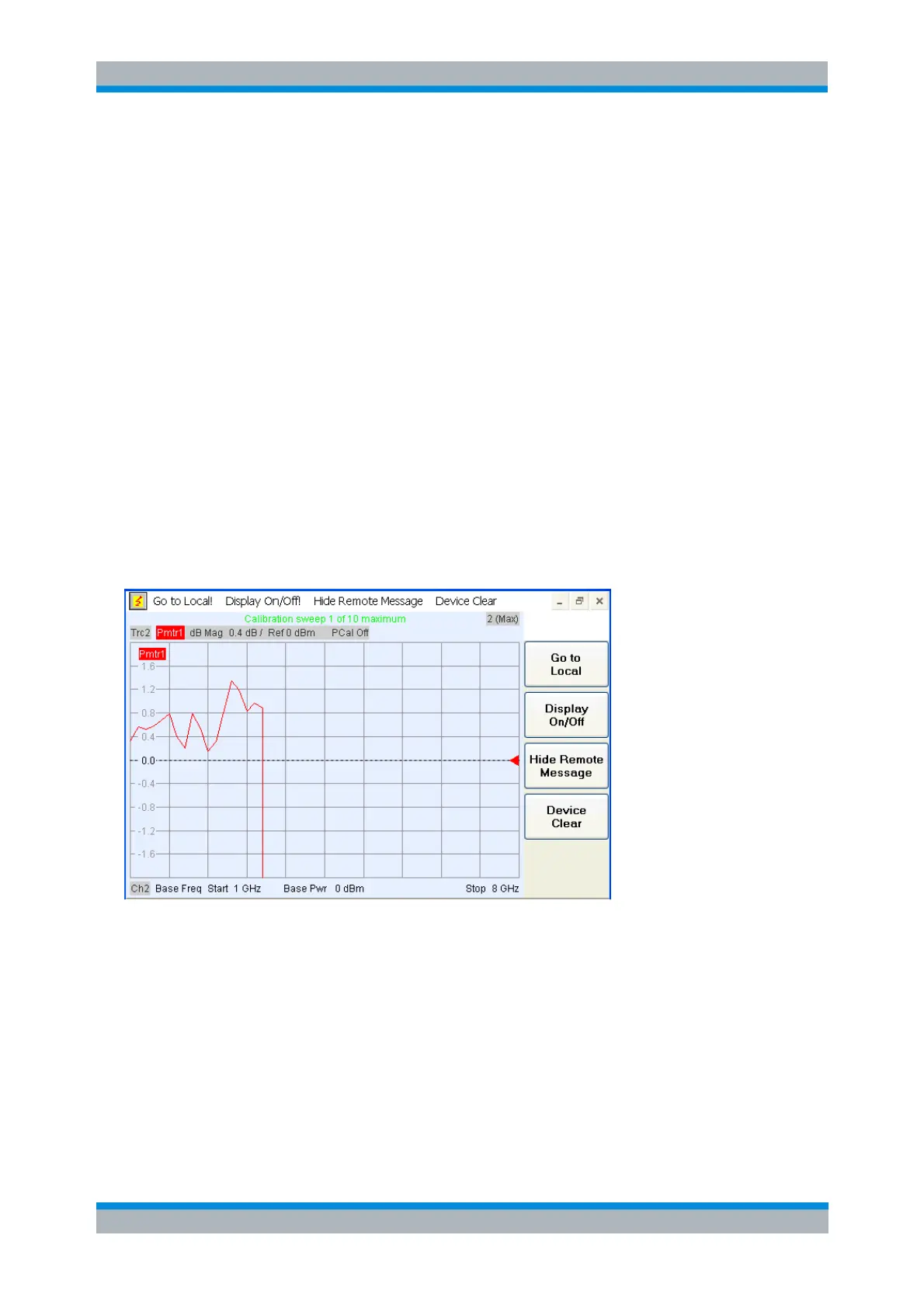
The analyzer provides calibration sweep diagrams for remote-controlled source and receiver calibrations.
To view the progress of the calibrations, you have to switch on the display (use
SYSTem:DISPlay:UPDate ON or the equivalent Display On/Off softkey in the remote screen). When a
calibration sweep or a sweep sequence is initiated (e.g. SOURce:POWer:CORRection:ACQuire PORT,
1), the screen changes as shown below.
The current sweep number is indicated in the title line; the trace line indicates whether the power meter
(Pmtr<n>) or the reference receiver reading (a<n>(P<m>)) is used. After completing the entire sequence
of calibration sweeps (including a possible verification sweep), the analyzer returns to the previous
measurement screen.
Modify Source Power Cal Settings
The Modify Source Power Cal Settings dialog displays the target power for the source power calibration
and defines stop criteria.



 To Next Page