R&S
®
ZVA / R&S
®
ZVB / R&S
®
ZVT GUI Reference
Channel Menu
Operating Manual 1145.1084.12 – 30 453
Power Meter Settings
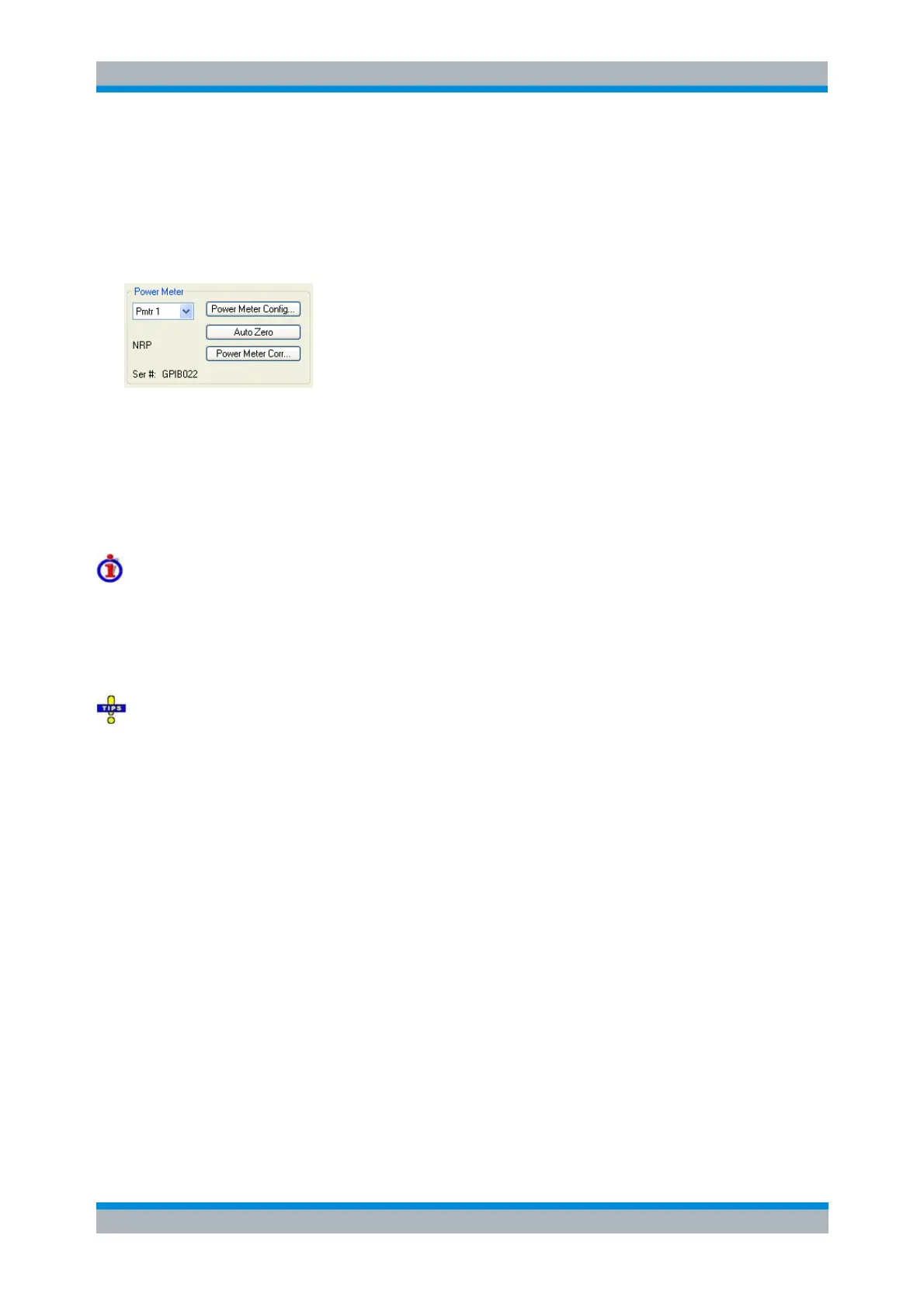
The Power Meter settings in the Source Power Cal dialog (and similar dialogs) are used to select the
external power meter that is used to measure the exact source power at the calibration point and to
ensure maximum accuracy of the power measurement. Power meters (Pmtr1, Pmtr2, ...) must be
configured in the System Configuration – External Power Meters dialog before they appear in the list.
The Power Meter panel provides the following buttons.
Power Meter Config... opens the System Configuration – External Power Meters dialog.
Auto Zero initiates a zeroing procedure of the power meter; see background information below.
Power Meter Correction... opens a dialog to define the frequency range for the sensitivity
correction of the power meter and an additional transmission coefficient in front of the power
meter or the DUT.
Zeroing
Zeroing calibrates the external power meter by adjusting its reading at zero signal power. For this
purpose, the RF cable between the analyzer and the power sensor must be disconnected (see tips
below!). R&S power sensors and power meters automatically detect the presence of any significant input
power. This aborts zeroing and generates an error message. Zeroing can take a few seconds, depending
on the power meter model; refer to the documentation of your external power meter for more information.
Repeat zeroing:
During warm-up after switching on or connecting the instrument
After a substantial change of the ambient temperature
After fastening the power meter to an RF connector at high temperature
After several hours of operation
When very low-power signals are to be measured, e.g. less than 10 dB above the lower
measurement limit.
A reset of the network analyzer does not affect the last zeroing result.
Power Meter Correction
Defines the frequency range for the sensitivity correction of the power meter and an additional
transmission coefficient in front of the power meter or the DUT.



 To Next Page