R&S
®
ZVA / R&S
®
ZVB / R&S
®
ZVT GUI Reference
Channel Menu
Operating Manual 1145.1084.12 – 30 454
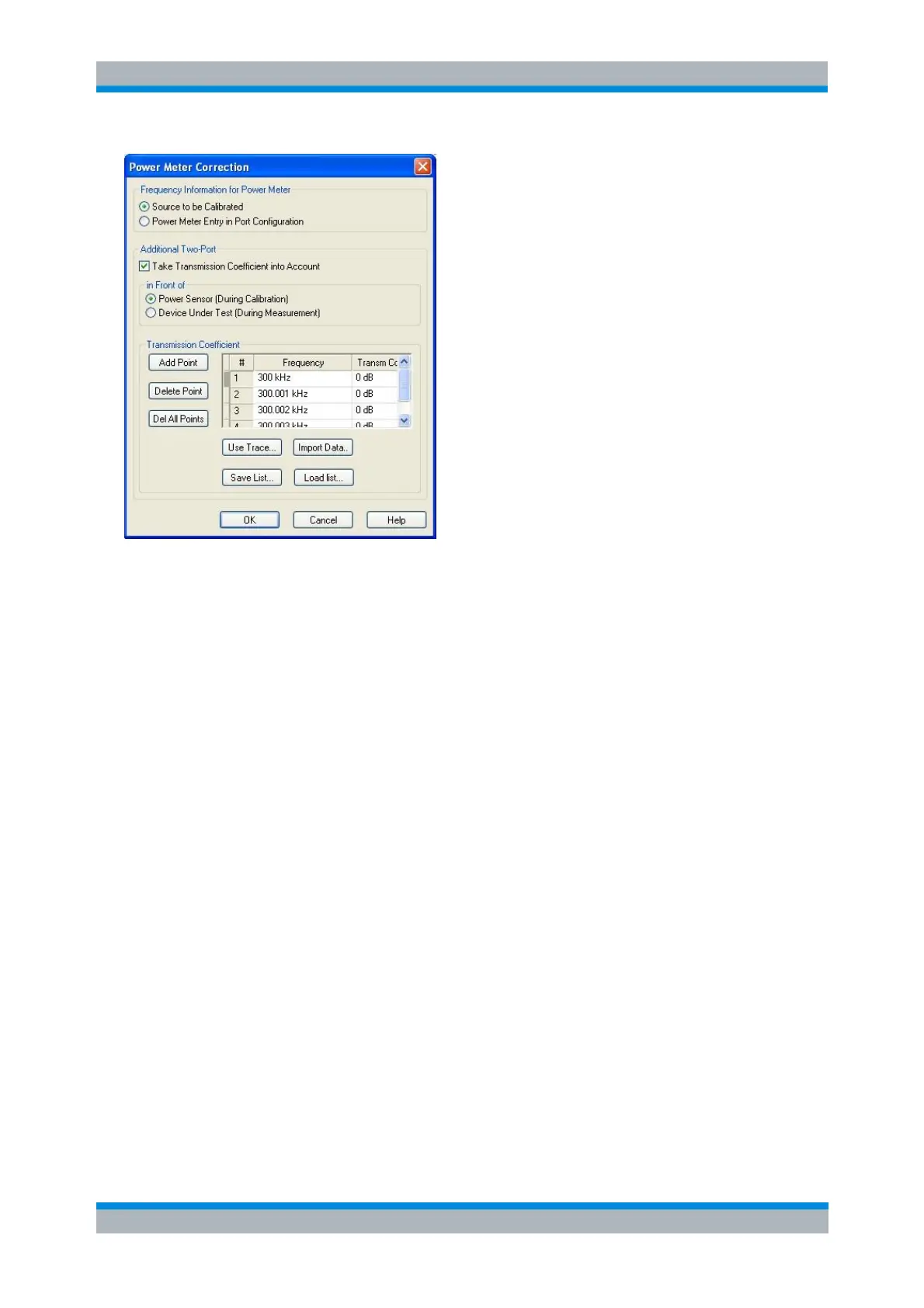
The settings appear in two panels:
Frequency Information for Power Meter selects the origin of the frequency information for the
power meter.
For best accuracy, power meters must know the exact frequency of the measured signal. If the
signal path between the source and the power meter contains a frequency-converting device, the
frequency at the power meter differs from the frequency of the calibrated source. It is
recommended to define the modified frequency range for the power meter in the Port
Configuration dialog and select From Power Meter Entry in Port Configuration. his setting
overwrites the analogous setting in the Power Meter Correction dialog for the power sensor
measurement.
The Additional Two-Port settings allow you to modify the power calibration data in order to
account for an additional two-port device with known transmission coefficients. Configuration of
the transmission coefficients and activation (Take Transmission Coefficient into Account) are
independent from each other.
In Front of selects the position of the additional two-port in the test setup.
If Power Sensor (during Calibration) is active, the analyzer increases the measured power sensor
values by the two-port transmission coefficients to ensure that a subsequent measurement
without the additional two-port is correctly calibrated.
If Device under Test (during Measurement) is active, the analyzer decreases the measured
power sensor values by the two-port transmission coefficients to move the reference plane of the
power calibration towards the input of the DUT. For examples see background information below.
The Transmission Coefficient panel defines the transmission characteristics of the additional two-
port in the calibrated frequency range. The required information is a list of transmission
coefficients at different frequency values. It is possible to edit the list manually, use one of the
traces in the active setup (Use Trace), or import the list from a trace file (Import Data...). The file
import dialog contains a checkbox for renormalization, in analogy to the Import Complex Data
dialog. The imported trace file must be either in Touchstone (*.s<n>p) or in *.csv format; see also
Trace File Formats).
The list must contain at least one frequency point before you can enable the additional two-port
correction. In a power, time or CW mode sweep, one point at the fixed CW frequency is sufficient.
In a frequency sweep it is possible to enter several values to account for a frequency-dependent



 To Next Page